The mobile runtime for AI agents.

Give any agent an iOS environment it can see, control, and learn. Phone Use turns native apps into reliable, reusable tools.

Works withAnthropicCodexCursorModel Context Protocol
██████  ██   ██  ██████  ███    ██ ███████       ██    ██ ███████ ███████ 
██   ██ ██   ██ ██    ██ ████   ██ ██            ██    ██ ██      ██      
██████  ███████ ██    ██ ██ ██  ██ █████   █████ ██    ██ ███████ █████   
██      ██   ██ ██    ██ ██  ██ ██ ██            ██    ██      ██ ██      
██      ██   ██  ██████  ██   ████ ███████        ██████  ███████ ███████

natural-language phone control for agents

TASKSave this phone's model and iOS version to a note titled “Device Info.”

DEVICEiPhone 17 Pro· iOS Simulator

  1. 01observeSettings → Aboutrunning
  2. 02captureModel Name · iOS Versionqueued
  3. 03openNotesqueued
  4. 04writeDevice Infoqueued
  5. 05verifynote exists with both valuesqueued
$
connectediPhone 17 Pro · cloud runtime

WHAT PHONE USE DOES

Everything an agent needs to use an app.

It reads the interface, takes an action, checks the result, and remembers the route so the same task gets faster next time.

01

OBSERVE

More signal than a screenshot.

A compressed accessibility tree gives the agent labels, values, roles, and geometry. Vision is there when the interface needs it—not as the only source of truth.

observe()11 elements · 4.2 kb
WindowSettingsroot
SearchFieldSearch·
CellGeneral·
CellAccessibility·
SwitchAirplane Mode·
semantic targetwindow · Settings
02

ACT + VERIFY

Every action closes the loop.

Taps are aimed at real elements and checked against the next screen. If nothing changed, the agent knows immediately and can recover instead of drifting.

9:41Settings
General
Accessibility
Display & Brightness
action_04pending

targetCell “General”

actiontap · ref_04

screen fingerprint0x91c4
postcondition matchedscreen = General
03

MAP + COMPILE

The phone gets smarter every time.

App Cartographer saves screens and transitions as a durable graph. Successful errands compile into skills that replay with zero model calls.

APP GRAPH / IOS_01HX9F8 screens · 8 transitions
SETTINGSNOTESSettingsGeneralAboutAccessibilityDisplayNotesDevice InfoEditor
active routeSettings / About → Notes / Device Info
COMPILED SKILLsave-device-info
screens
5
transitions
4
replay
2.8s
model calls
0

$ phone-use skill run save-device-info

✓ postcondition matched

MADE FOR AGENTS. NICE FOR DEVELOPERS.

One runtime.
Use it your way.

Start in the terminal, embed the typed SDK, or hand the same runtime to any MCP client. The behavior underneath stays consistent.

Explore the documentation
$ npm i -g phone-use
$ phone-use goto Settings About
✓ About, 2 taps
$ phone-use ask "iOS Version"
iOS Version = 26.1

COMPLETED RUN

Every step, after the run.

A completed task returns its tool calls, inputs, results, and timing. The trace artifact keeps the matching interface trees and captured frames for deeper inspection.

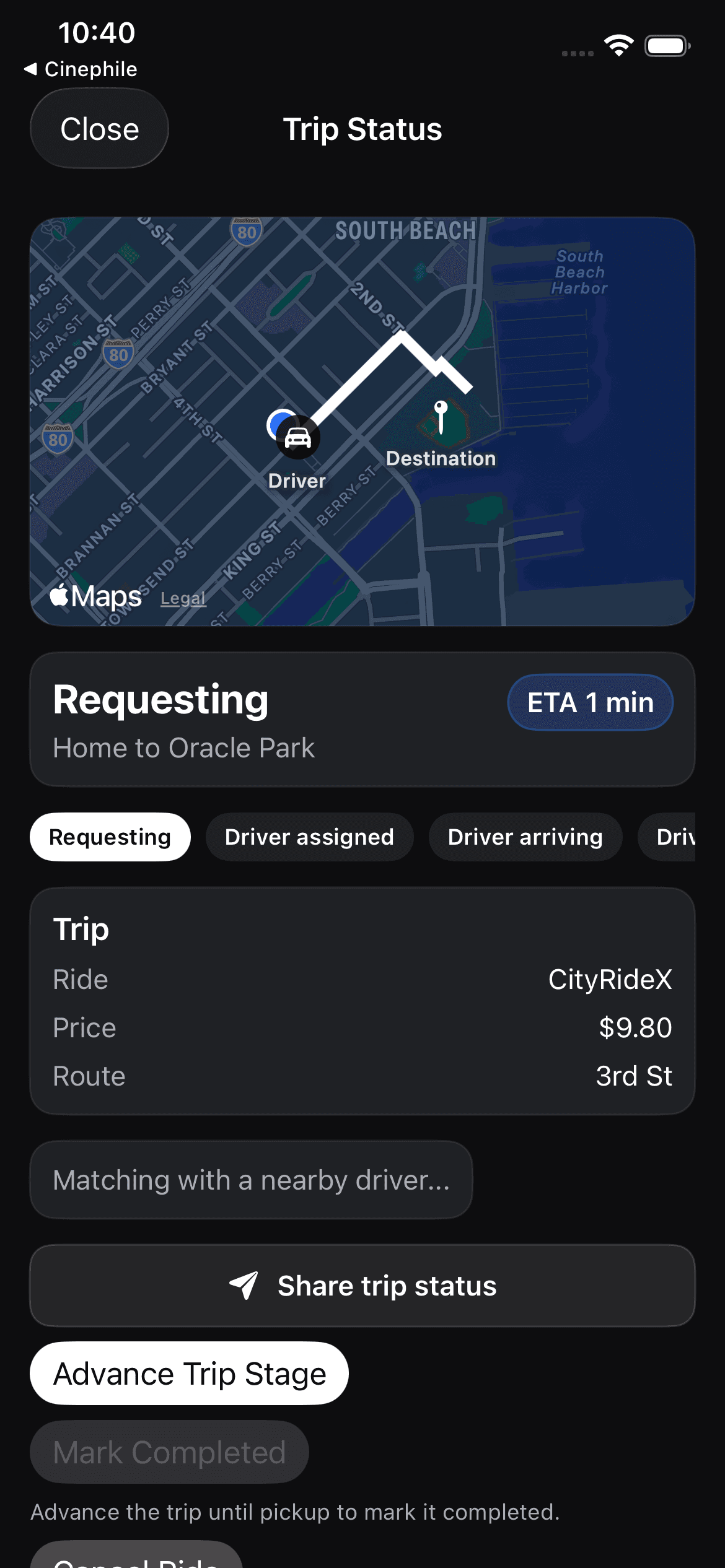
TASKRequest a ride to Oracle Park
STATUS
completed
DURATION
18.4 s
STEPS
4
STEP 04 / verify_state
Captured frame showing the requested ride in progress
frames/000004.jpeg
INPUT
expect Ride status is Requesting
RESULT
Matched “Ride status · Requesting”
DECISION
allow
DURATION
731 ms
DEVICE
iPhone 17 Pro · iOS 26.2
TRACE ARTIFACTtrace.jsonltrees/000004.jsonframes/000004.jpeg

iOSWORLD · REFERENCE RESULTS

The open benchmark for iPhone agents.

133 tasks across 26 SwiftUI apps, scored against published frontier baselines.

PASS RATE (%)
Published bestPhone Use
Single-app
Memory
Overall
Multi-app
Published best: Claude Opus 4.6 with vision + XML · Phone Use: text-first CLI, same tasks & judge

An agent for your phone.