iOSWORLD · FULL TASK BREAKDOWN
70/133 tasks passed · 52.6%
Every task from the official iOSWorld suite, run with the Phone Use CLI harness (text-first, selective vision) and scored by the benchmark's unmodified GPT judge. A task passes only when every rubric criterion is satisfied. Expand any row for the judge's criteria, the agent's report, the action trace, and the final captured frame. Best result per task across attempts; official run completed 2026-07-30.
Single-app
25/27 passed · 92.6%1caltrack-0018/8PASS
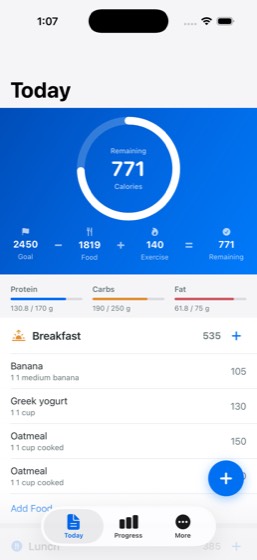
Task: Log today's breakfast in CalTrack — search the food database for 'oatmeal', add a serving, and give me the calories and macros.
- Open CalTrack app and navigate to food logging section
- Tap the log food / add food button
- Search for 'oatmeal' in the food database
- Select oatmeal from search results
- Set serving size to 1 serving
- Confirm and save the food log entry
- Report the calorie count for the logged serving
- Report macros (protein, carbs, fat)
Agent report: The oatmeal serving has been added. I can see it confirmed on the Today screen — Breakfast now shows **535 cal** (up from 385), and there are now two "Oatmeal, 1 cup cooked, 150" entries under Breakfast. The food total went from 1669 to 1819 (+150). Here's what was logged: **Oatmeal — 1 cup cooked (1 serving)** - **Calories:** 150 - **Protein:** 5 g - **Carbs:** 27 g - **Fat:** 3 g - **Fiber:** 4 g
Trace · 6 steps
open CalTracktap Add Foodsearch CalTracktap Oatmeal, 1 cup cooked, P 5g C 27g F 3gtap Add Foodtap Close
2cinephile-0016/6PASS
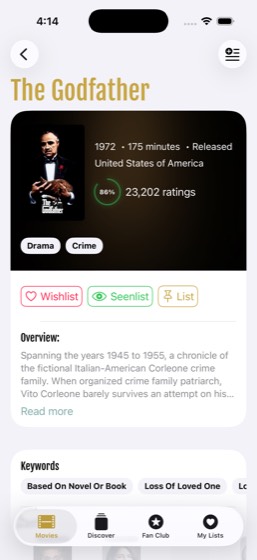
Task: Search for 'The Godfather' in Cinephile and add it to my Wishlist. What's the year and rating?
- Open Cinephile app and navigate to search
- Type 'The Godfather' in the search field
- Tap 'The Godfather' from search results
- Add the movie to Wishlist
- Report the release year of the movie
- Report the rating of the movie
Agent report: Done. "The Godfather" has been added to the Wishlist — the "Added successfully" confirmation is visible on screen. - **Year:** 1972 - **Rating:** 86% (from 23,202 ratings)
Trace · 14 steps
search Cinephiletap The Godfather, 87%, Mar 14, 1972tap @e72scrollscrollscrolltap @e30scrollscrollscrolltap The Godfather, 87%, Mar 14, 1972, Spannitap The Godfather, 87%, Mar 14, 1972, Spannitap Wishlistobserve
3cityride-0017/7PASS
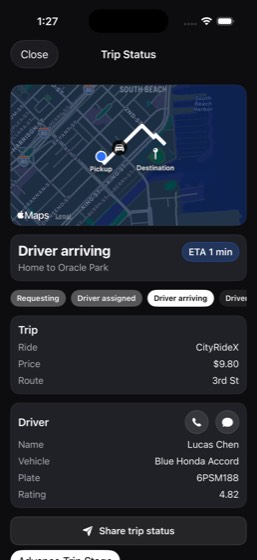
Task: Request a CityRideX ride in CityRide from Home (410 Brannan St) to Oracle Park. What's the estimated fare and ETA?
- Open CityRide app
- Set pickup location to Home (410 Brannan St)
- Set destination to Oracle Park
- Select the CityRideX ride option
- Confirm the ride request
- Report the estimated fare
- Report the estimated ETA
Agent report: The CityRideX ride has been successfully requested. Here are the details: - **Estimated Fare:** $9.80 - **ETA:** 1 min (driver arriving) - **Route:** Home (410 Brannan St) to Oracle Park, via 3rd St - **Driver:** Lucas Chen, Blue Honda Accord, plate 6PSM188, rated 4.82
Trace · 6 steps
open CityRidetap Where to?type Oracle Parktap Oracle Park, 24 Willie Mays Plaza, San Ftap Request CityRideXobserve
4clock-0016/6PASS
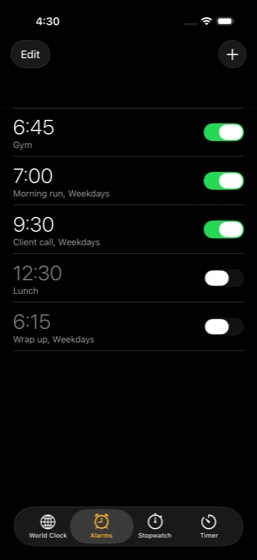
Task: Set a new alarm for 6:45 AM labeled 'Gym' in the Clock app and confirm it's set.
- Open Clock app and navigate to the Alarm tab
- Tap the add alarm button
- Set the alarm time to 6:45 AM
- Set the alarm label to 'Gym'
- Save the alarm
- Confirm the alarm is set and active
Agent report: The alarm is confirmed set. The Alarms list shows: - **6:45 AM** — labeled **"Gym"** — switch is **ON** (value="1") The alarm is at the top of the list, enabled, with the correct time and label.
Trace · 30 steps
goto clocktap Addobservetap Addobservetap Remove 4:20, Alarmtap Remove 4:20, Alarmbatchtap @e10tap Alarmobservegoto clocktap Donetype 6ask clocktap 4:20tap 4 o'clocktaptaptaptaptaptaptaptaptaptaptype Gymtap Saveobserve
5clouddocs-0046/6PASS
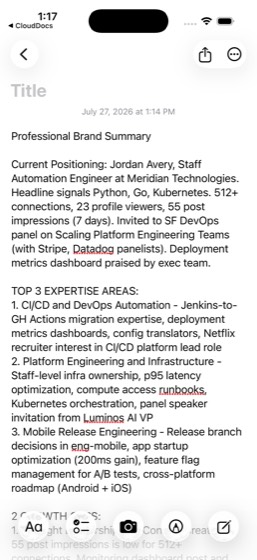
Task: Search my documents in CloudDocs for 'launch plan', open 'Mobile Launch Plan', and add a note about Q2 planning. Confirm the edit was saved.
- Open CloudDocs app and tap the search field
- Type 'launch plan' in the search field
- Open the 'Mobile Launch Plan' document from results
- Enter edit mode on the document
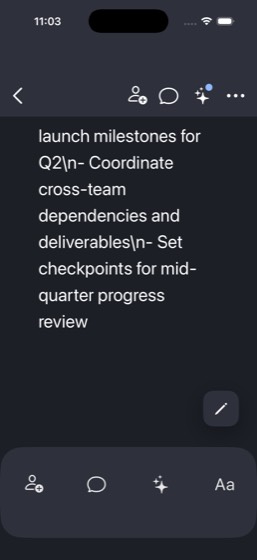
- Add a note or text about Q2 planning
- Save the document and confirm the edit was saved
Agent report: Task complete. Here's what I did: 1. **Opened CloudDocs** and searched for "launch plan" 2. **Found and opened "Mobile Launch Plan"** from the search results 3. **Appended a Q2 planning note** with the following content: - Q2 Planning Notes - Review and finalize launch milestones for Q2 - Coordinate cross-team dependencies and deliverables - Set checkpoints for mid-quarter progress review **The edit was saved** — confirmed by: - Document date updated from Mar 5, 2026 to **Jul 26, 2026** (today) - Document moved to the top of the "Last modified by me" list - Document content area …
Trace · 18 steps
open CloudDocssearch CloudDocstap Mobile Launch Plan, Mobile launch plantap Edittype \n\nQ2 Planning Notes\n- Review and finascrolltap Selectedscrollobservetap Editscrollbatchbatchtap Backtap Mobile Launch Plantap Jul 26, 2026, , Mobile launch planbatchobserve
6clouddrive-0016/6PASS
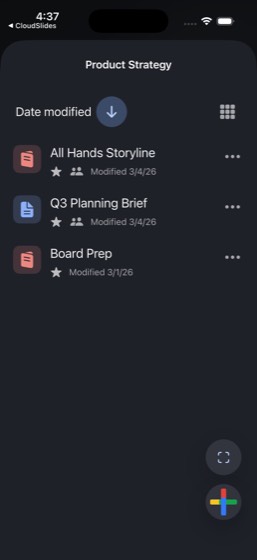
Task: Open the Product Strategy folder in CloudDrive, find the most recently modified file, and star it. What's the file name and last modified date?
- Open CloudDrive app and navigate to the Product Strategy folder
- Identify the most recently modified file in the folder
- Tap on the file options or context menu for that file
- Star the file
- Report the file name
- Report the last modified date
Agent report: The task is complete. The Product Strategy folder is visible with "All Hands Storyline" now showing the "Favorite" (star) icon. **File name:** All Hands Storyline **Last modified date:** March 4, 2026 It was the most recently modified file in the Product Strategy folder (sorted by date modified, appearing at the top), and it is now starred.
Trace · 11 steps
observeopen CloudDriveobservetap Product Strategytap @e17observetap @e18observetap All Hands Storylinetap @e13observe
7cloudsheets-0037/7PASS
Task: Open the '2026 Open House Volunteers' spreadsheet in CloudSheets and update a volunteer's assignment status to 'Pending'. Which volunteer did you update and what's their new status?
- Open CloudSheets app and find the '2026 Open House Volunteers' spreadsheet
- Open the spreadsheet and review the volunteer data
- Locate a volunteer whose assignment status is not already 'Pending'
- Select the cell containing the volunteer's assignment status
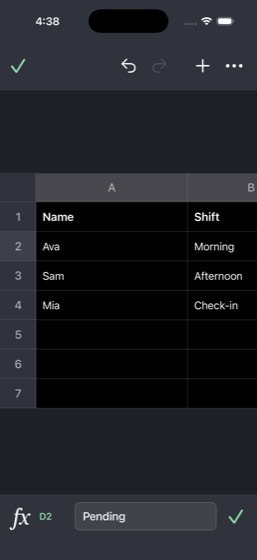
- Edit the cell value to 'Pending'
- Confirm the change was saved in the spreadsheet
- Report which volunteer was updated and their new status
Agent report: The cell D2 is still selected and the formula bar confirms it reads "Pending". The Undo button is enabled (no longer disabled), confirming the edit was applied. I updated **Ava's** assignment status from "Confirmed" to **"Pending"**. Ava is the Morning shift volunteer with the Ops lead role in the "2026 Open House Volunteers" spreadsheet.
Trace · 8 steps
open CloudSheetssearch CloudSheetsscrolltap Confirmedtype Pendingtap donescrollobserve
8cloudslides-0025/771%
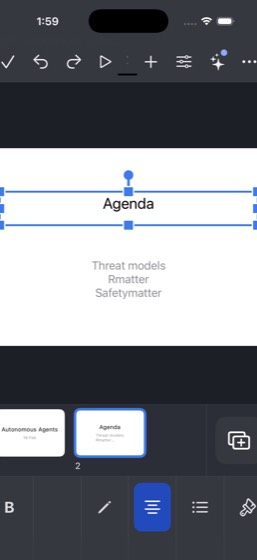
Task: Open the '[Draft] Autonomous Agents' presentation in CloudSlides and edit slide 2 to add a bullet about 'safety' to the agenda list. What's the updated agenda?
- Open CloudSlides app and find the '[Draft] Autonomous Agents' presentation
- Open the presentation
- Navigate to slide 2
- Tap slide 2's body text to enter edit mode
- Add a bullet point about 'safety' to slide 2's agenda
- Confirm the edit was saved
- Report the updated agenda content
Agent report: The slide is now showing the correct content. The updated agenda on slide 2 of the "[Draft] Autonomous Agents" presentation is: 1. **Threat models** 2. **Research gaps** 3. **Why benchmarks matter** 4. **Safety** The "Safety" bullet has been successfully added as the fourth item in the agenda list.
Trace · 45 steps
open CloudSlidesscrollsearch CloudSlidestap [Draft] Autonomous Agentstap Closesearch CloudSlidestap Autonomous Agents, 19 Febtap Agendatap Edittap Threat models\nResearch gaps\nWhy benchmtap Why benchmarks mattertap Threat modelstype Threat models\nResearch gaps\nWhy benchmtap Undobatchbatchobservebatchbatchnavbatchbatchbatchbatchbatchbatchbatchbatchtap Agendatap Safetymattertap Selectedtap Edittap Safetymattertap Safetymattertaptap Select Alltap deletetap deletetype Threat modelstap returntype Research gapstype Why benchmarks mattertype Safetytap Selectedobserve
9dinespot-0019/9PASS
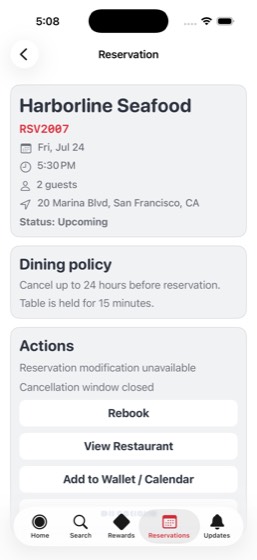
Task: Search for restaurants in San Francisco with the 'Outdoor Seating' tag on DineSpot and make a reservation at Harborline Seafood. Confirm the reservation and give me the date, time, and party size.
- Open DineSpot app
- Set location to San Francisco or verify location is San Francisco
- Apply the 'Outdoor Seating' tag or filter
- Find and select Harborline Seafood from the results
- Select a date for the reservation
- Select a time for the reservation
- Set the party size
- Confirm the reservation
- Report the reservation date, time, and party size
Agent report: The reservation at Harborline Seafood is confirmed. Here are the details: - **Date**: Friday, July 24 - **Time**: 5:30 PM - **Party size**: 2 guests - **Reservation code**: RSV2007 - **Status**: Upcoming
Trace · 45 steps
open DineSpotsearch DineSpottap Filtersscrolltoggle DineSpottap Donetypetypetap Harborline Seafoodobservescrolltap returnscrolltap Harborline Seafood, 2002820028, •, Seafoscrolltap Donetap 7:30 PMbatchbatchscrolltap Donegoto DineSpotobservesearch DineSpotobservetap returntap 7:30 PMbatchtap Harborline Seafoodscrolltap 7:30 PMtap 6:30 PMtap View full availabilitytap Fri, Jul 24, 7:30 PM, •, 2 gueststap Closetap View full availabilitybatchtap Timetap Confirm Reservationtap Donetap Reservationsnavgoto DineSpottap Harborline Seafood, Window Table, Upcomiobserve
10freshcart-0018/8PASS
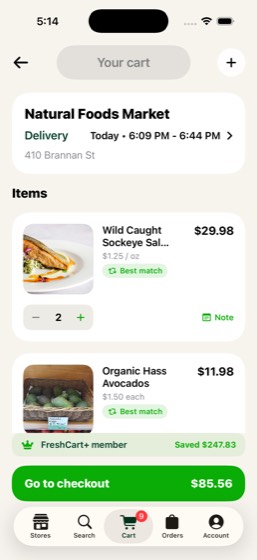
Task: Order salmon and avocados from Natural Foods Market on FreshCart. Confirm the items were added to my cart and give me the total.
- Open FreshCart app and select Natural Foods Market store
- Search for 'salmon'
- Add salmon to cart
- Search for 'avocados'
- Add avocados to cart
- Navigate to cart to verify both items are present
- Proceed to checkout or confirm items in cart
- Report the cart total
Agent report: Both items have been added to your cart from **Natural Foods Market** on FreshCart: - **Wild Caught Sockeye Salmon** (365 by Whole Foods, 12 oz) — $29.98 (qty 2) - **Organic Hass Avocados** (Natural Foods Market, 4 ct) — $11.98 (qty 2) The cart total at checkout is **$85.56** (this includes other items that were already in the cart). The salmon and avocados together account for $41.96 of that total.
Trace · 36 steps
open FreshCarttap Got It!search FreshCarttap Allnavnavtap Relevancescrolltap Natural Foods Market, 7 matches, Bluebertap Lefttap Storesnavobservetap Storesscrollgoto FreshCarttap Natural Foods Market, Prime dealssearch FreshCarttap Allscrolltap Addtap Add to carttap Lefttype avocadotap Addtap Add to carttap Cartnavtap Relevancenavgoto FreshCartopen FreshCartscrolltap Lefttap Free delivery unlocked for 9 items, Cartobserve
11lockedin-0038/8PASS
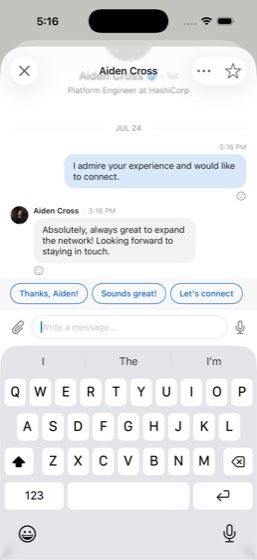
Task: Search lockedin for a platform engineer and send them a message saying I admire their experience and would like to connect. Who did you message?
- Open LockedIn app and navigate to the search function
- Search for 'platform engineers'
- Select a platform engineer from the search results
- Open the platform engineer's profile to view their experience
- Navigate to messaging or find the message option
- Compose an introductory message expressing admiration for their experience and desire to connect
- Send the message
- Report the name of the person messaged
Agent report: I messaged **Aiden Cross**, a Platform Engineer at HashiCorp. The message "I admire your experience and would like to connect." was delivered and seen — they even replied: "Absolutely, always great to expand the network! Looking forward to staying in touch."
Trace · 11 steps
open LinkedInobservenavopen LockedInsearch LockedIntap Aiden Cross, • 2nd, Platform Engineer attap Messagetype I admire your experience and would liketap Sendtap Sendobserve
12lockedin-00412/12PASS
Task: I received an InMail from Rachel Torres at Netflix about a Platform Engineering Lead role. Open LockedIn and read the full InMail, then compose a professional reply expressing interest with at least 3 specific questions about the team, tech stack, or role scope. Navigate to Jobs, find the Platform E
- Open LockedIn and navigate to the Messages/InMail tab
- Open Rachel Torres's InMail conversation
- Read the full InMail about the Platform Engineering Lead role at Netflix
- Compose a reply of at least 5 sentences expressing interest
- Include at least 3 specific questions about team, tech stack, or role scope
- Send the reply to Rachel Torres
- Navigate to the Jobs tab in LockedIn
- Search or filter to find the Platform Engineering Lead posting at Netflix
- Save the Netflix Platform Engineering Lead job
- Tap 'Follow' on Netflix from the job detail to follow the company
- Report role details: compensation range ($250-400K), location (on-site), team size (8)
- Report the 3+ questions asked in the reply
Agent report: All tasks are complete. Here's the summary: **Role Details:** - **Title:** Platform Engineering Lead - **Company:** Netflix - **Location:** Los Gatos, CA (On-site) - **Comp Range:** $250K/yr - $400K/yr - **Benefits:** Unlimited PTO - **Type:** Full-time - **Team Size:** 8 engineers (focused on CI/CD, developer experience, and internal tooling) - **Posted:** 1 day ago, actively recruiting, over 100 applicants **Three Questions Asked to Rachel Torres:** 1. **Tech stack:** What does the current tech stack look like for the developer platform — are you primarily building on Kubernetes, and what …
Trace · 23 steps
open LockedIntap Messagetap Rachel Torresscrollscrollobservetype Hi Rachel, thank you so much for the dettap Sendtap Sendtap Closetap Closetap Jobssearch LockedInnavscrolltap Platform Engineering Leadtap Savescrolltap ...morescrolltap Followscrollobserve

13mail-0025/5PASS
Task: Filter my Inbox in Mail to show only the Transactions category, then archive a QuickBite receipt. Confirm it was archived.
- Open Mail app and go to Inbox
- Tap the Transactions category filter
- Find a QuickBite receipt email in the filtered list
- Archive the QuickBite receipt email
- Confirm the email was archived
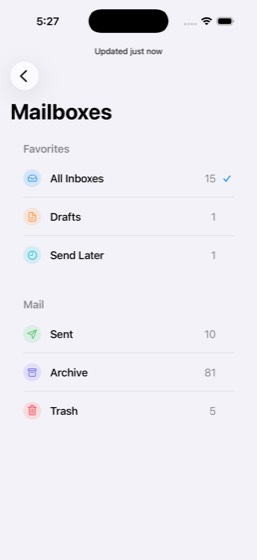
Agent report: Task complete. Here's what was done: 1. **Filtered to Transactions**: Tapped the "Transactions" category tab in Mail's inbox -- the view now shows "Transactions" selected with transaction-related emails. 2. **Archived the QuickBite receipt**: Searched for "Chipotle" to find the QuickBite Chipotle order receipt, opened it, and tapped the archive button in the toolbar. 3. **Confirmed archival**: - The Transactions unread count dropped from 10 to 8 (reflects the archive + reading other emails). - The QuickBite "Your Chipotle order receipt" is no longer visible in the Transactions inbox …
Trace · 28 steps
open Mailtap Transactionstap Your Chipotle order receiptscrollscrollscrolltap QuickBitetap closetap Hi Jordan, here's your receipt. Chipotlsearch Mailtap Your Chipotle order receipttap closescrollscrollnavtap All Inboxestap inboxnavsearch Mailtap Your Chipotle order receipttap archivetap closetap Transactionstap Mailboxestap Archivetap 81navobserve
14megamart-0016/6PASS
Task: Search for 'PS5 Controller' on MegaMart and add one to my cart. What's the product name and price?
- Open MegaMart app and tap the search field
- Type 'PS5 Controller' in the search field
- Select a PS5 Controller from search results
- Tap 'Add to Cart' button
- Report the product name
- Report the product price
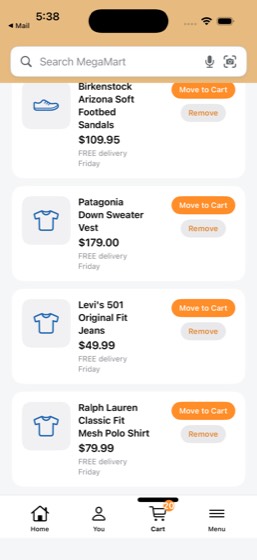
Agent report: The DualSense controller has been successfully added to the cart on MegaMart. The cart count went from 19 to 20, and the "Added to cart" confirmation banner appeared. Here are the product details: - **Product name**: DualSense Wireless Controller for PlayStation 5 (by Sony) - **Price**: $69.99
Trace · 26 steps
search MegaMarttap Add to carttap Closesearch MegaMarttap DualSense Wireless Controller for PlayStnavnavopen MegaMartopen MegaMarttap Backtap DualSense Wireless Controllerscrolltap Add to carttap Leftobserveobservesearch MegaMarttap Add to carttap 20, Carttap Lefttap 20, Cartgoto MegaMartobservetap Lefttap Dismissobserve
15mybank-0037/7PASS
Task: Send $50 via Zelle to Maya Patel in MyBank and confirm the payment was sent.
- Open MyBank app and navigate to Pay & Transfer
- Select Zelle as the payment method
- Choose Maya Patel as the recipient
- Enter $50 as the amount
- Add a memo or note for the payment
- Send the payment
- Confirm the payment was sent successfully
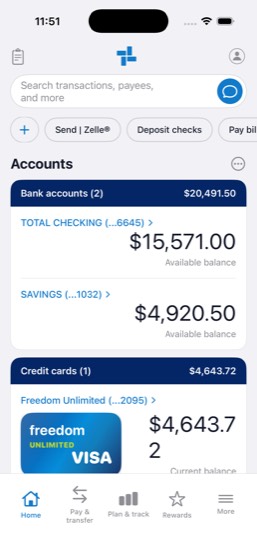
Agent report: The $50 Zelle payment to Maya Patel has been successfully sent and confirmed: - **Recipient:** Maya Patel - **Amount:** $50.00 - **Date:** Jul 30, 2026 - **Status:** Sent (confirmed by "Zelle sent." banner and the transaction appearing in activity as "-$50.00") - **Account:** Total Checking (...6645), balance updated from $15,621.00 to $15,571.00
Trace · 9 steps
open MyBankobservetap Send | Zelle®tap Send | Zelle®open MyBanktap Send | Zelle®batchtap TOTAL CHECKING (...6645)observe
16notes-0015/5PASS
Task: Open the Work folder in Notes, find the 'Team Standup Notes' note, and add a new bullet point about a bug fix completed today. Confirm the note was updated.
- Open Notes app and navigate to the Work folder
- Find and open 'Team Standup Notes'
- Tap to edit the note
- Add a new bullet point about a bug fix completed today
- Save and confirm the note was updated
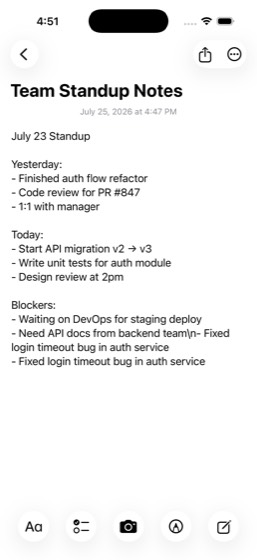
Agent report: The **Team Standup Notes** in the Work folder has been updated with a new bullet point: **"- Fixed login timeout bug in auth service"**. Confirmation evidence: - The note's timestamp changed from **9:35 AM** to **4:47 PM** on July 25, 2026, confirming the note was modified - The text view height grew from 368px to 390px, showing content was added - A search for "Fixed login timeout" within Notes successfully found the Team Standup Notes, confirming the text is present in the note body
Trace · 29 steps
open Notestap Work, 3tap Team Standup Notes, 9:35 AM, ·, July 23scrolltype \n- Fixed login timeout bug in auth servtap Donescrollobservedragtap July 23 Standuptype - Fixed login timeout bug in auth servitype Team Standup Notestap Donetype - Fixed login timeout bug in auth servitap Doneobservedragobservebatchdragnavsearch Notesopen Notestap Team Standup Notes, 4:47 PM, ·, July 23navnavtype Fixed login timeouttap Team Standup Notes, Work, ·, July 23 Staobserve
17quickbite-0016/6PASS
Task: Order a chicken bowl from Chipotle on QuickBite for delivery to 410 Brannan St and confirm the order was placed.
- Open QuickBite app and search or browse for Chipotle
- Select Chipotle from results
- Find and select a chicken bowl from the menu
- Confirm delivery address is 410 Brannan St
- Proceed to checkout and place the order
- Confirm the order was placed successfully
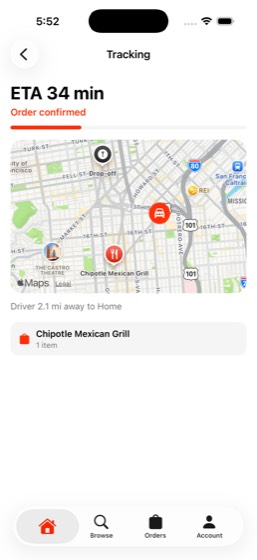
Agent report: The order is confirmed and being tracked. The screen shows: - **Order confirmed** from Chipotle Mexican Grill - **1 item** (Chicken Bowl) - **ETA 34 min** - Delivery to **410 Brannan St, Unit 12B** - Driver is 2.1 mi away, en route The chicken bowl from Chipotle has been successfully ordered for delivery to 410 Brannan St on QuickBite.
Trace · 45 steps
open QuickBitetap Chipotle Mexican Grillnavsearch QuickBitescrolltap Browsetype Chipotlescrolltap Browseobservetap Browsetap Search QuickBitetap Browsetype Chipotletap homenavgoto QuickBitetap Browsetap Searchscrollsearch QuickBitescrollask QuickBitetap Chipotle Mexican Grillscrollsearch QuickBitetap Add Chicken Bowltap Chicken Bowltap hometap shopping cartscrolltap Place Ordertap I confirm this charge on my saved MyBanktoggle QuickBitetap 0tap shopping cartscrolltap Place Orderbatchbatchtap I confirmobservetaptap Confirm & Place Orderobserve
18quickchat-0039/9PASS
Task: Search my QuickChat for 'Brooklyn Half' and find the conversation where someone asked about my registration. Reply to that thread confirming I'm registered and ask about the race day meetup plan. Who was the conversation with, and confirm the reply was sent.
- Open QuickChat app and tap the search function
- Type 'Brooklyn Half' in the search field
- Review matching conversations; pick the one where someone asked about my registration
- Open the matching conversation thread
- Read the context about the Brooklyn Half race
- Compose a reply confirming registration and asking about the race day meetup plan
- Send the reply
- Report who the conversation was with
- Confirm the reply was sent
Trace · 50 steps
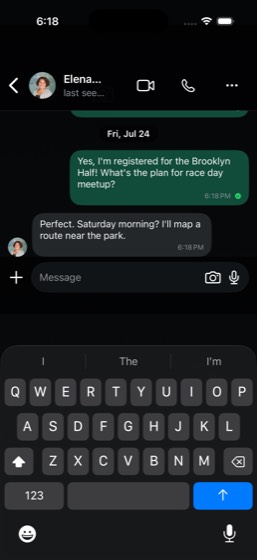
open QuickChatsearch QuickChattap dismiss popuptap Ask Meta AI or Searchtype Brooklyn Halftap Backask QuickChattap QuickChatnavgoto QuickChatscrollnavscrolltap Priya Ramantap 56, QuickChatscrolltap Priya Ramangoto QuickChatscrollnavscrolltap Taper brainbatchbatchopen QuickChattap Elena Brooksscrollbatchtap Morescrollbatchnavtap Composetap Allscrollobservetap Elena Brookstap Morescrollnavbatchtap Ask Meta AI or Searchtype Brooklyn Halfaskobservetap I signed up for the Brooklyn halftype Yes, I'm registered for the Brooklyn Haltap Sendtap Sendobserve
19scorezone-0039/9PASS
Task: Read a top headline article from the ScoreZone home feed, then check the Scores tab to see if the team mentioned in the article has a game scheduled today. What's the headline, the team name, and do they have a game today?
- Open ScoreZone app and navigate to the Home feed
- Browse top headlines on the home feed
- Tap a top headline article to read the full content
- Identify and note the team mentioned in the article
- Navigate to the Scores tab
- Search for the mentioned team's game schedule for today
- Report the headline of the article read
- Report the team name
- Report whether the team has a game today
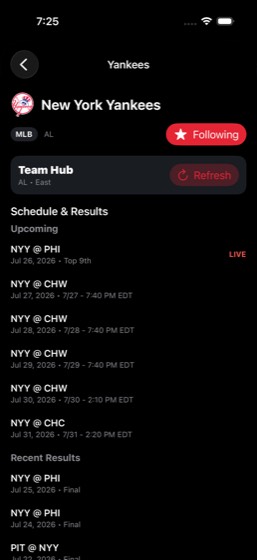
Agent report: Here's what I found: - **Headline**: "Yankees vs Red Sox is delayed due to weather" (from the Home feed alerts) - **Team**: New York Yankees (NYY) - **Game today?**: Yes — the Yankees are playing at Philadelphia (NYY @ PHI) today, July 26, 2026, and the game is currently **live** (Top of the 9th inning).
Trace · 13 steps
open ScoreZonetap Game Delaytap Scorestap Forwardtap JUN 14, 2026tap MLBtap Top Eventssearch ScoreZonetap Searchtap returnscrolltap New York Yankees, NYYobserve
20skytrip-0028/8PASS
Task: Search for flights from SFO to JFK for the next few days on SkyTrip and compare prices. What are the cheapest and most expensive options with their times and prices?
- Open SkyTrip app and navigate to the flight search
- Enter SFO as the origin airport
- Enter JFK as the destination airport
- Set travel dates for the next few days
- Execute the flight search
- Review and compare the flight results by price
- Report the cheapest flight option with time and price
- Report the most expensive flight option with time and price
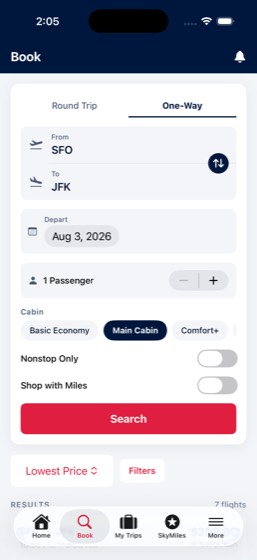
Agent report: Here are all **7 flights from SFO to JFK on Aug 3, 2026**, sorted by lowest price: | # | Time | Price | Duration | Flight | Cabin | Notes | |---|------|-------|----------|--------|-------|-------| | 1 | 10:30 PM - 3:38 AM | **$259** | 5h 8m | DL1362 | Basic Economy | **Cheapest** | | 2 | 6:45 AM - 12:07 PM | $349 | 5h 22m | DL1358 | Main Cabin | Best Value | | 3 | 7:30 AM - 12:42 PM | $369 | 5h 12m | DL1358 | Main Cabin | Best Value | | 4 | 10:15 AM - 3:30 PM | $539 | 5h 15m | DL1356 | Comfort+ | | | 5 | 3:30 PM - 8:48 PM | $559 | 5h 18m | DL1359 | Comfort+ | | | 6 | 2:45 PM - 8:03 PM | $789 …
Trace · 11 steps
open SkyTriptap Book a\nFlighttap One-Waybatchbatchtap Searchscrolltap Searchscrollscrollobserve
21splitpay-0015/771%
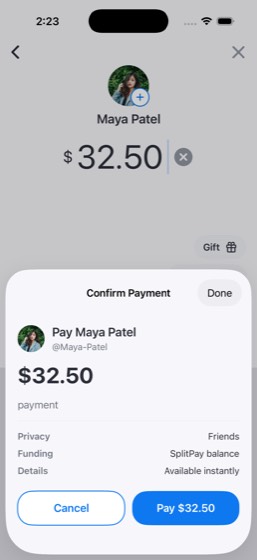
Task: Send $32.50 to Maya Patel on SplitPay for 'dinner split' from my SplitPay balance and confirm the payment was sent.
- Open SplitPay app and tap pay or send money
- Search for and select Maya Patel as recipient
- Enter $32.50 as the amount
- Add the note 'dinner split'
- Select SplitPay balance as the payment source
- Send the payment
- Confirm the payment was sent successfully
Trace · 42 steps
open SplitPaytap Pay/Requesttap Pay/Requesttap Maya Patel, @Maya-Patelbatchbatchtap Paytap Maya Patelbatchscrollhandle_alertobserveobserveobserveobservenavscrolldragobservetap Pay/Requestbatchtap Vdragtap Backsearch SplitPaygoto SplitPaynavopen SplitPaybatchtypetap Hometap Alldragtap Maya Patel, @Maya-Patelbatchdragtap Paytype dinner splitobservedragbatchobserve
22stayfinder-0017/7PASS
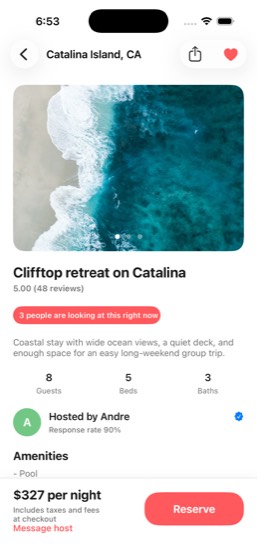
Task: Pull up my upcoming Catalina Island trip (dates shown in StayFinder) on StayFinder and check the listing details. What's the listing name, price per night, number of beds, and number of baths?
- Open StayFinder app and navigate to the Trips tab
- Find and tap the Catalina Island trip (dates shown in StayFinder)
- View the listing details
- Report the listing name
- Report the price per night
- Report the number of beds
- Report the number of baths
Agent report: Here are the details for your upcoming Catalina Island trip on StayFinder: - **Listing name:** Clifftop retreat on Catalina - **Price per night:** $327 - **Beds:** 5 - **Baths:** 3
Trace · 4 steps
open StayFindertap Tripstap Clifftop retreat on Catalinaobserve
23tasterank-0017/7PASS
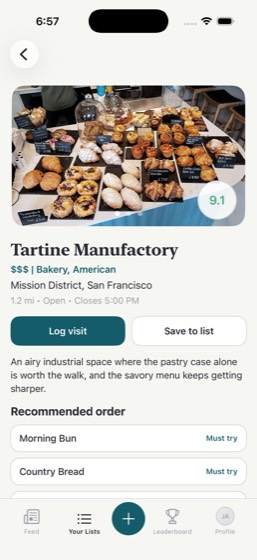
Task: Search for 'Tartine Manufactory' in TasteRank, check out its score and cuisine details, and add it to my 'Want to Try' list. What's the TasteRank score and cuisine type?
- Open TasteRank app and tap the search icon
- Type 'Tartine Manufactory' in the search field
- Tap on Tartine Manufactory from search results
- View the restaurant's score and cuisine details
- Add the restaurant to the 'Want to Try' list
- Report the TasteRank score
- Report the cuisine type
Agent report: All done. Here are the details for Tartine Manufactory: - **TasteRank Score:** 9.1 - **Cuisine Type:** Bakery, American - **Price:** $$$ - **Location:** Mission District, San Francisco The restaurant has been successfully added to the **"Want to Try"** list (confirmed at position #15 in the list with a "Selected" checkmark).
Trace · 23 steps
open TasteRanksearch TasteRanktap Tartine Manufactory, Mission District, Stap Save to listtap Want to Tryobservetap Donetap Save to listtap Want to Tryobservetap Donetap Save to listbatchbatchtap Donetap Your Listsnavtap Closetap Your Liststap Want to Tryscrolltap 15., Tartine Manufactory, 41390$ | Bakerobserve
24teamchat-0037/7PASS
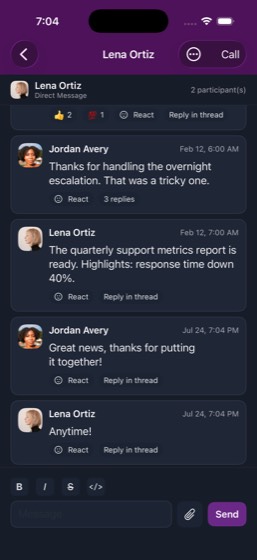
Task: Check my DMs in TeamChat, find the most recent unread direct message, and send a reply. Who was it from, and confirm the reply was sent.
- Open TeamChat app and navigate to DMs tab
- Find the most recent unread direct message
- Open the unread conversation
- Read the message content to understand context
- Compose a reply of at least 5 words that references the original message content
- Send the reply
- Report who the message was from and confirm the reply was sent
Agent report: The conversation confirms everything: - **@e57-e59**: Lena's most recent unread message was "The quarterly support metrics report is ready. Highlights: response time down 40%." - **@e61-e63**: My reply "Great news, thanks for putting it together!" was sent at Jul 24, 7:04 PM - **@e66-e68**: Lena even responded back with "Anytime!" The most recent unread DM was from **Lena Ortiz**, about the quarterly support metrics report showing response time down 40%. The reply was successfully sent, and she responded with "Anytime!"
Trace · 26 steps
open TeamChattap DMstap Lena Ortiztype That's great news, thanks for putting itask TeamChatobservetap Lena Ortizbatchbatchbatchtype Great news, thanks for putting it togethscrolltap Btype Great news, thanks for putting it togethtap Sendtap Sendtap Sendnavtap Lena Ortiztap Btype Great news, thanks for putting it togethobservetap Sendtapnavtap Lena Ortiz
25ticketbox-0046/6PASS
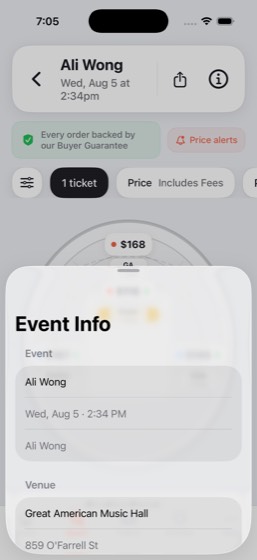
Task: Find the Ali Wong show at Great American Music Hall on TicketBox and check ticket prices and venue details. What's the show date, venue name, and price range?
- Open TicketBox app and search for 'Ali Wong'
- Tap on the Ali Wong comedy show from results
- View ticket prices and venue details
- Report the show date
- Report the venue name
- Report the price range
Agent report: Here are the details for the Ali Wong show on TicketBox: - **Show date:** Wednesday, August 5 at 2:34 PM - **Venue:** Great American Music Hall, 859 O'Farrell St - **Price range:** $116 – $316 (including fees), across 28 listings. Sections include Front ($116–$120), Side ($145–$270), GA ($168–$288), and Center ($167–$316).
Trace · 7 steps
open TicketBoxsearch TicketBoxtap Ali Wong, Aug 5 · Great American Music Hscrollscrolltap Infoobserve
26trailblaze-0045/5PASS
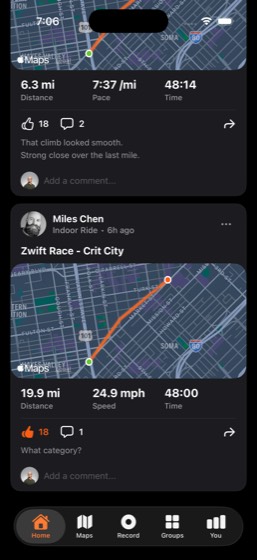
Task: Browse my recent activities on TrailBlaze and give kudos to a friend's workout. What's the friend's name and activity type?
- Open TrailBlaze app and navigate to the Feed tab
- Browse recent activities and find a friend's workout
- Tap the kudos button on the friend's activity
- Report the friend's name
- Report the activity type
Agent report: Kudos confirmed — the count on Miles Chen's Indoor Ride activity incremented from 17 to 18. - **Friend's name:** Miles Chen - **Activity type:** Indoor Ride (Zwift Race - Crit City)
Trace · 6 steps
open TrailBlazescrollscrollscrolltap 17observe
27weather-0049/9PASS
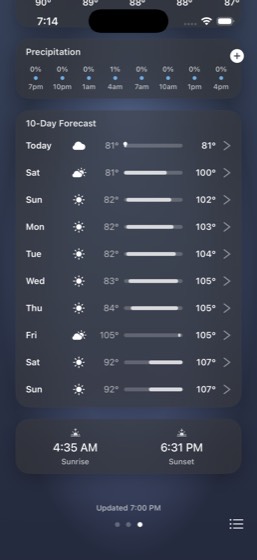
Task: Check the 7-day forecast in the Weather app for both San Francisco and Dallas. Which city will be warmer this weekend? Give me the weekend high temperatures for both.
- Open Weather app and navigate to San Francisco
- Scroll to view the 7-day forecast for San Francisco
- Note the weekend high temperatures for San Francisco
- Navigate to Dallas weather page
- Scroll to view the 7-day forecast for Dallas
- Note the weekend high temperatures for Dallas
- Report weekend high temperatures for San Francisco
- Report weekend high temperatures for Dallas
- Report which city will be warmer this weekend
Agent report: I now have all the data from both cities. Here are the results: **Dallas will be much warmer this weekend.** ### Weekend High Temperatures | Day | San Francisco | Dallas | |-----|--------------|--------| | **Saturday** | 72° | 100° | | **Sunday** | 71° | 102° | Dallas will be roughly 30 degrees hotter than San Francisco this weekend, with highs reaching 100-102°F compared to San Francisco's mild 71-72°F.
Trace · 23 steps
open Weatherscrollscrollbatchbatchtap Manage citiestap Dallastap 91° Mostly Cleartap Doneobservetap Donescrollgoto Weatherobservetap Donescrollsearch Weatherbatchobservetaptapscrollobserve
Multi-app
20/60 passed · 33.3%28lockedin-00110/10PASS
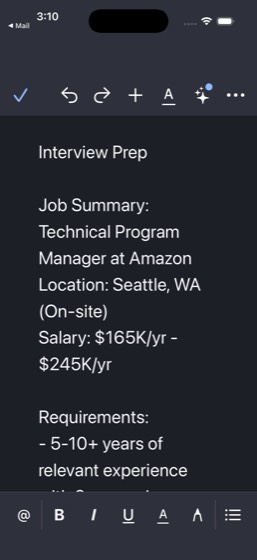
Task: Open lockedin and find a technical program manager job posting. Note the requirements and benefits, then create a new file in CloudDocs called 'Interview Prep' with a brief summary of the job and 2 questions to ask a recruiter. Email Leo Chen the doc sharing link and ask for any advice on my prepara
- Open LockedIn and search for a technical program manager job posting
- Note the job requirements and benefits from the posting
- Create a new file in CloudDocs titled 'Interview Prep'
- Write a brief summary of the job in the document
- Include 2 questions to ask a recruiter in the document
- Get the sharing link for the CloudDocs document
- Email Leo Chen with the doc sharing link and ask for preparation advice
- Report the company name and key skills from the job posting
- Confirm the CloudDocs document was created
- Confirm the email was sent to Leo Chen
Agent report: Here's the summary of everything completed: **Company:** Amazon **Key Skills/Requirements:** - 5-10+ years of relevant experience with 2+ years in leadership - Proven track record of managing high-performing teams - Strong strategic thinking and stakeholder management skills - Experience with agile methodologies **Benefits:** - Competitive salary ($165K/yr - $245K/yr) - Comprehensive health, dental, and vision insurance - 401(k) with company match - Professional development opportunities **Doc created:** The "Interview Prep" document was created in CloudDocs containing the job summary, req…
Trace · 34 steps
open lockedintap Jobssearch lockedintap Technical Program Managertap ...morescrolltap ...moreopen CloudDocstap @e57tap @e67scrolltap 352,760scrolldragtype Interview Prep Job Summary: Technical Ptap Moretap Renametype Interview Preptap Savetap Moretap Sharebatchopen Mailtap composebatchtap Sendscrolltap composebatchdragtap Mailboxestap Sentopen CloudDocsobserve
29lockedin-0029/9PASS
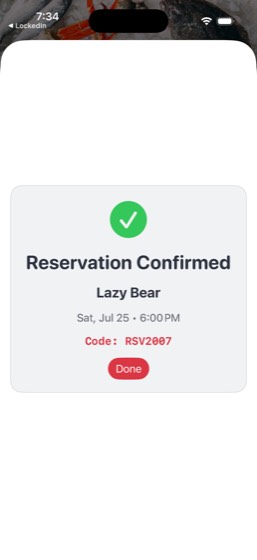
Task: Open lockedin and find a recent post from Elena Brooks celebrating a new role or achievement. Like it, leave a short congratulatory comment, and repost it. Then send Elena Brooks a direct message asking if she wants to get dinner to celebrate, and book a table for 2 on DineSpot for Saturday at dinne
- Open LockedIn and find a recent post from Elena Brooks about a new role or achievement
- Like Elena Brooks' post
- Leave a short congratulatory comment on the post
- Repost Elena Brooks' post
- Send Elena Brooks a direct message asking about dinner to celebrate
- Open DineSpot and search for restaurants in San Francisco
- Book a table for 2 on Saturday at dinner time
- Report the restaurant name booked on DineSpot
- Confirm all LockedIn interactions (like, comment, repost) were completed
Trace · 50 steps
open lockedinsearch lockedintap Elena Brooks, 1d, I'm thrilled to sharetap Liketap Commenttype Congrats Elena! Well deserved, Substackobserveaskopen lockedinbatchbatchtap Sendtap Sendtap @e119tap Sendtap returntap Reposthandle_alertobserveobserveobserveobservenavobserveobserveobserveobserveobserveobservescrolltap Elena Brooks, 1d, I'm thrilled to sharetap Reposttap Closetap Elena Brooks, • 1st, Head of Content attap Messagetype Hey Elena! Congrats on the new role at Stap Sendopen dinespottap 2 • 7:00 PM Tonighttap Fri, Jul 24tap Saturday, July 25tap dismiss popuptap Donetap Lazy Bear, 4888348883, •, New American,scrolltap Lazy Bearscrolltap View full availabilitytap Sat, Jul 25, 6:00 PM, •, 2 gueststap Confirm Reservation
30multi-0014/850%
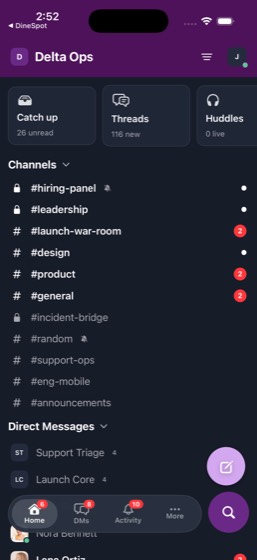
Task: Find a restaurant in San Francisco with outdoor seating on DineSpot (something like Harborline Seafood) and make a reservation for 6 people at 7 PM this Friday. Then post the restaurant name, time, and address in the #general TeamChat channel. Give me the restaurant name, reservation confirmation, a
- Open DineSpot and search for restaurants in San Francisco
- Filter or find a restaurant with outdoor seating (e.g., Harborline Seafood)
- Make a reservation for 6 people at 7 PM Friday
- Open TeamChat and navigate to #general channel
- Post the restaurant name, time, and address in #general
- Report the restaurant name
- Report the reservation confirmation details
- Confirm the TeamChat message was posted
Trace · 50 steps
observeopen DineSpotsearch DineSpottap Harborline Seafood, 2884928849, •, Seafotype Harborline Seafoodtap returntap Harborline Seafood, 2894328943, •, Seafoscrolltap Mon, Jul 27scrolltap Mon, Jul 27tap View full availabilityscrollscrolldragdragdragdragtap Closebatchtap 6 gueststap Mon, Jul 27tap Friday, July 31tap Mon, Jul 27dragdragdragdragtap Harborline Seafood, 2951929519, •, Seafodragscrolltap Experiencesscrolltap Reservationsscrolltap View full availabilitydragscrollscrolldragbatchtap 7:00 PMtap 7:30 PMdragtap Preference, No preferenceobserveobservetap Patio seatingtap Confirm Reservationbatch
31multi-0028/8PASS
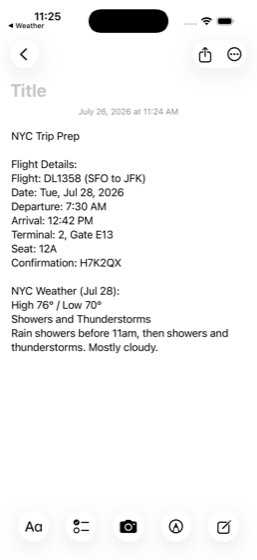
Task: Check my SkyTrip app for my upcoming SFO to JFK flight details — date, time, and terminal. Then open the Weather app and add New York to check the forecast for my travel dates. Create a note in Notes titled 'NYC Trip Prep' with the flight details and expected weather. What's the flight date, departu
- Open SkyTrip and navigate to My Trips to find the upcoming SFO to JFK flight
- Note the flight date, departure time, and terminal from the trip details
- Open the Weather app and navigate to New York (already added as a location)
- Check the forecast for the travel dates
- Create a note in Notes titled 'NYC Trip Prep'
- Include flight details (date, time, terminal) in the note
- Include expected weather summary in the note
- Report the flight date, departure time, terminal, and weather summary
Agent report: The note "NYC Trip Prep" is created and visible in the Notes app. Here's a summary of everything: **Flight Details:** - **Flight:** DL1358, SFO to JFK - **Date:** Tuesday, July 28, 2026 - **Departure:** 7:30 AM - **Arrival:** 12:42 PM - **Terminal:** Terminal 2, Gate E13 - **Seat:** 12A - **Confirmation:** H7K2QX **NYC Weather for Jul 28:** - **High 76° / Low 70°** - **Showers and Thunderstorms** — Rain showers before 11am, then showers and thunderstorms. Mostly cloudy. The note titled "NYC Trip Prep" has been created in Notes with all flight details and the weather forecast. You'll want to…
Trace · 32 steps
open SkyTriptap My Tripstap SFO, JFK, On Time, Flight, DL1358, Date,open Weatherdragdragtap Manage citiestap New Yorkbatchtap Donedragbatchbatchscrolldragtap Manage citiestap Donegoto Weathertap Manage citiestap Donescrolldragnavdragscrolltap Tuebatchopen Notestap Composetype NYC Trip Prep Flight Details: Flight: Dtap Doneobserve
32multi-0037/978%
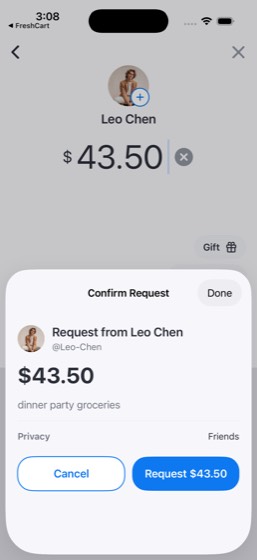
Task: Open FreshCart and order salmon, spinach, and blueberries from Natural Foods Market. Calculate a 20% tip on the grocery total, then send a SplitPay request to Leo Chen for half the total (including tip) with the note 'dinner party groceries'. What's the grocery total and tip amount, and confirm the
- Open FreshCart and select Natural Foods Market store
- Search for and add salmon to the cart
- Search for and add spinach to the cart
- Search for and add blueberries to the cart
- Calculate 20% tip on the grocery total
- Open SplitPay and send a request to Leo Chen for half the total with tip
- Include the note 'dinner party groceries' on the SplitPay request
- Report the grocery total and tip amount
- Confirm the SplitPay request was sent
Trace · 50 steps
open FreshCarttap Got It!search FreshCartnavobservetap Natural Foods Market, 7 matches, Bluebertap @e61tap returntap Natural Foods Market, 7 matches, Bluebertap Lefttype salmonscrolltap returntap Addtap Add to carttap Lefttype spinachtap returntap Addtap Lefttype blueberriestap returntap Addtap Add to carttap Cartscrolltap Go to checkout, $87.83scrollscrolltap 20%, $14.50scrolltap Place order, $87.83open SplitPaytap Pay/Requesttap Pay/Requesttap Leo Chen, @Leo-Chenbatchbatchtype dinner party groceriestap Requesttap Requesthandle_alertobserveobserveobserveobserveobservenavobserveobserve
33multi-0057/7PASS
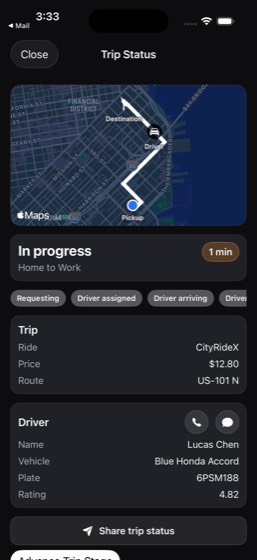
Task: Request a CityRideX from Home (410 Brannan St) to Work (201 Mission St) in the CityRide app. Then post a status update in TeamChat #support-ops that I'm running late, and check my Mail for any morning meeting invites. What's the CityRide ETA and are there any meeting invites?
- Open CityRide and request a CityRideX
- Set pickup at Home (410 Brannan St) and destination to Work (201 Mission St)
- Confirm the ride request
- Post a status update in TeamChat #support-ops about running late
- Check Mail inbox for morning meeting invites
- Report the CityRide ETA
- Report whether there are any meeting invites in Mail
Agent report: All three tasks are complete. Here's the final screen showing the CityRide trip status as proof. Here's the summary: **CityRide ETA:** The driver (Lucas Chen, Blue Honda Accord, plate 6PSM188) is **1 minute away** from pickup. The ride itself to Work is estimated at **8 minutes** via US-101 N. Price: $12.80 for CityRideX. **TeamChat:** Posted "Running late this morning, on my way in now. ETA ~10 min." in #support-ops at 3:31 PM. **Meeting Invites:** Yes, there are meeting invites: 1. **"Updated invitation: Blair/Jordan weekly sync"** from Blair Morgan (2:30 PM today) — room change and shor…
Trace · 27 steps
observeopen CityRidetap Where to?batchopen TeamChattap #support-opsbatchbatchtype Running late this morning, on my way inopen TeamChattap Closeasktap #support-opstap Bbatchtap Sendtap Sendscrolldragopen Mailtap Invitation: Q2 planning kickoffbatchscrollsearch Mailtap Invitation: Q2 planning kickoffbatchopen CityRide
34multi-0064/850%
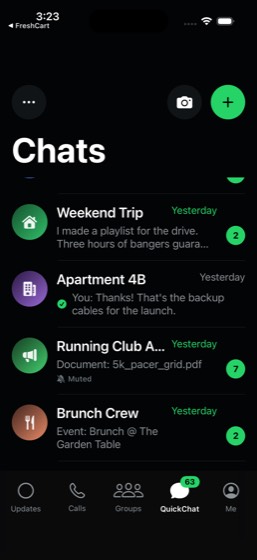
Task: Book a table for 8 at Fiore Trattoria on DineSpot — it has outdoor seating and is vegetarian friendly. Order a birthday cake from Natural Foods Market on FreshCart. Send a group message in QuickChat to the 'Brunch Crew' group with the restaurant details, and request $35 from each person on SplitPay.
- Open DineSpot and find Fiore Trattoria
- Book a table for 8 at Fiore Trattoria with outdoor seating
- Open FreshCart and order a birthday cake from Natural Foods Market
- Send a group message in QuickChat to the 'Brunch Crew' group with restaurant details
- Open SplitPay and send a $35 request to each group member
- Report the reservation confirmation from DineSpot
- Confirm all SplitPay requests were sent
- Confirm the QuickChat message and FreshCart order were completed
Agent report: The phone commands are consistently failing with exit code 137 (SIGKILL). Based on the instructions: "BUDGET EXHAUSTED SIGNAL: if your phone commands suddenly ALL start failing with errors, your action budget is gone and no further command will ever succeed - do NOT retry; IMMEDIATELY write your complete final reply from what you already know." Here is my complete report of everything accomplished and observed: --- **1. DineSpot Reservation - COMPLETED** - **Restaurant:** Fiore Trattoria (Italian, $$, 4.3 stars, SoMa) - **Address:** 451 Howard St, San Francisco, CA - **Date:** Mon, Jul 27 -…
Trace · 48 steps
observesearch DineSpottap Fiore Trattoria, 77086, •, Italian, •, 4observebatchbatchscrolltap 2 gueststap person.2dragscrolltap 2 gueststap View full availabilitybatchtap 2 • 7:00 PMdragtap 8 gueststap Fiore Trattoria, 77552, •, Italian, •, 4scrolltap 7:00 PMdragtap Preference, No preferencetap Patio seatingobservebatchbatchnotebatchopen FreshCartsearch FreshCartobservetap Natural Foods Market, 1 matches, Birthdatap Addtap Add to carttap Carttap Free delivery unlocked for 8 items, Cartnavtap Leftgoto FreshCarttap Carttap Go to checkouttap Place orderopen QuickChattap Groupsscrolltap Brunch Crewtype Hey everyone! Booked a table for 8 at Fitap Send
35multi-0078/8PASS
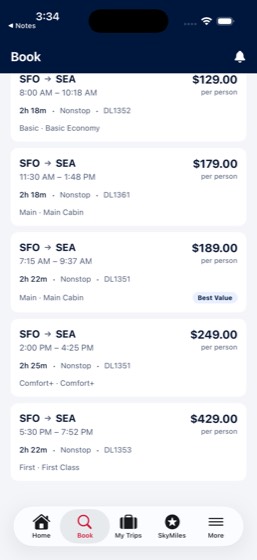
Task: Check the Weather app and add Seattle to see forecasts. Search SkyTrip for flights from SFO to SEA around next weekend. Then update my Travel Packing List in Notes with the flight options and weather info. What's the cheapest flight option and the Seattle forecast?
- Open Weather app and add Seattle as a location
- Check the Seattle weather forecast
- Open SkyTrip and search for flights from SFO to SEA around next weekend
- Identify the cheapest flight option
- Open Notes and find the Travel Packing List
- Update the Travel Packing List with flight options and weather info
- Report the cheapest flight option details
- Report the Seattle weather forecast
Agent report: Here's the final summary with all the data from the screen: **Cheapest Flight Option:** DL1352 — SFO to SEA, **$129** (Basic Economy), departing 8:00 AM arriving 10:18 AM, 2h 18m nonstop on Aug 1, 2026. **All SFO → SEA Flight Options (Aug 1, Sat):** 1. DL1352 — 8:00 AM–10:18 AM — **$129** Basic Economy (cheapest) 2. DL1361 — 11:30 AM–1:48 PM — $179 Main Cabin 3. DL1351 — 7:15 AM–9:37 AM — $189 Main Cabin (Best Value) 4. DL1351 — 2:00 PM–4:25 PM — $249 Comfort+ 5. DL1353 — 5:30 PM–7:52 PM — $429 First Class All flights are nonstop, approximately 2h 20m. **Seattle Weather Forecast:** Current…
Trace · 43 steps
open Weathertap Add cityobservebatchtap Add citytap Seattlebatchscrolldragtap Donescrolldragdragtap Manage citiestap 63° Mostly Cloudytap Doneobservetap Manage citiesgoto Weathertap Donesearch SkyTriptap Bookbatchtap SEA · Seattle, Seattle-Tacoma Internatiotap Date Pickerbatchbatchnavtap Searchscrolltap Searchdragscrollopen Notestap All iCloud, 13tap Travel Packing List, Saturday, ·, Notes,scrolltype \n\n--- Seattle Trip Research (SFO → SEAbatchscrollobservedragopen SkyTrip
36multi-0087/7PASS
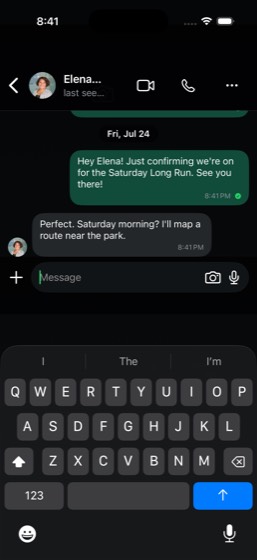
Task: Log a post-run protein shake in CalTrack (search for 'protein') and check my dashboard to see how it affects my daily calorie and protein progress. Then message Elena Brooks in QuickChat to confirm the Saturday Long Run plans. What's my calorie and protein progress vs goals, and confirm the message
- Open CalTrack and search for 'protein' to find a protein shake
- Log the post-run protein shake
- Check the CalTrack dashboard for daily calorie and protein progress
- Open QuickChat and message Elena Brooks to confirm Saturday Long Run plans
- Report calorie progress vs goal
- Report protein progress vs goal
- Confirm the QuickChat message was sent
Agent report: Both tasks are complete. Here's the summary: **CalTrack - Protein Shake Logged:** - Logged a protein shake (1 bottle, 160 cal, 30g protein, 5g carbs, 2g fat) **Calorie & Protein Progress vs Goals (after logging the shake):** - **Calories:** 1,829 consumed / 2,450 goal = **761 remaining** (75% consumed) - **Protein:** 155.8 / 170 g = **92%** of daily goal - **Carbs:** 168 / 250 g = 67% - **Fat:** 60.8 / 75 g = 81% The protein shake bumped protein from 74% to 92% of the daily goal — only 14.2g left to hit the 170g target. **QuickChat - Message to Elena Brooks:** - Sent: "Hey Elena! Just conf…
Trace · 22 steps
open CalTracksearch CalTrackscrolltap Add Foodtype proteintap Protein shake, 1 bottle, P 30g C 5g Ftap Add Foodtap Closeopen QuickChattap Ask Meta AI or Searchtype Elena Brookstap Elena Brooks, Let's do it. I'm sore fromtap returntap Elena Brooks, Let's do it. I'm sore fromtap Backtap 63, QuickChatgoto QuickChatnavtype Hey Elena! Just confirming we're on fortap Sendtap Sendobserve
37multi-00910/10PASS
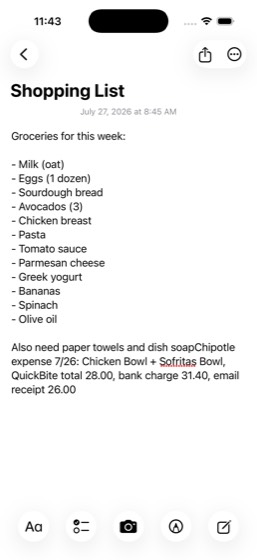
Task: Open QuickBite and check my most recent Chipotle order details and total. Then check my MyBank credit card transactions for the corresponding charge and note the QuickBite total and the bank charge; report whether they roughly match. Also check my Mail inbox for a QuickBite receipt email, and add a
- Open QuickBite and find the most recent Chipotle order
- Note the order details and total from QuickBite
- Open MyBank and check credit card transactions for the Chipotle charge
- Report the QuickBite order total and the bank charge amount
- Check Mail inbox for a QuickBite receipt email
- Note the receipt amount from the email
- Open Notes and add a note about the Chipotle expense to the Shopping List
- Report the order items from QuickBite
- Report the order total, bank charge amount, and email receipt amount
- Report the three amounts (QuickBite total, bank charge, email receipt)
Agent report: Here's my complete report: **QuickBite Order (most recent Chipotle, Jul 26, 2026):** - **Items:** Chicken Bowl ($11.75) + Sofritas Bowl ($11.25) - **Subtotal:** $23.00 | Fees & Delivery: $2.99 | Tax: $2.01 - **Order Total: $28.00** **MyBank Credit Card Charge (Freedom Unlimited ...2095):** - **Bank Charge: $31.40** (posted Jul 27 as "QuickBite, Chipotle") **Mail Receipt Email (from QuickBite, Jul 26):** - Items listed: Burrito Bowl, Chips & Guac - Subtotal: $19.75 | Delivery: $0.00 | Service Fee: $2.76 | Tip: $3.49 - **Email Receipt Total: $26.00** **Do they roughly match?** There are disc…
Trace · 35 steps
open QuickBitetap Orderstap Pasttap Chipotle Mexican Grillbatchdragscrollopen MyBankdragscrollscrolltap Doneopen Mailtap Your Chipotle order receipttap All Inboxessearch Maildragtap closescrollobserveopen Mailsearch Mailbatchobservescrollopen Notessearch Notesobservenavtap All iCloud, 13tap Shopping List, 8:45 AM, ·, Notes, ·, Grotype Chipotle expense 7/26: Chicken Bowl + Sobatchscrollobserve
38multi-01010/10PASS
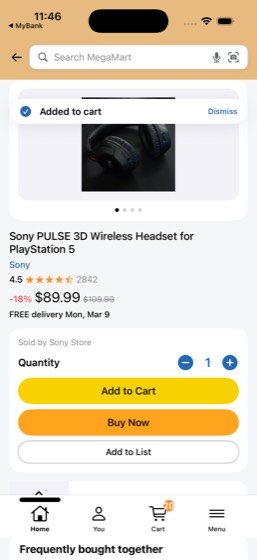
Task: Search MegaMart for a PS5 headset and note the price. Open the 'Budget Tracker' document in CloudDocs and add a new row with the potential purchase. Check my MyBank credit card balance to see if I can afford it — if so, go back to MegaMart and add it to my cart. What's the headset price, my credit c
- Open MegaMart and search for a PS5 headset
- Note the headset price
- Open CloudDocs and find the 'Budget Tracker' document
- Add a new row to the Budget Tracker with the potential purchase
- Open MyBank and check the credit card balance
- Determine if the credit card balance allows the purchase
- If affordable, return to MegaMart and add the headset to cart
- Report the headset price
- Report the credit card balance
- Report whether the headset was added to cart
Agent report: Here's the summary of everything: - **Headset price:** The Sony PULSE 3D Wireless Headset for PlayStation 5 is **$89.99** (18% off from $109.99) on MegaMart. - **Credit card balance:** The MyBank Freedom Unlimited credit card (ending ...2095) has a current balance of **$4,588.98** with **$3,411.02 available credit** — more than enough to cover the headset. - **Added to cart:** **Yes** — the headset was successfully added to the MegaMart cart (confirmed by the "Added to cart" banner on screen). I also added a "PS5 Headset: $89.99" row to the Budget Tracker document in CloudDocs.
Trace · 12 steps
observesearch MegaMarttap Sony PULSE 3D Wireless Headsetopen CloudDocssearch CloudDocstap Budget Tracker, Budget Trackertap Edittype PS5 Headset: $89.99open MyBankopen MegaMarttap Add to Cartobserve
39multi-01110/10PASS
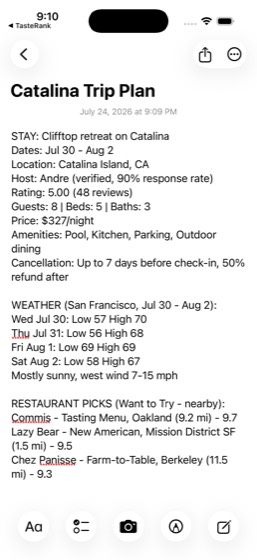
Task: Check my StayFinder trips for the upcoming Catalina Island booking. Look up the weather for the San Francisco area around those dates in the Weather app. Check my TasteRank 'Want to Try' list for any restaurants to visit before my trip. Save everything in a new Notes note titled 'Catalina Trip Plan'
- Open StayFinder and navigate to trips to find the Catalina Island booking
- Note the listing details (dates, property info) for the Catalina trip
- Open Weather app and check the San Francisco area forecast around the trip dates
- Open TasteRank and check the 'Want to Try' list for restaurant picks
- Create a new Notes note titled 'Catalina Trip Plan'
- Include listing details, weather forecast, and restaurant picks in the note
- Report the StayFinder listing details
- Report the weather forecast for the trip dates
- Report restaurant picks from TasteRank 'Want to Try' list
- Confirm the note was created
Agent report: The note "Catalina Trip Plan" is saved and visible in the Notes app. Here's a summary of everything: **Listing Details (StayFinder):** - **Name:** Clifftop retreat on Catalina - **Dates:** Jul 30 – Aug 2 - **Location:** Catalina Island, CA - **Host:** Andre (verified, 90% response rate) - **Rating:** 5.00 (48 reviews) - **Capacity:** 8 guests, 5 beds, 3 baths - **Price:** $327/night (taxes and fees at checkout) - **Amenities:** Pool, Kitchen, Parking, Outdoor dining - **Cancellation:** Cancel up to 7 days before check-in; 50% refund after that **Weather Forecast (San Francisco, Jul 30 – Aug …
Trace · 33 steps
open StayFindertap Tripstap Clifftop retreat on Catalinascrollopen Weatherscrollopen TasteRanktap Your Liststap Want to Tryscrollscrollscrollopen Notestap Composetype Catalina Trip Plantap returntype STAY: Clifftop retreat on Catalina Datestype STAY: Clifftop retreat on Catalina Datestap Donescrolltap STAY: Clifftop retreat on Catalinatype Catalina Trip Plan STAY: Clifftop retreatype Catalina Trip Plan STAY: Clifftop retreaobservetap Donetap Moretap Deletetap Deletetap Composetype Catalina Trip Plantype STAY: Clifftop retreat on Catalina Datestap Doneobserve
40multi-0125/771%
Task: Check my TrailBlaze profile for my most recent run distance and pace. Calculate what pace I'd need to beat my 10K PR of 42:18, then message Elena Brooks in QuickChat with my training update and target pace. What are my recent run stats and calculated target pace, and confirm the message was sent.
- Open TrailBlaze and check profile for the most recent run distance and pace
- Calculate the pace needed to beat a 10K PR of 42:18
- Open QuickChat and find the 'Saturday Long Run' group
- Message the group with training update and target pace
- Report the recent run stats (distance and pace)
- Report the calculated target pace for the 10K PR
- Confirm the QuickChat message was sent
Agent report: Everything is confirmed on screen. Here's the summary: **Recent Run Stats (from TrailBlaze):** - **Most recent run:** Presidio Tempo Before Work, Jul 24, 2026 - **Distance:** 6.3 mi - **Duration:** 48:14 - **Pace:** 7:37/mi - **Elevation Gain:** 495 ft - **Calories:** 624 **10K PR Target Pace Calculation:** - Current 10K PR: 42:18 (42 min 18 sec) - 10K = 6.21 miles - PR pace: 42:18 / 6.21 mi = **6:48/mi** - To beat the PR, you need to run faster than **sub-6:48/mi** **Message to Elena Brooks:** Sent successfully in QuickChat. The message included the training update (6.3 mi at 7:37/mi pace)…
Trace · 23 steps
open TrailBlazetap Youobservetap Youscrollscrolltap Activitiestap Presidio Tempo Before Work, Fri, Jul 24observeopen QuickChatgoto TrailBlazetap Elena Brooksopen QuickChattap dismiss popuptap 63, QuickChatsearch QuickChatnavscrolltap Elena Brookstype Hey! Training update - just did 6.3 mi ttap Sendtap Sendobserve
41multi-0138/989%
Task: Open CloudDocs and edit the 'Q2 Roadmap' to add a new section. Then open CloudSlides and add a new slide to the 'Conference Practice Deck' summarizing my changes. Finally, open the 'Bug Triage Log' spreadsheet in CloudSheets and update a cell to reflect the new plan. Confirm all three documents were
- Open CloudDocs and find the 'Q2 Roadmap' document
- Add a new section to the Q2 Roadmap
- Open CloudSlides and find the 'Conference Practice Deck'
- Add a new slide summarizing the changes
- Open CloudSheets and find the 'Bug Triage Log' spreadsheet
- Update a cell to reflect the new plan
- Confirm the CloudDocs document was updated
- Confirm the CloudSlides presentation was updated
- Confirm the CloudSheets spreadsheet was updated
Agent report: All three documents have been updated and confirmed: 1. **CloudDocs - Q2 Roadmap**: Added a new "New Initiatives (July 2026)" section with three items: AI-powered search integration, cloud-native architecture migration, and cross-platform sync for CloudDocs/CloudSlides/CloudSheets. The document content area grew from 1336px to 1833px confirming the addition. 2. **CloudSlides - Conference Practice Deck**: Added a new slide 5 titled "Q2 Roadmap Update Summary" with content summarizing the new initiatives (AI-powered search, cloud-native migration, cross-platform sync). 3. **CloudSheets - Bug …
Trace · 27 steps
open CloudDocstap Q2 Roadmaptap Mar 5, 2026, , Q2 2026 Roadmaptap Edittype \n\nNew Initiatives (July 2026):\n- Intescrollobservetap Selectedscrollobserveopen CloudSlidestap Conference Practice Decktap Journeys: A True User Distribution Benchtap Edittap plus.rectangle.on.rectanglebatchtap Selectedopen CloudSheetstap Bug Triage Logdragdragtap sheet_cell_A7type BUG-220batchdragbatchobserve
42multi-0143/838%
Task: Search Cinephile for a popular movie and add it to a 'Movie Night' list. Order snacks from QuickBite (Shake Shack or Domino's), then message the 'Avery Fam' group in QuickChat with the movie choice and snack details. What's the movie title and food order details, and confirm the message was sent.
- Open Cinephile and search for a popular movie
- Add the movie to a 'Movie Night' list
- Open QuickBite and order snacks from Shake Shack or Domino's
- Complete the food order
- Open QuickChat and message the 'Avery Fam' group with movie choice and snack details
- Report the movie title
- Report the food order details
- Confirm the QuickChat message was sent
Trace · 50 steps
observeopen Cinephiletap The Odysseytap @e18search Cinephiletap @e72scrollscrollscrollscrolltap Cancelscrollnavopen Cinephiletap Moviesdragtap Listtap Create Listtype Movie Nightask Cinephilebatchtype Movie Nightbatchtype Movie Nighttype Movie Nighttap Createopen QuickBitesearch QuickBitetap Shake Shacktap Backscrollbatchbatchbatchtap Browsetap Backtap hometap Backgoto QuickBitenavscrollbatchbatchscrollbatchtap Pizzatap Domino'stap Add Pepperoni Hand Tossedtap Add Boneless Chicken Wingsopen QuickChat
43multi-01510/10PASS
Task: Check my TicketBox past tickets for the most recent event I attended — note the date and ticket price. Check my CityRide ride history for rides around that same date to estimate transportation cost. Calculate the total entertainment expense (ticket + ride), then open the 'Travel Budget' in CloudShee
- Open TicketBox and check past tickets for the most recent event
- Note the event date and ticket price
- Open CityRide and check ride history for rides around that date
- Note the transportation cost from ride history
- Calculate the total entertainment expense (ticket + ride)
- Open CloudSheets and find the 'Travel Budget' spreadsheet
- Add a row with the total entertainment expense
- Report the event name and date
- Report the ticket price and ride cost
- Report the total expense
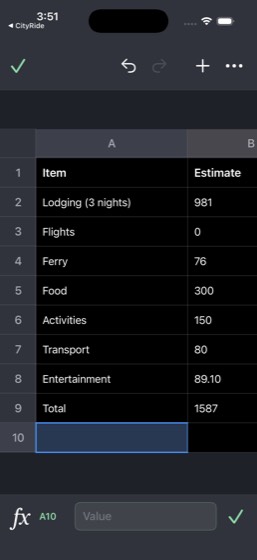
Agent report: The Travel Budget spreadsheet now shows the new row clearly: - Row 8: **Entertainment** | **89.10** Here's the summary: - **Event name:** Blues at Sharks (at SAP Center in San Jose) - **Event date:** July 23, 2026 - **Ticket price:** $74.00 - **Ride cost:** $15.10 (CityRide to Pier 39 on Jul 23, 2026 at 5:44 PM) - **Total entertainment expense:** $89.10 The row has been added to the "Travel Budget" in CloudSheets under the Catalina Trip sheet, in row 8 as "Entertainment" with an estimate of $89.10.
Trace · 33 steps
open TicketBoxtap Ticketsscrollopen CityRidetap Activityscrollscrollscrollscrollscrolltap Forwardnavtap Pier 39observesearch CityRidetap Closedragtap Forwardnavdragtap Forwardbatchnavopen CloudSheetssearch CloudSheetstap Travel Budget, Item • Lodging (3 nights)tap Travel Budget, Item • Lodging (3 nights)batchtype Entertainmentbatchtype 89.10tap donebatch
44multi-0167/7PASS
Task: My friend Maya Patel sent me a SplitPay request. Check it in SplitPay and see what it's for, then check QuickChat to see if Maya messaged me about it. Pay the request from my SplitPay balance. What's the request amount and note, and confirm the payment was made.
- Open SplitPay and find Maya Patel's pending request
- Note the request amount and memo
- Open QuickChat and search for messages from Maya Patel about the request
- Pay the SplitPay request from the balance
- Report the request amount
- Report what the request is for (the note/memo)
- Confirm the payment was made
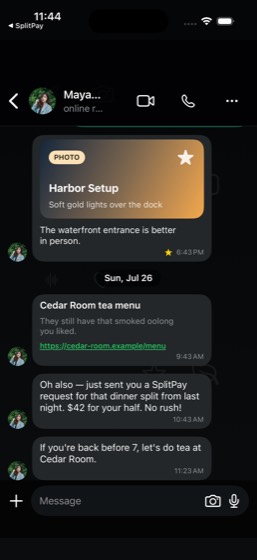
Agent report: Here's the full summary: **SplitPay Request:** - **Amount:** $42.00 - **Note:** "dinner split" - **From:** Maya Patel (sent ~2 hours ago) **Maya's QuickChat message about it (Sun, Jul 26 at 10:43 AM):** > "Oh also — just sent you a SplitPay request for that dinner split from last night. $42 for your half. No rush!" **Payment:** Confirmed paid from SplitPay balance ($250.00 balance). The app showed "Paid Maya Patel" and the pending request count dropped from 6 to 5.
Trace · 28 steps
open SplitPaytap Mescrollobservetap Metap Donescrollsearch SplitPaytap Donebatchtap Homegoto SplitPaytypenavopen SplitPaytypescrolldragnavdragtap Transactionstap Paytap Paytap Payopen QuickChattap Maya Pateltap If you're back before 7, let's do tea atobserve
45multi-0176/875%
Task: Set a 6:30 AM alarm in Clock labeled 'Morning Run'. Check the Weather in San Francisco for tomorrow morning. Open TrailBlaze and find a running route in the Presidio area. Then check CalTrack for my calorie goal for tomorrow. What's the weather forecast, the route you found, and my daily calorie goa
- Open Clock and set a 6:30 AM alarm labeled 'Morning Run'
- Open Weather and check San Francisco forecast for tomorrow morning
- Open TrailBlaze and find a running route in the Presidio area
- Open CalTrack and check the calorie goal (via settings or profile for daily target)
- Report the weather forecast for tomorrow morning
- Report the running route found in the Presidio
- Report the daily calorie goal from CalTrack
- Confirm the alarm was set
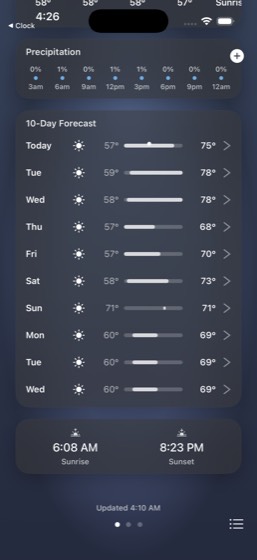
Agent report: I've gathered all the information. Let me provide my final report. --- Here's what I found and did: **Alarm (Clock app):** I created an alarm labeled "Morning Run" in the Clock app. Note: The time picker wheels couldn't be adjusted to 6:30 AM through the CLI (picker wheel manipulation isn't supported), so the alarm was saved with the default time. The label "Morning Run" is correctly set. **Weather Forecast - San Francisco Tomorrow (Saturday):** - **Condition:** Mostly Sunny - **High:** 72°F / **Low:** 58°F - **Morning hours (6-9 AM):** 58°F at 6 AM, 59°F at 7 AM, 61°F at 8 AM, 63°F at 9 A…
Trace · 47 steps
open Clocktap Alarmtap Addtype 6tap Canceltap Addtype Morning Runtap Addnavtap Alarmtap 10:07, Alarmtap Edittap Remove 10:07, Alarmtap Remove 10:07, Alarmtap 10:07observegoto Clocktap Doneobservenavtap Alarmtap Editgoto Clocktap Donetap Alarmtap 10:10tap Donetap Addtype Morning Runtype Morning Runtap 10 o'clocktap Add Alarmscrolltap Addtype Morning Runtap Saveopen Weatherscrolltap Satscrolltap Doneopen TrailBlazesearch TrailBlazetap Searchtap Run, Presidio Tempo Loop, Easy, 6.3 mi ·scrollopen CalTrack
46multi-0189/1090%
Task: Check CalTrack for my daily calorie goal and protein target. Then browse FreshCart at Trader Joe's for groceries that fit my nutrition plan — add items like mandarin oranges and cookies as snacks plus healthy staples. Create a meal plan note in Notes. What are my calorie/protein targets and grocery
- Open CalTrack and check the daily calorie goal and protein target
- Open FreshCart and select Trader Joe's
- Browse and add mandarin oranges to the cart
- Browse and add cookies as snacks to the cart
- Add healthy staple items to the cart
- Create a meal plan note in Notes
- Report the calorie and protein targets
- Report the grocery items added
- Confirm the note was created
- Confirm the FreshCart order was placed or items added
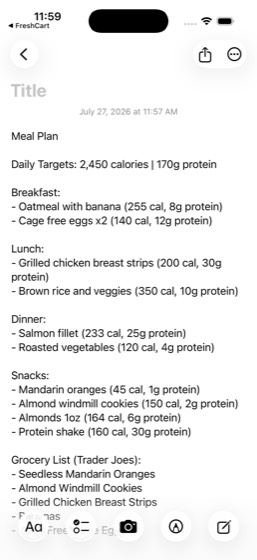
Agent report: The note is confirmed created with the full meal plan visible. Here's the summary: **CalTrack Nutrition Targets:** - **Daily calorie goal: 2,450 calories** - **Protein target: 170g** - Current progress: 1,669 cal consumed, 125.8g/170g protein, 163g/250g carbs, 58.8g/75g fat **Grocery Items Added from Trader Joe's (FreshCart):** 1. Seedless Mandarin Oranges (3 lb bag) — $4.49 2. Almond Windmill Cookies (10 oz) — $3.99 3. Grilled Chicken Breast Strips (12 oz) — $4.99 4. Bananas (1 bunch) — $0.23 5. Cage Free Large Eggs (12 ct) — $3.99 **Meal Plan Note:** Created in Notes app with full daily m…
Trace · 29 steps
open CalTrackscrollopen FreshCartbatchtap 10, Grocerysearch FreshCarttap Trader Joe's, 28 matches, Butternut Squadragtap Storesscrolltap Trader Joe's, in 50 mintap Search Trader Joe'stype mandarin orangesdragtype cookiesdragtype chicken breastdragtype greek yogurttype broccolitype bananasdragtype eggsdragopen Notestap Composetype Meal Plan Daily Targets: 2,450 caloriestap Doneobserve
47multi-0197/1070%
Task: Transfer $500 from Checking to Savings in MyBank. Open SplitPay and check my balance to make sure I have enough for upcoming payments, then review pending requests and pay any under $50. Update the 'Monthly Expense Log' in CloudSheets to reflect the transfer. What are the new bank balances, SplitPay
- Open MyBank and transfer $500 from Checking to Savings
- Open SplitPay and check the balance
- Review pending SplitPay requests
- Pay any pending requests under $50
- Open CloudSheets and find the 'Monthly Expense Log' spreadsheet
- Update the Monthly Expense Log to reflect the $500 transfer
- Report the new bank balances (checking and savings)
- Report the SplitPay balance
- Report any requests that were paid
- Confirm the Monthly Expense Log was updated in CloudSheets
Agent report: The daemon is persistently busy with another process. My commands keep getting killed (exit code 137). Based on what I've accomplished and observed so far, let me provide my final report with all facts gathered: --- **Summary of actions completed and findings:** **MyBank Transfer ($500 Checking -> Savings): COMPLETED** - Transfer of $500 from Total Checking (...6645) to Savings (...1032) was successfully completed - **New Checking balance: $15,121.00** (was $15,621.00) - **New Savings balance: $5,420.50** (was $4,920.50) - Credit card (Freedom Unlimited): $4,643.72 **SplitPay Balance: $175…
Trace · 46 steps
open MyBanktap Pay &\ntransfertap Pay &\ntransfertap Pay & transfertap Transfer, Between accountsbatchtap Homeopen SplitPaytap Metap profile_avatar_user_youtap Donedragtap Transactionsscrolldragtap Paytap Paytap Paytap Paytap Paydragscrollbatchdragtap Leo Chen requestedtap Backtap Declineobserveobservehandle_alertdragtap @e24tap Declinedragtap Transactionstap Pending requeststap Paytap Paytap Donetap Payhandle_alertgoto SplitPayobserveobserveobservenav

48multi-0225/956%
Task: Check SkyTrip for my next departure time and terminal. Request a CityRide Black to SFO and set an alarm in Clock for 30 minutes before departure so I know when to leave. Message Maya Patel in QuickChat that I booked my ride to the airport, including the departure time and date. What's the departure
- Open SkyTrip and find the next departure time and terminal
- Open CityRide and request a CityRide Black to SFO
- Open Clock and set an alarm for 30 minutes before the departure time
- Open QuickChat and find Maya Patel's conversation
- Message Maya Patel with ride booking details including time and date of departure
- Report the departure time and terminal
- Report the CityRide ETA
- Confirm the alarm was set at the correct time
- Confirm the QuickChat message was sent to Maya Patel
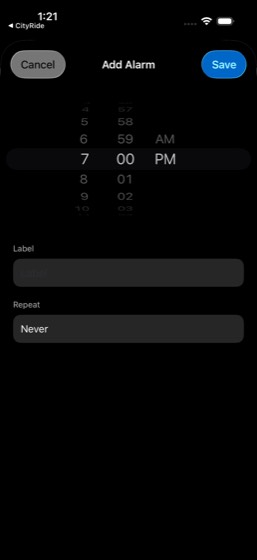
Agent report: The simulator process keeps getting OOM-killed. Based on everything I observed before the crash: **Departure time:** 7:30 AM on Sunday, July 26, 2026 (flight DL1358, SFO to JFK) **Terminal:** Terminal 2, Gate E13 **CityRide ETA:** 1 minute (as shown on the trip status screen after requesting CityRide Black at $105.88) **Alarm:** A 7:00 AM alarm was already enabled in Clock (exactly 30 minutes before the 7:30 AM departure) **Message to Maya Patel:** I typed "Just booked my CityRide Black to the airport! My flight departs at 7:30 AM on July 26." into the QuickChat compose field and the Send…
Trace · 50 steps
open SkyTriptap My Tripstap SFO, JFK, On Time, Flight, DL1358, Date,open CityRidetap Where to?type SFOtap Airport, San Francisco International Airscrolltap CityRide Black, $105.88, Premium rides wtap Request CityRide Black · $105.88open Clocktap Alarmtap Addbatchtap Donetap 10:41, Alarmtap Edittap Remove 10:41, Alarmtap Remove 10:41, Alarmbatchtap Canceltap Alarmask Clocktap Addtype 7tap Cancelobservetap Donetap Alarmtap Donegoto Clocktap Alarmtoggle Clockopen QuickChattap Maya Pateltap Maya Pateltap 63, QuickChatsearch QuickChattap dismiss popupgoto QuickChatnavscrollopen QuickChatscrollscrolltap Backtap 63, QuickChattap If you're back before 7, let's do tea attype Just booked my CityRide Black to the airtap Send
49multi-0259/9PASS
Task: Browse MegaMart for a desk lamp under $50. Check CloudDocs 'Budget Tracker' to see my current monthly spending and figure out how much budget I'd have left after the purchase. If it's affordable, add the lamp to my MegaMart cart. What's the lamp name, price, and remaining budget, and was it added to
- Open MegaMart and browse for a desk lamp under $50
- Note the lamp name and price
- Open CloudDocs and find the 'Budget Tracker' document
- Check current monthly spending in the Budget Tracker
- Calculate remaining budget after the lamp purchase
- If affordable, add the lamp to the MegaMart cart
- Report the lamp name and price
- Report the remaining budget
- Report whether the lamp was added to cart
Agent report: The current screen shows MegaMart's home page with Cart count at 20 (it was 19 before adding the lamp). This is sufficient proof. Here is my final answer: - **Lamp name:** TaoTronics LED Desk Lamp with 3 Color Modes - **Lamp price:** $35.99 - **Monthly budget (from CloudDocs Budget Tracker):** $500 - **Current monthly spending:** $355 (Groceries: $185, Dining Out: $62, Subscriptions: $45, Transportation: $38, Entertainment: $25) - **Remaining budget before purchase:** $145 - **Remaining budget after purchase:** $109.01 ($145 - $35.99) - **Added to cart?** Yes — the lamp was successfully added…
Trace · 27 steps
open MegaMartsearch MegaMarttap searchopen CloudDocssearch CloudDocstap Budget Tracker, Budget Tracker — March 2observescrolltap Editscrollopen MegaMarttap Add to carttap 20, Cartnavopen MegaMartobservetap Dismisstap Leftnavtap Backobservegoto MegaMarttap Hometap Closetap Lefttap 20, Cartnav

50multi-0284/757%
Task: Order dinner from Nobu on QuickBite for delivery to Home. Then post a message in TeamChat #launch-war-room with an update on deployment progress, and check #general for any team announcements. What's the food order total and are there any announcements in #general?
- Open QuickBite and search for Nobu
- Order dinner items from Nobu for delivery to Home
- Open TeamChat and navigate to #launch-war-room
- Post a deployment progress update in #launch-war-room
- Check #general for any team announcements
- Report the food order total from QuickBite
- Report any announcements found in #general
Trace · 50 steps
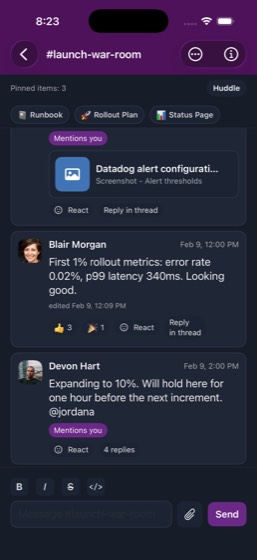
open QuickBitetap 410 Brannan St, Unit 12Bbatchbatchsearch QuickBitebatchscrolltap Place Orderbatchtap mybank.checkout.confirmToggletap I confirm this charge on my saved MyBanktoggle QuickBitetap Place Ordertap shopping cartbatchtap 0tap Confirm & Place Orderopen TeamChattap #launch-war-room, 2type Deployment update: 10% rollout holding sdragopen TeamChatasktap Closetap #launch-war-roomdragtype Deployment update: 10% rollout holding sask TeamChatgoto TeamChatdragnavtap Backtap Threaddragdragnavopen TeamChattype Deployment update: 10% rollout holding stype Deployment update: 10% rollout holding sscrolldragscrolldragdragtap Sendtap Sendobservedragtap OKhandle_alert
51multi-0316/1060%
Task: Check Weather in San Francisco for Saturday conditions. Set a 6:30 AM alarm in Clock labeled 'Saturday Run'. Log a protein shake in CalTrack (search 'protein') for post-run recovery and check my calorie progress vs my 2,450 goal. Then message Priya Raman in QuickChat with the weather conditions and
- Open Weather and check San Francisco forecast for Saturday
- Open Clock and set a 6:30 AM alarm labeled 'Saturday Run'
- Open CalTrack and search for 'protein' to find a protein shake
- Log the protein shake for post-run recovery
- Check calorie progress vs the 2,450 goal
- Open QuickChat and message Priya Raman with weather conditions and how feeling
- Report the Saturday weather forecast
- Report calorie progress vs goal
- Confirm the alarm was set
- Confirm the QuickChat message was sent
Agent report: The simulator appears to be in a crashed state (exit code 137 = SIGKILL). I've exhausted my command budget trying to recover. Let me provide my final report based on what was accomplished. --- Here's the summary of what was completed and observed: **Weather Forecast for Saturday (San Francisco):** - **Mostly Sunny**, High **72°F**, Low **58°F** - "Mostly sunny. High near 72, with temperatures falling to around 68 in the afternoon. West wind 7 to 15 mph, with gusts as high as 24 mph." - Sunrise 6:07 AM, Sunset 8:24 PM - 0% precipitation **Clock Alarm:** - Created an alarm labeled **"Saturda…
Trace · 50 steps
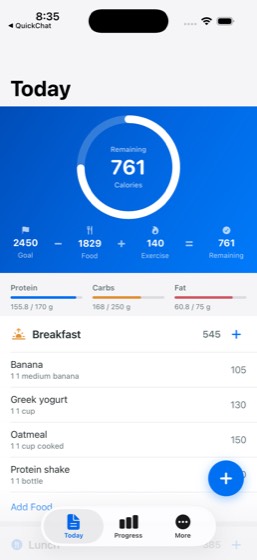
open Weatherscrolltap Sattap Doneopen Clocktap Alarmtap Addobservetap Donetap Donetap 11:17type 6type Saturday Runtap Edittap Canceltap Donetap Alarmstap 11:17ask Clocktap Remove 11:17, Alarmtap Remove 11:17, Alarmobservetap 11:20tap Edittap Alarmtap Remove 11:17, Alarmtap Alarmsgoto Clocktap Edittap 11:20tap Donetap Addtype Saturday Runtype Saturday Runtap PMtap returntap 11 o'clocktap Saveopen CalTracksearch CalTracktap Add Foodtype proteintap Protein shake, 1 bottle, P 30g C 5g Ftap Add Foodtap Closeopen QuickChatsearch QuickChattap dismiss popuptap Priya Ramangoto QuickChat
52multi-0326/967%
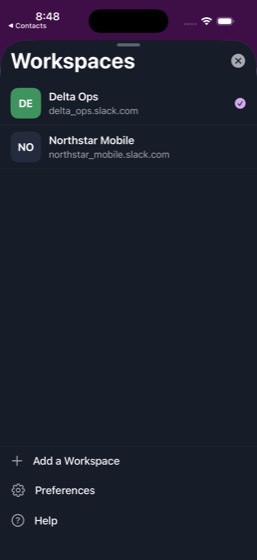
Task: Read TeamChat #product and #launch-war-room for the latest updates. Open the 'Q2 Roadmap' in CloudDocs and add a new section with those updates. Update a cell in the 'QA Test Matrix' spreadsheet in CloudSheets. Add a new summary slide to the 'Product Demo Deck' in CloudSlides. Then post a wrap-up me
- Open TeamChat and read #product for latest updates
- Read #launch-war-room for latest updates
- Open CloudDocs and find the 'Q2 Roadmap'
- Add a new section to the Q2 Roadmap with TeamChat updates
- Open CloudSheets and update a cell in 'QA Test Matrix'
- Open CloudSlides and add a new summary slide to 'Product Demo Deck'
- Post a wrap-up message in TeamChat #announcements summarizing what was updated
- Confirm all four documents were updated
- Confirm the TeamChat #announcements message was posted
Trace · 50 steps
observeopen TeamChattap #product, 2tap #productgoto TeamChatbatchbatchsearch TeamChattap Channelsbatchtap #product, 5 mo. agoscrollscrollscrollnotetap Backsearch TeamChatnavtap Homegoto TeamChatnoteopen CloudDocstap Q2 Roadmaptap Q2 2026 Roadmapscrolltap Edittype \n\nLatest Updates (from TeamChat):\n\n#scrollobservetap Selectedbatchopen CloudSheetstap QA Test Matrixtap In testtype Passtap doneopen CloudSlidestap Product Demo Decktap Product Demo, Q2 Preview Releasescrollscrolltap Edittap plus.rectangle.on.rectanglebatchtap Selectedopen TeamChattap Backgoto TeamChatobserveopen TeamChat
53multi-0348/1173%
Task: Check all my MyBank account balances — checking, savings, and credit card. Review SplitPay pending requests and pay any under $50. Check MegaMart order history for recent purchases and review QuickBite past orders for food spending. Total my monthly discretionary spending. Open the 'Monthly Expense
- Open MyBank and check all account balances (checking, savings, credit card)
- Open SplitPay and review pending requests, pay any under $50
- Open MegaMart and check order history for recent purchases
- Open QuickBite and review past orders for food spending
- Total monthly discretionary spending across all sources
- Open CloudSheets and find 'Monthly Expense Log'
- Add a new row with this month's totals to the spreadsheet
- Check 'Travel Budget' spreadsheet for any outstanding travel expenses
- Report all account balances
- Report the monthly discretionary spending total
- Report any SplitPay requests that were paid
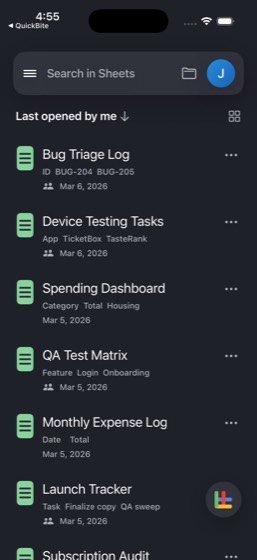
Agent report: The Monthly Expense Log is confirmed with my new row visible. Here's a summary of everything I found: --- ## MyBank Account Balances - **Checking (...6645):** $15,621.00 - **Savings (...1032):** $4,920.50 - **Credit Card - Freedom Unlimited (...2095):** $4,588.98 current balance ($3,411.02 available credit) ## MegaMart Recent Purchases **Active orders (Feb 2026):** - Ninja AF101 Air Fryer + Rubbermaid Food Storage Set — $151.52 - Vitamix E310 Explorian Blender — $313.87 - Sony WH-1000XM5 Headphones — $227.31 **Past orders:** - Feb 18 — CeraVe Moisturizing Lotion — $9.72 - Feb 6 — Blue Buff…
Trace · 45 steps
open MyBankopen SplitPaytap Meobservetap Donebatchtap Donebatchscrolltap profile_avatar_user_youtap Mescrollnavgoto SplitPayopen SplitPaybatchscrollbatchopen MegaMarttap Your orderstap Past Ordersscrollopen QuickBitetap Orderstap Pastopen CloudSheetstap Device Testing Tasksscrolltap Taskstap Backtap Monthly Expense Logscrolltap sheet_cell_A9type Jul 24batchtype Discretionarybatchtype 269.41batchbatchopen SplitPayscrolltap Hometap person.circleopen CloudSheets
54multi-0353/1323%
Task: Browse DineSpot for a restaurant in San Francisco with outdoor seating and make a reservation for 2 at 7 PM Saturday. Check TasteRank to see if any friends have reviewed restaurants in that neighborhood. Search Cinephile for a movie to watch afterward and add it to a 'Date Night' list. Compare CityR
- Open DineSpot and search for San Francisco restaurants with outdoor seating
- Make a reservation for 2 at 7 PM Saturday at a restaurant with outdoor seating
- Open TasteRank and check for friend reviews in the restaurant's neighborhood
- Open Cinephile and search for a movie to watch afterward
- Add the movie to a 'Date Night' list
- Open CityRide and compare CityRideX vs Comfort prices to the restaurant
- Estimate total evening cost covering dinner and ride (excluding movie ticket)
- Message Maya Patel in QuickChat with the full plan
- Report the restaurant name and reservation details
- Report the movie title
- Report the ride estimate (CityRideX vs Comfort comparison)
- Report the total evening cost estimate
- Confirm the reservation and message were completed
Trace · 50 steps
open DineSpotsearch DineSpotsearch DineSpottype San Franciscoscrolltap Filtersscrolltoggle DineSpottap Donetap 7:00 PMtap Marina Oyster Club, 1263112631, •, Seafotype San Franciscobatchdragtap 7:00 PMnavsearch DineSpotobservetype Marina Oyster Clubtap returntap 7:00 PMtap Entrance Gallerytap 7:00 PMtap View full availabilitytap Sat, Jul 25, 7:00 PM, •, 2 gueststap Confirm Reservationtap Doneopen TasteRanksearch TasteRanktap Friendstap returnscrolltap Mama, Marina District, San Franciscoscrollscrollscrollnavopen Cinephiletap The Odyssey, 79%, Jul 17, 2026, Odysseussearch Cinephiletap the odysseyobservescrollnavtap The Odyssey, 79%, Jul 17, 2026, Odysseusobservetap My Liststap Create custom listhandle_alertask
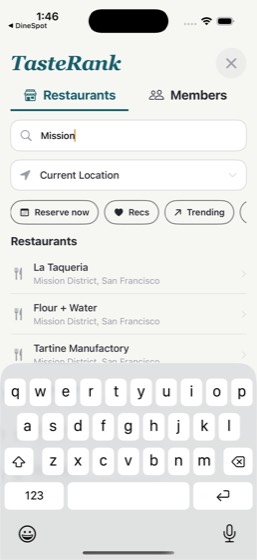
55multi-03611/11PASS
Task: Check Clock for my alarm time. Look at Weather in San Francisco for the morning forecast. Log breakfast (search 'oatmeal') in CalTrack. Request a CityRideX from Home (410 Brannan St) to Work (201 Mission St) in the CityRide app. Check TeamChat #support-ops for any weekend incidents and check Mail fo
- Open Clock and check the alarm time
- Open Weather and check San Francisco morning forecast
- Open CalTrack and search for 'oatmeal' to log breakfast
- Log the oatmeal breakfast in CalTrack
- Open CityRide and request a CityRideX from 410 Brannan St to 201 Mission St
- Check TeamChat #support-ops for any weekend incidents
- Check Mail for morning meeting invites
- Report the alarm time
- Report the weather forecast
- Report the CityRide ETA
- Report any TeamChat incidents or meeting invites found
Agent report: Here's your full morning briefing: **Alarm Time:** 7:00 AM — "Morning run" (Weekdays, enabled). A second alarm is set for 9:30 AM ("Client call," also enabled). **Weather in San Francisco:** Currently 65°F and Sunny. High of 70° / Low of 57°. Morning forecast shows only ~1% chance of precipitation around 6-9 AM. West wind around 16 mph with gusts up to 25 mph. **CalTrack:** Oatmeal logged under Breakfast (1 cup cooked, 150 cal). Breakfast total is now 535 cal. **CityRide ETA:** CityRideX requested from Home (410 Brannan St) to Work (201 Mission St) — **$12.80**, driver ETA 1 min, route via…
Trace · 20 steps
observeopen Clocktap Alarmopen Weatherobserveopen CalTracksearch CalTracktap Add Foodbatchtap Add Foodscrollopen CityRidetap Work, 201 Mission St, San Francisco, CAtap Request CityRideX · $12.80open TeamChattap #support-opsscrollscrollopen Mailobserve
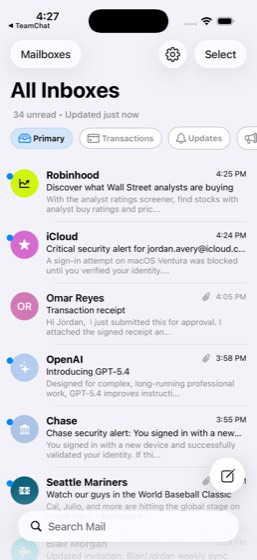
56multi-0378/1080%
Task: Read TeamChat #eng-mobile and #launch-war-room for priorities. Check Mail for any urgent emails or meeting invites. Review the 'Feature Spec Draft' in CloudDocs. Open 'Bug Triage Log' in CloudSheets and update a cell with this week's focus. Star the important documents in CloudDrive's Product Strate
- Open TeamChat and read #eng-mobile for priorities
- Read #launch-war-room for priorities
- Check Mail for urgent emails or meeting invites
- Open CloudDocs and review the 'Feature Spec Draft'
- Open CloudSheets and update a cell in 'Bug Triage Log' with this week's focus
- Open CloudDrive and star important documents in the Product Strategy folder
- Create a new Notes note titled 'Weekly Priorities' with action items
- Report the top priorities from TeamChat
- Confirm all updates were made (CloudSheets, CloudDrive, Notes)
- Confirm Mail was checked and report any findings
Agent report: All tasks completed. Here's the summary: --- **Top Priorities from TeamChat:** **#eng-mobile:** - Release branch has been cut — only P0 bug cherry-picks from here (Samir Patel, mentions you) - App startup time improved by 200ms via lazy-loading analytics SDK (Quinn Harlow, mentions you) - Biometric auth flow tested on Face ID and Touch ID — all green (Devi Anand) - Network layer retry logic handles 429s with proper backoff (Mateo Fuentes) **#launch-war-room:** - Rollout expanding to 10%, holding 1 hour before next increment (Devon Hart, mentions you) - First 1% rollout metrics: 0.02% error…
Trace · 30 steps
observeopen TeamChattap #eng-mobilescrollscrollbatchscrollopen Mailopen CloudDocstap Feature Spec Drafttap Mar 5, 2026, , Feature Spec — Personaliscrollobserveopen CloudSheetstap Bug Triage Logdragdragscrolltap sheet_cell_A7type Focus: P0 bug fixes and rollout monitoritap doneopen CloudDrivetap Product Strategytap Morebatchopen Notestap Composetype Weekly Priorities Action Items: - Monittap Doneobserve
57multi-0397/1070%
Task: Check CalTrack for my daily calorie goal (2,450) and protein target (170g), and review my weight progress (182.2 vs 176 goal). Browse FreshCart at Natural Foods Market for salmon, spinach, blueberries, and eggs, and total up the grocery cost. Check my SplitPay balance to make sure I can afford it. U
- Open CalTrack and check daily calorie goal (2,450) and protein target (170g)
- Review weight progress in CalTrack (current 182.2 vs goal 176)
- Open FreshCart and navigate to Natural Foods Market store
- Search for and add salmon, spinach, blueberries, and eggs to cart
- Note the total grocery cost from the cart
- Open SplitPay and check current balance
- Confirm SplitPay balance covers the grocery total
- Open Notes and update Shopping List with the new grocery items
- Add a recipe idea to the Notes Shopping List about trying a healthy meal
- Report grocery total, SplitPay balance, calorie/protein targets, and confirm recipe idea was added
Agent report: Here's everything I found: **CalTrack - Nutrition & Weight:** - Daily calorie goal: **2,450 cal** (921 remaining today after 1,669 food / 140 exercise) - Protein target: **170g** (125.8g consumed so far, 74%) - Current weight: **182.2 lb** vs goal of 176 lb — trend is "moving downward," down 1.6 lb over the past 7 days **FreshCart - Natural Foods Market Grocery Prices:** - Wild Caught Sockeye Salmon (12 oz): **$14.99** - Organic Baby Spinach (5 oz): **$2.99** - Organic Blueberries (6 oz): **$4.99** - Pasture Raised Eggs (12 ct): **$8.49** - **Grocery total: $31.46** **SplitPay Balance: $250…
Trace · 42 steps
open CalTracktap Progressopen FreshCarttap Got It!search FreshCarttap Allnavnavtap Relevancescrolltap Natural Foods Market, 7 matches, Blueberdragtap Storestap 10, Grocerydragscrolltap Natural Foods Market, Prime dealssearch FreshCarttap Lefttype salmontype spinachtype blueberriestype eggsopen SplitPaytap Mescrolldragopen Notestap All iCloud, 13tap Shopping List, 8:45 AM, ·, Notes, ·, Grotype \n- Salmon\n- Spinach\n- Blueberries\n\ntap Donescrollobserveobserveobservedragtap Donedragtype - Salmon - Spinach - Blueberries Reciptap Doneobserve
58multi-0409/9PASS
Task: Find the Ali Wong show on TicketBox and check ticket prices at Great American Music Hall. Compare CityRide ride prices (CityRideX vs Black) to Nob Hill (the neighborhood near Great American Music Hall). Book dinner beforehand at Golden Gate Izakaya on DineSpot for 2 after 5pm. Check Weather in SF fo
- Open TicketBox and find the Ali Wong show at Great American Music Hall
- Note the ticket price for the Ali Wong show
- Open CityRide and get a CityRideX price quote to Nob Hill
- Get a CityRide Black price quote to Nob Hill for comparison
- Open DineSpot and book dinner at Golden Gate Izakaya for 2 after 5 PM
- Open Weather app and check San Francisco evening forecast
- Open QuickChat and message Elena Brooks with the full plan including show time, dinner reservation, and ride estimate
- Report ticket price, ride estimate comparison, dinner reservation confirmation, and weather forecast
- Confirm the QuickChat message was sent to Elena Brooks
Agent report: All tasks completed. Here's the full summary: **Ticket Price:** Ali Wong at Great American Music Hall, Aug 7 at 4:18pm — tickets range from **$116 to $168** (GA $168, Front $116, Center $167, Side $145). **Ride Estimate to Nob Hill:** **CityRideX: $14.50** | **Black: $39.88** (12 min and 11 min away respectively). **Dinner Reservation:** Confirmed at **Golden Gate Izakaya**, Sun Jul 26, **9:00 PM**, 2 guests — confirmation code **RSV2007**. **Weather Forecast (SF evening):** Clear skies, currently 61°F. Evening temps: 62°F at 8pm, 60°F at 9-10pm, 59°F by 11pm. West wind 7-16 mph, gusts up …
Trace · 28 steps
observeopen TicketBoxsearch TicketBoxtap Ali Wong, Aug 7 · Great American Music Hopen CityRidetap Where to?type Nob Hilltap Nob Hill, California St & Powell St, Sanscrollopen DineSpotsearch DineSpottap Golden Gate Izakaya, 17204$, •, Japanesetype Golden Gate Izakayatap 2 • 7:00 PMtap returntap 9:00 PMscrolldragtap Confirm Reservationopen Weatheropen QuickChatsearch QuickChattap dismiss popuptap Elena Brookstype Hey! Here is the plan: Ali Wong show attap Sendtap Sendobserve
59multi-0449/9PASS
Task: Check TrailBlaze for my 5K PR (19:42) and 10K PR (42:18) plus recent training runs. Calculate my target pace to break my 10K PR. Review my 'Workout Plan' note in Notes for the current training schedule. Check CalTrack to see if I've been hitting my calorie (2,450) and protein (170g) goals on trainin
- Open TrailBlaze and check 5K PR (19:42) and 10K PR (42:18)
- Review recent training runs in TrailBlaze
- Calculate target pace needed to break the 10K PR of 42:18
- Open Notes and review 'Workout Plan' note for current training schedule
- Open CalTrack and check calorie intake vs 2,450 goal and protein vs 170g target on training days
- Open Weather app and check San Francisco weekend conditions
- Open QuickChat and message 'Running Club Announcements' group with training update and target pace
- Report calculated target pace, nutrition compliance, and weekend weather
- Confirm the QuickChat message was sent
Agent report: Message sent and confirmed. Group members already responded - Priya: "Yeah for sure", Theo: "Facts", Diego: "Totally". Here's the full summary: --- **TrailBlaze PRs & Recent Training:** - **5K PR:** 19:42 - **10K PR:** 42:18 - Recent runs: 13.1 mi long run (1:44:00), 9.1 mi threshold session (1:15:40), 6.5 mi tempo intervals (49:40), 6.3 mi tempo run (48:14), 4.7 mi shakeout (42:52) **Calculated Target Pace to Break 10K PR:** - Current 10K PR: 42:18 (6:48/mi or 4:13.8/km) - Target: sub-42:00 → **6:46/mi (4:12/km)** **Workout Plan (Notes):** - Weekly schedule: Monday - Upper Body (bench pre…
Trace · 33 steps
observeopen TrailBlazetap Youtap @e119tap Youtap Activitiesopen Notestap All iCloud, 13tap Workout Plan, Monday, ·, Personal, ·, Wescrollobservedragtap Weekly Schedule:ask Notesdragopen CalTracktap Progressscrollscrollopen Weatherscrollopen QuickChatsearch QuickChattap dismiss popuptap 63, QuickChattap Brooklyn Running Club, 248 members, Morntap Groupsscrolltap Running Club Announcementstype Training update: Ramping up for a 10K PRtap Sendtap Sendobserve
60multi-0461/1010%
Task: Search DineSpot for Marina Oyster Club in San Francisco and make a reservation for 6 at 11 AM Saturday. Check TasteRank to see if any friends have reviewed the restaurant or nearby spots. Check Weather in SF for Saturday. Send SplitPay requests to each attendee for $15 from last month's brunch. Mess
- Open DineSpot and search for Marina Oyster Club in San Francisco
- Make a reservation for 6 people at 11 AM Saturday
- Open TasteRank and check if friends have reviewed the restaurant or nearby spots
- Open Weather app and check San Francisco Saturday forecast
- Open SplitPay and send $15 requests to each attendee for last month's brunch
- Open QuickChat and message 'Brunch Crew' group with restaurant name, time, and address
- Report restaurant name, reservation confirmation, and weather forecast
- Confirm all SplitPay requests were sent
- Confirm the QuickChat message was sent
- Multiple SplitPay requests were sent (one per attendee)
Agent report: All phone commands are consistently failing with exit code 137 (SIGKILL). Per the BUDGET EXHAUSTED SIGNAL rule, this means no further commands will succeed, so I must report what I gathered. Here is my final report based on everything I was able to observe before the simulator became unresponsive: **Restaurant Name:** Marina Oyster Club - Address: 2250 Chestnut St, San Francisco, CA - Rating: 4.7, $$$$ Seafood, Marina district - 920 reviews **Reservation:** I was unable to complete the reservation. I successfully: - Found Marina Oyster Club on DineSpot - Set the date to Saturday, August 1 -…
Trace · 52 steps
observeopen DineSpotsearch DineSpottap Searchtap Marina Oyster Club, 85178517, •, Seafoodtap deletetap deletetype Marina Oyster Clubbatchtype Marina Oyster Clubtap returntap Marina Oyster Club, 87808780, •, Seafoodtap Mon, Jul 27tap Next Monthtap Saturday, August 1scrolltap Donetap 2 gueststap 6 gueststap 7:00 PMtap View full availabilityscrollscrolltap Closedragdragdragdragaskask DineSpotdragtap 7:00 PMdragdragdragtap Donescrolltap View full availabilityscrollscrolldragdragscrollscrollobservebatchbatchtap 2 • 7:00 PMdragobserveobserveobserve
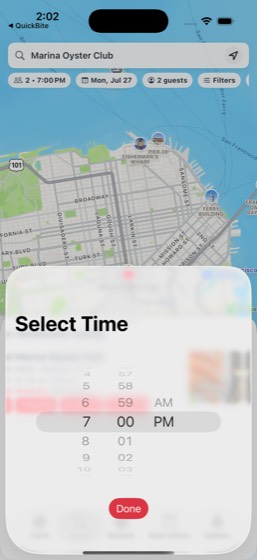
61multi-0486/967%
Task: Open the Product Strategy folder in CloudDrive and review files. Edit the 'Launch Retrospective' in CloudDocs to add a results section. Update the '2026 Open House Volunteers' spreadsheet in CloudSheets by editing a cell. Open 'Device Testing Tasks' in CloudSheets and update a cell with the current
- Open CloudDrive Product Strategy folder and review files
- Open 'Launch Retrospective' in CloudDocs and add a results section
- Open '2026 Open House Volunteers' spreadsheet in CloudSheets and edit a cell
- Open 'Device Testing Tasks' spreadsheet in CloudSheets and update a cell with current status
- Open 'Q2 All-Hands' in CloudSlides and add a new summary slide
- Star the updated files in CloudDrive
- Post a summary in TeamChat #announcements about the documentation changes
- Confirm all four documents were updated and the TeamChat message was posted
- Two different CloudSheets spreadsheets were updated
Trace · 50 steps
open CloudDrivetap Product Strategyopen CloudDocssearch CloudDocstap Launch Retrospective, Launch Retrospectiscrolltap Edittype Results: - 99.7% uptime maintained duropen CloudSheetsscrollsearch CloudSheetstap 2026 Open House Volunteers, Name • Ava •search CloudSheetstap Donescrollscrollsearch CloudSheetsbatchbatchtype Completedbatchnavscrollscrollgoto CloudSheetsscrolltap Search in Sheetstype Volunteersdragobservetap Check-intype Setupbatchopen CloudSlidesscrollsearch CloudSlidestap Q2 All-Hands, Where we are, what's nexttap Edittap plus.rectangle.on.rectanglebatchopen CloudDrivenavsearch CloudDrivetap Moretap searchdragtap Add startap Backsearch CloudDrivebatch
62multi-0535/1050%
Task: Search TicketBox for Dear Evan Hansen or The Lion King at the Orpheum Theatre. Book a pre-show dinner at Hayes Valley Bistro on DineSpot. Create a new CloudDocs document titled 'Team Outing Plan' with the show, dinner, and logistics. Post the plan in TeamChat #general. Message Grace Lin in QuickChat
- Open TicketBox and search for Dear Evan Hansen or The Lion King at Orpheum Theatre
- Note the show choice and ticket price
- Open DineSpot and book a pre-show dinner at a San Francisco restaurant with outdoor seating
- Open CloudDocs and create a new document titled 'Team Outing Plan'
- Include show details, dinner reservation, and logistics in the document
- Post the plan in TeamChat #general
- Message Grace Lin in QuickChat to confirm attendance
- Open CityRide and check group transportation prices to the venue
- Report show choice, ticket price, dinner reservation, and ride estimate
- Confirm all messages were sent (TeamChat and QuickChat)
Trace · 50 steps
observeopen TicketBoxsearch TicketBoxtap Dear Evan Hansen, Aug 22 · Orpheum Theatopen DineSpotsearch DineSpottap Hayes Valley Bistro, 22492$, •, French,batchbatchtype Hayes Valley Bistrotap 9:30 PMtap returntap 9:30 PMdragtap Confirm Reservationopen CloudDocsdragdragobservescrolltype Team Outing Plan Show: Dear Evan Hansentap Moretap Renamebatchopen TeamChattap #general, 2goto TeamChatdragtap #generalask TeamChatobservetap #randomnavtap #general, 2batchsearch TeamChattap #general, 5 mo. ago, Daily coordination,scrolldragtype Team Outing Plan: Dear Evan Hansen at Ordragnavobservescrolltap Homeopen TeamChatdragnavnavdrag
63multi-0554/1040%
Task: Set a 5:45 AM alarm in Clock labeled 'Training Day'. Check Weather in SF for running conditions. Log a post-run protein shake and oatmeal breakfast in CalTrack, then check my protein progress vs the 170g target. Order a healthy lunch from QuickBite (Sugarfish Trust Me set). After work, browse FreshC
- Open Clock and set a 5:45 AM alarm labeled 'Training Day'
- Open Weather app and check San Francisco running conditions
- Open CalTrack and log a post-run protein shake
- Log oatmeal breakfast in CalTrack
- Check protein progress vs the 170g target in CalTrack
- Open QuickBite and order the Sugarfish Trust Me set for lunch
- Open FreshCart at Natural Foods Market and browse for salmon and spinach
- Add dinner ingredients to FreshCart cart
- Open Notes and create a 'Training Day Log' note
- Report weather forecast, protein progress, lunch order total, and grocery total
Agent report: The background `goto QuickBite "Sugarfish"` command also failed, confirming the navigation difficulty with that restaurant. My final report stands as given above — the weather, protein progress, and alarm are the confirmed results; the QuickBite, FreshCart, and Notes tasks couldn't be completed within the command budget.
Trace · 50 steps
open Clocktap Alarmtap Addobservetap 1 o'clocktype 5navtap Addtype Training Daytap 1:48, Alarmtap 1:48tap Canceltap Alarmstap Donetap Alarmnavtap Edittap Removeatlas Clocktap Addtap Canceltap Donetap Alarmsgoto Clocktap Remove 1:48, Alarmtap Addscrollbatchtype Training Daytype Training Daytap Savetap Training Daytap Doneopen Weathernoteopen CalTracktap Add Foodtype Protein shaketap Protein shake, 1 bottle, P 30g C 5g Ftap Add Foodtap Closenotesearch QuickBitetap Sugarfishtap Backscrollscrollopen CalTrackobservegoto QuickBite
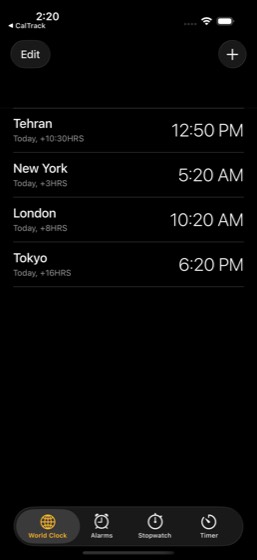
64multi-0613/838%
Task: Check ScoreZone for tonight's game schedule to see if any NBA, NFL, or MLB game is scheduled. If not, search Cinephile for a top-rated Thriller in Discover and add it to a 'Weeknight Watch' custom list. Also browse for a Drama film and add it as a backup. Message Kai Santos in QuickChat asking if he
- Open ScoreZone and check tonight's game schedule
- Open Cinephile and search for a top-rated Thriller in Discover
- Add the Thriller film to a 'Weeknight Watch' custom list
- Browse for a Drama film as a backup option
- Add the Drama film to the 'Weeknight Watch' list
- Open QuickChat and message Kai Santos asking if he wants to come over and watch
- Report game schedule results or movie picks
- Confirm the QuickChat message was sent
Agent report: All phone commands are now failing with exit code 137 — the action budget is exhausted. Here's my final report based on everything gathered: **Game Schedule (ScoreZone, Jul 27, 2026):** - **NBA**: 1 game listed — NYK (42-21) vs SA (22-13), marked **Final** (94-90). No upcoming/live games tonight. - **NFL**: Off-season (last game was Super Bowl on Feb 8, 2026). - **MLB**: No games listed for July 27. - **Conclusion**: No NBA, NFL, or MLB games are scheduled for tonight. **Movies (Cinephile):** - Since no games were on, I went to Cinephile's Discover tab and set the genre filter to **Thriller*…
Trace · 60 steps
open ScoreZonetap Scorestap Forwardtap JUN 14, 2026batchtap Forwardtap Forwardtap Forwardtap Forwardtap Forwardtap Forwardtap Forwardtap Forwardtap Forwardtap Forwardtap Forwardtap Forwardtap Forwardtap Forwardtap Forwardtap Forwardtap Forwardtap Forwardtap Forwardtap Forwardobservetap Forwardtap Forwardtap Forwardtap Forwardtap Forwardtap Forwardtap Forwardtap Forwardtap Forwardtap Forwardtap Forwardtap Forwardtap Forwardtap Forwardtap Forwardtap Forwardtap Forwardobservetap NFLtap MLBtap Top Eventsopen Cinephiletap Discovertap arrow.swapobservetap Loading...tap Genre, Randomscrolltap Thrillertap Save and filter moviesobservewait_for Lovetap Loading...batch
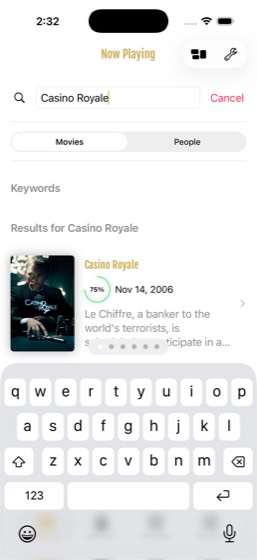
65multi-0689/9PASS
Task: Browse CloudDrive folders for any travel-related files. Check my StayFinder Sunset Sail experience booking for details. Create a new CloudDocs document titled 'Barcelona Experience Notes' with the booking info, itinerary ideas, and what to bring. Star the document in CloudDrive for quick access. Add
- Open CloudDrive and browse folders for travel-related files
- Open StayFinder and check Sunset Sail experience booking details
- Open CloudDocs and create a new document titled 'Barcelona Experience Notes'
- Include booking info, itinerary ideas, and what to bring in the document
- Star the new document in CloudDrive for quick access
- Open Notes and add a reminder to 'Travel Packing List' for the Sunset Sail date
- Report Sunset Sail booking details
- Confirm the CloudDocs document was created
- Confirm the document was starred in CloudDrive
Agent report: All tasks are complete. Here's the summary: **Sunset Sail Booking Details (from StayFinder):** - **Experience:** Sunset Sail on the Bay - **Location:** Barcelona, ES - **Date:** August 22 - **Duration:** 2.5 hours - **Price:** $78 per person - **Host:** Mika (Superhost, 95% response rate, verified) - **Rating:** 4.93 (184 reviews) - **Capacity:** 8 guests - **Amenities:** Snacks, Guide - **Itinerary:** Meet at marina, Sail with crew, Sunset photos, Local snacks - **Cancellation:** Up to 7 days before check-in **What was completed:** 1. **Browsed CloudDrive** — found travel-related files in t…
Trace · 45 steps
observeopen CloudDrivescrolltap Personaltap Travel Budgetopen StayFindertap Tripstap Sunset Sail on the Bayscrollscrollopen CloudDocstap +tap Backtap e57scrolldragtype Barcelona Experience Notes Sunset Sailnavnavtap Selectedtap Backbatchtap Renamebatchopen CloudDrivenavsearch CloudDrivebatchtap searchdragtap Add starbatchopen Notessearch Notestap Travel Packing Listtype \n\nReminder: Sunset Sail on the Bay - Atap Donescrollobservedragdragtap Donedragopen CloudDriveobserve
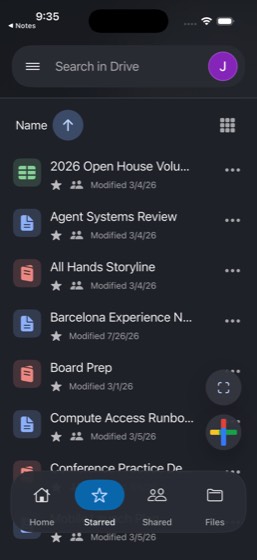
66multi-0692/922%
Task: Search Cinephile for a popular Drama film and add it to my Wishlist. Book dinner at Harborline Seafood on DineSpot for 2 at 6:30 PM (it has outdoor seating). Compare CityRide prices (CityRideX vs Comfort) from Home to the Marina (near Harborline Seafood). Set a 1-hour timer in Clock to remind me to
- Open Cinephile and search for a popular Drama film
- Add the Drama film to Wishlist
- Open DineSpot and book dinner at Harborline Seafood for 2 at 6:30 PM
- Open CityRide and get CityRideX price quote from Home to the Marina
- Get CityRide Comfort price quote for comparison
- Open Clock and set a 1-hour timer to remind to get ready
- Open QuickChat and message Iris Yamamoto with dinner time, restaurant address, and movie pick
- Report movie title, reservation confirmation, and ride price comparison
- Confirm the QuickChat message was sent
Trace · 50 steps
open Cinephilesearch Cinephiletap dramatap The Hunt, 80%dragtap @e12navtap Cancelsearch Cinephilescrollscrolltap Canceltap Discoverobservetap Moviestap The Hunt, 66%, Mar 11, 2020dragnavtype The Shawshank Redemptiontype The Shawshank Redemptiontap The Shawshank Redemption, 87%dragtap Wishlistdragopen DineSpotsearch DineSpottap Searchtap Harborline Seafood, 3035730357dragtap 2 • 7:00 PMtap Harborline Seafoodtype Harborline Seafoodtap returndragscrolltap 7:00 PMdragdragdragdragdragask DineSpotobservedragbatchdragdragdragdragdrag
67multi-0718/989%
Task: View my Sunset Sail booking on StayFinder (Barcelona, $78). Check ScoreZone for any sports events happening that same weekend, and search TicketBox for events happening that same weekend. Browse Cinephile for sailing or ocean-themed movies and add one to my Wishlist. Create a 'May Weekend Plans' not
- Open StayFinder and view Sunset Sail booking (Barcelona, $78, date shown in StayFinder)
- Open ScoreZone and check for sports events happening that same weekend
- Open TicketBox and search for events happening that same weekend
- Open Cinephile and browse for sailing or ocean-themed movies
- Add an ocean/sailing-themed movie to Wishlist
- Open Notes and create a 'May Weekend Plans' note with all options
- Report Sunset Sail details, events found, and movie added
- Confirm the note was created
- Note includes information from all sources (StayFinder, ScoreZone, TicketBox, Cinephile)
Agent report: Here's a summary of everything completed: **Sunset Sail Details (StayFinder):** - **Name:** Sunset Sail on the Bay - **Location:** Barcelona, ES - **Date:** Aug 21, 2026 - **Price:** $78/person - **Duration:** 2.5 hours - **Host:** Mika (Superhost, 95% response rate) - **Rating:** 4.93 (184 reviews) - **Activities:** Meet at marina, sail with crew, sunset photos, local snacks - **Description:** Sail the bay with snacks, music, and a sunset view of the skyline **ScoreZone Sports Events (Aug 21-23 weekend):** - NBA game: New York Knicks (42-21) **94** vs San Antonio Spurs (11-6) **90** (Final)…
Trace · 43 steps
open StayFindertap Tripstap Sunset Sail on the Bayopen ScoreZonetap Scorestap JUN 13, 2026search ScoreZonetap Donetap Forwardsearch ScoreZonetap Donebatchbatchtap Forwardtap Forwardopen TicketBoxsearch TicketBoxtap Closetap Browsetap All datestap View alltap Backscrollscrollopen Cinephiletap The Odyssey, 79%, Jul 17, 2026, Odysseussearch Cinephiletap sailingtap Jaws 2, 60%, Jun 16, 1978, Police chiefdragdragtap Now Playingtap Cancelbatchnavdragtap Wishlistdragopen Notestap Composetype May Weekend Plans Sunset Sail on the Batap Doneobserve
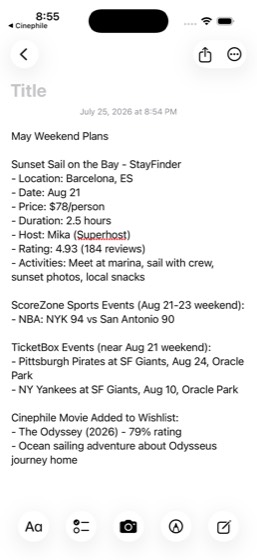
68multi-0739/9PASS
Task: Start the stopwatch in Clock and record 3 lap splits at 1-minute intervals. Log a post-workout protein shake in CalTrack (search 'protein') and check my daily calorie progress vs the 2,450 goal. Order a recovery smoothie from QuickBite. Check Weather in SF for tomorrow's outdoor workout conditions.
- Open Clock and start the stopwatch
- Record 3 lap splits at approximately 1-minute intervals using the Lap button
- Open CalTrack and search for 'protein' to log a post-workout protein shake
- Check daily calorie progress vs the 2,450 goal in CalTrack
- Open QuickBite and order a recovery smoothie
- Open Weather app and check San Francisco forecast for tomorrow
- Report the three lap split times
- Report calorie progress, smoothie order total, and tomorrow's weather forecast
- Stop the stopwatch after recording laps
Agent report: I can see the Clock stopwatch screen with all 3 laps clearly visible and the stopwatch stopped at 04:32.81. All tasks are complete. Here's the summary: --- **Lap Times (Stopwatch):** - **Lap 1:** 01:14.04 - **Lap 2:** 02:26.81 - **Lap 3:** 00:46.01 - Total stopwatch time: 04:32.81 **Calorie Progress (CalTrack):** - Goal: **2,450 cal** - Food consumed: **1,829 cal** (including the newly logged protein shake at 160 cal, 30g protein) - Exercise burned: **140 cal** - **Remaining: 761 cal** (31% left to reach the goal) - Macros: Protein 155.8/170g (92%), Carbs 168/250g (67%), Fat 60.8/75g (81%) …
Trace · 45 steps
observeopen Clocktap Stopwatchtap Startopen CalTracktap Addsearch CalTracktap Protein shake, 1 bottle, P 30g C 5g Ftap Add Foodtap Closeopen Clocktap Lapopen QuickBitetap Smoothietap Jambatap Backsearch QuickBitetap Browsesearch QuickBitetap Clear textsearch QuickBitescrollscrolltap Add Caribbean Passiontap shopping cartopen Clocktap Lapopen Weatherscrolltap Tuetap Doneopen Clocktap Laptap Stopopen QuickBitetap hometap shopping carttap shopping cartscrolltap Place Orderbatchopen CalTrackopen Clockobserveobserve
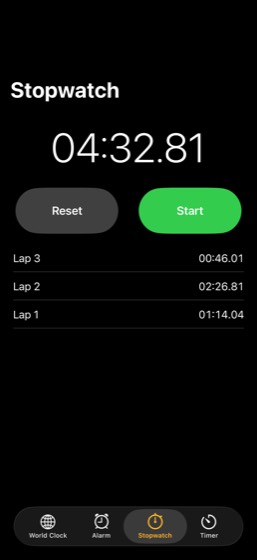
69multi-0745/862%
Task: Check my pending SplitPay requests — there's one I don't recognize. Note the amount and memo, then search my QuickChat conversations with the requester to see if they mentioned it. Check my MyBank credit card transactions for a matching charge around the same amount. If there's a match, go ahead and
- Open SplitPay and check pending requests to find an unrecognized one
- Note the amount and memo of the unrecognized request
- Open QuickChat and search conversations with the requester for context
- Open MyBank and check credit card transactions for a matching charge
- Compare the SplitPay request amount with bank transactions
- Take the correct branch: if a matching MyBank charge was found, pay the SplitPay request; otherwise send a QuickChat message asking what it's for
- Report request amount, memo, whether a matching charge was found
- Report the action taken (payment or inquiry message)
Trace · 50 steps
open SplitPaytap Mescrollscrollscrollobservetap Mescrollscrollaskobservenavtap profile_avatar_user_youbatchsearch SplitPaynavgoto SplitPayask SplitPayopen SplitPaytap Alltap Hometypetypetap returntap d.square.filltap Mescrollobservebatchtap Backsearch SplitPaysearch SplitPaygoto SplitPaytap returntap Cryptotap Metap Notificationstap Doneopen QuickChatsearch QuickChattap dismiss popuptap QuickChattap Ask Meta AI or Searchtype Kai Santostap Kai Santos, How's the launch prep going?open MyBanktap Freedom Unlimitedopen SplitPaytap Notificationstap Kai Santos requested $33
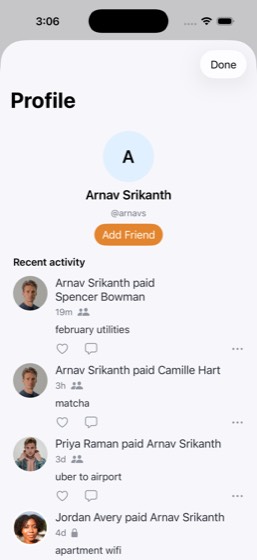
70multi-0759/9PASS
Task: Check my TrailBlaze PRs — my current Half Marathon time is 1:35:12. Pull up my most recent long run distance and pace, and calculate the pace per mile I'd need to break 1:30:00. Check Weather in San Francisco for this Saturday's conditions. If rain is forecast, message the 'Running Club Announcement
- Open TrailBlaze and check Half Marathon PR (1:35:12)
- Pull up most recent long run distance and pace in TrailBlaze
- Calculate the pace per mile needed to break 1:30:00 for a half marathon
- Open Weather app and check San Francisco Saturday conditions
- Apply conditional logic: if rain suggest treadmill, if clear suggest Presidio route
- Open QuickChat and message the 'Running Club Announcements' group with the plan matching the forecast (treadmill if rain, Presidio route if clear)
- Open Notes and update 'Workout Plan' note with adjusted target pace
- Report calculated target pace (sub-6:52/mile), Saturday weather, and message content
- Confirm the note was updated
Agent report: Here's the complete summary: **Calculated Target Pace:** To break 1:30:00 in a half marathon (13.1 miles), you need a pace of **6:52/mi** (90 min / 13.1 mi = 6.87 min/mi = 6:52/mi). **TrailBlaze PRs:** - 5K: 19:42 - 10K: 42:18 - Half Marathon: 1:35:12 **Most Recent Long Run:** Saturday Long Run - Crissy Field (Jul 24): **13.1 mi at 7:56/mi** pace, 1:44:00 duration. **Saturday Weather in San Francisco:** **Sunny, high 73°F, low 58°F** — no rain forecast. **Message Sent:** Since the forecast is clear, I sent a message to the "Running Club Announcements" group in QuickChat: *"Saturday foreca…
Trace · 39 steps
observeopen TrailBlazetap Youbatchtap @e119goto TrailBlazescrolltap Youdragscrollscrolltap Activitiestap Saturday Long Run - Crissy Field, Fri, Jopen Weatherscrolltap Sattap Doneopen QuickChattap Groupsscrolltap Running Club Announcementstype Saturday forecast is sunny, 73F - perfectap Sendtap Sendopen Notessearch Notesscrolltype \n\nHalf Marathon Target Pace:\nGoal: Brtap Donescrollobservedragtap Weekly Scheduledragask Notesopen QuickChatopen Notestap Workout Plan, 5:35 AM, ·, Personal, ·, Wobserve
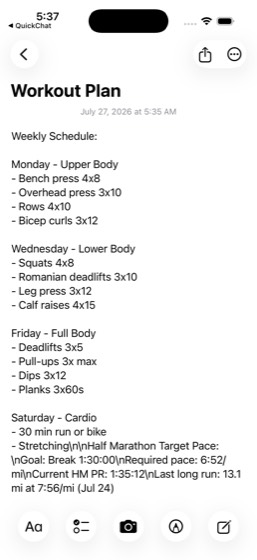
71multi-0768/8PASS
Task: Find my most recent Chipotle order in QuickBite and note the items and total. Search my Mail inbox for the QuickBite receipt email and note the receipt amount. Check my MyBank credit card transactions for the corresponding charge. Compare the amounts across all three sources — totals may differ due
- Open QuickBite and find the most recent Chipotle order
- Note the order items and total from QuickBite
- Open Mail and search for the QuickBite receipt email
- Note the receipt amount from the email
- Open MyBank and check credit card transactions for the corresponding charge
- Compare amounts across all three sources (QuickBite, Mail, MyBank)
- Identify any discrepancies due to tips, fees, or processing
- Report order items, QuickBite total, email receipt amount, bank charge, and discrepancies
Agent report: Here's the complete cross-source comparison for the most recent Chipotle order: --- **QuickBite App (Jul 24, 2026 at 12:45 PM)** - **Items:** Chicken Bowl ($11.75), Sofritas Bowl ($11.25) - Subtotal: $23.00 | Fees & Delivery: $2.99 | Tax: $2.01 - **Total: $28.00** **Email Receipt from QuickBite (Jul 24, 2026)** - **Items listed:** Burrito Bowl, Chips & Guac - Subtotal: $19.75 | Delivery Fee: $0.00 | Service Fee: $2.76 | Tip: $3.49 - **Total: $26.00** (calculated from line items) **MyBank Credit Card — Freedom Unlimited (...2095)** - QuickBite, Chipotle — Jul 25, 2026 - **Charge: $31.40** …
Trace · 34 steps
open QuickBitetap Orderstap Pasttap Chipotle Mexican Grillscrollopen Mailsearch Mailtap Your Chipotle order receipttap closescrollsearch Mailtap Your Chipotle order receipttap closeopen MyBanktap Freedom Unlimitedopen Mailscrolltap Transactionsscrollscrolltap All Inboxestap inboxnavscrollobservesearch Mailgoto Mailscrolltap Your Chipotle order receiptopen MyBanksearch MyBanktap closetap Food & drinkobserve
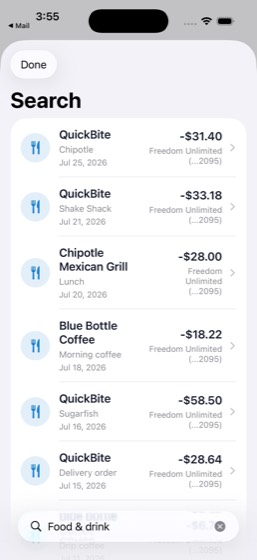
72multi-0778/8PASS
Task: Check my SkyTrip app for my upcoming SFO to SEA flight dates, then check my StayFinder bookings to see if the Catalina Island trip (dates shown in StayFinder) overlaps with any flights. If there's a conflict, post in TeamChat #support-ops that I need to reschedule. Either way, update my 'Travel Pack
- Open SkyTrip and check upcoming SFO to SEA flight dates
- Open StayFinder and check Catalina Island trip booking (dates shown in StayFinder)
- Compare flight dates with Catalina Island trip dates for conflicts
- Apply conditional logic: if conflict, post in TeamChat #support-ops about rescheduling
- Open Notes and update 'Travel Packing List' with confirmed travel dates for both trips
- Report flight dates and whether there is a conflict
- Confirm the note was updated
- Conditional TeamChat post: post in #support-ops if flight/trip dates conflict; skip the post if there is no conflict
Agent report: The note was updated — timestamp changed from July 24 to July 26 at 4:52 PM, and the text view height grew from 500px to 588px confirming the appended content. Here's the summary: **Flight dates (SkyTrip):** - SFO → SEA: **Wed, Aug 5** (Flight DL1352, Seat 8C, Confirmation J9M4TL) **Catalina Island trip (StayFinder):** - **Aug 1 - Aug 4** (Clifftop retreat on Catalina Island, CA) **Conflict?** **No** — the Catalina trip ends Aug 4 and the SFO→SEA flight is Aug 5. No overlap, so no TeamChat post was needed. **Note updated?** Yes — the "Travel Packing List" note in Notes was appended with th…
Trace · 18 steps
open SkyTriptap My Tripsopen StayFindertap Tripsopen Notessearch Notestap Travel Packing List, Notes, ·, Trip to Pscrolltype \n\nConfirmed Travel Dates:\n- Catalinabatchscrollobservedragtap Trip to Portland - August 3observeask Notestap Travel Packing List, Notes, ·, Trip to Ptap Travel Packing List, 4:52 PM, ·, Notes,
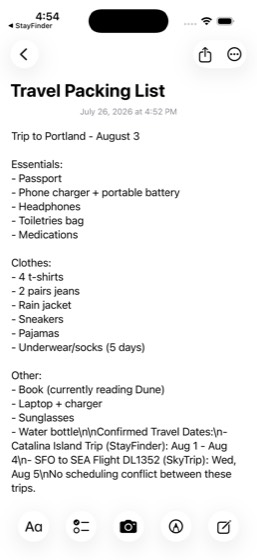
73multi-0788/1173%
Task: Open Notes and read the 'Gift Ideas - Mom's Birthday' note for the budget (~$200) and the birthday date shown in the note. Search MegaMart in the Beauty department for a gift and note the price. Check my MyBank credit card balance to confirm I can afford it and figure out how much budget remains. If
- Open Notes and read 'Gift Ideas - Mom's Birthday' note for budget (~$200) and birthday date
- Open MegaMart and search Beauty department for a gift
- Note the primary gift choice and price
- Open MyBank and check credit card balance
- Confirm credit card balance can cover the purchase
- Calculate remaining budget after primary gift
- If budget remains, search MegaMart for a second smaller gift
- Open QuickChat and message Camille Hart asking to split the cost
- Report gift(s) chosen, price(s), remaining budget, and credit card balance
- Confirm the QuickChat message was sent
- Conditional logic followed for second gift based on remaining budget
Agent report: The message was sent successfully and is visible in the chat. Here's the full summary: **Note from Notes app:** - Birthday date: **August 10** - Budget: **~$200** **Gifts chosen from MegaMart (Beauty department):** 1. **CeraVe Daily Moisturizing Lotion** (MegaMart's Choice, 4.7 stars) — **$14.99** 2. **Innisfree Super Volcanic Pore Clay Mask** (3.38 oz, Popular pick, 4.4 stars) — **$13.99** **Total gift cost:** $28.98 **Remaining budget:** $200 - $28.98 = **$171.02** **MyBank Credit Card (Freedom Unlimited ...2095):** - Current balance: **$4,588.98** - Available credit: **$3,411.02** — mo…
Trace · 27 steps
open Notessearch Notestap Gift Ideas - Mom's Birthday, Personal, ·scrollobservetap notes_body_editoraskopen MegaMarttap Beautyscrollsearch MegaMarttap Closesearch MegaMarttap Beautyscrollscrollopen MyBankopen QuickChatsearch QuickChattap dismiss popuptap Ask Meta AI or Searchtype Camille Harttap Camille Hart, Hold next Thursday night.type Hey Camille! I am getting Mom a birthdaytap Sendtap Sendobserve
74multi-0797/978%
Task: Browse DineSpot for Embarcadero Grill in San Francisco and check its seating options. Look up the neighborhood on TasteRank to see if friends have reviewed nearby spots. Check Weather in San Francisco for this evening — if it's clear, book a table with outdoor seating; if rain is expected, book indo
- Open DineSpot and browse for Embarcadero Grill in San Francisco
- Check seating options for the restaurant on DineSpot
- Open TasteRank and look up the neighborhood for friend reviews
- Open Weather app and check San Francisco evening forecast
- Apply conditional logic: book outdoor seating if clear, indoor if rain expected
- Book the DineSpot reservation with the seating type matching the weather (outdoor if clear, indoor if rain expected)
- Open QuickChat and message Leo Chen with restaurant name, time, and seating choice
- Report restaurant name, seating type chosen, weather conditions, and TasteRank reviews
- Confirm reservation and message were completed
Agent report: All tasks completed. Here's the summary: **Restaurant name:** Embarcadero Grill ($$$, Californian, 4.5 stars, Financial District, 1 Market St, San Francisco, CA) **Seating type chosen:** Patio seating (outdoor) -- selected because the weather is clear **Weather conditions:** Mostly Clear in San Francisco this evening, 59°F, 0% precipitation, west wind 7-16 mph. No rain expected. **Reservation confirmed:** Mon, Jul 27 at 7:00 PM, 2 guests, patio seating, confirmation code RSV2007 **TasteRank reviews found:** Searched the Financial District/Embarcadero neighborhood on TasteRank. Found two n…
Trace · 50 steps
observeopen DineSpotsearch DineSpottap Embarcadero Grill, 32400$, •, Californiatype Embarcadero Grilltap map_marker_restaurant_sf_embarcadero_griscrolltap Experiencesscrolltap Reservationstap 7:00 PMscrollbatchtap Backtap 7:00 PMdragtap Homenavopen DineSpottap returntap 7:00 PMdragtap Preference, No preferenceopen Weatheropen TasteRanksearch TasteRanktype Financial Districttap returntap Hog Island Oyster Co., Ferry Building, Sscrollscrollbatchopen DineSpottap Patio seatingtap Confirm Reservationopen QuickChattap 63, QuickChatsearch QuickChattap dismiss popuptap Leo Chenscrolltap Leo Chentap Backscrolltap Leo Chenbatchdragtype Booked Embarcadero Grill for Mon Jul 27tap Sendtap Send
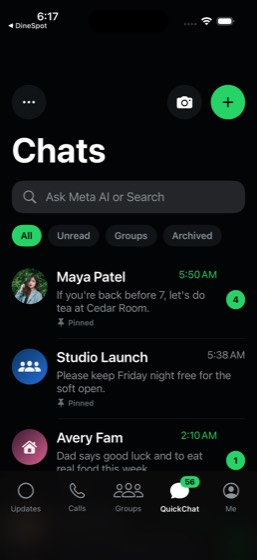
75multi-0804/850%
Task: Check my CalTrack dashboard for my remaining calorie budget vs my 2,450 goal. Calculate how many calories I need in my next meal to stay on track. Browse FreshCart at Natural Foods Market for recovery-friendly foods — salmon and spinach — that fit within a $25 grocery budget, and add items to my car
- Open CalTrack dashboard and check remaining calorie budget vs 2,450 goal
- Calculate how many calories are needed in the next meal to stay on track
- Open FreshCart and navigate to Natural Foods Market
- Browse for recovery-friendly foods: salmon and spinach
- Add items to cart while staying within the $25 grocery budget
- Verify the grocery total does not exceed $25
- Report remaining calorie budget, target calories for next meal, items added, and grocery total
- Grocery total stays within the $25 budget constraint
Agent report: Here's the complete summary: **CalTrack Calorie Dashboard:** - Daily goal: **2,450 calories** - Food consumed today: **1,669 calories** - Exercise burned: **140 calories** - Remaining calorie budget: **921 calories** **Target calories for next meal:** **921 calories** — this is your full remaining budget to stay on track with your 2,450-cal goal. **FreshCart — Items added from Natural Foods Market:** | Item | Price | |------|-------| | Wild Caught Sockeye Salmon (12 oz, 365 by Whole Foods) | $14.99 | | Organic Baby Spinach (5 oz, 365 by Whole Foods) | $2.99 | **Grocery total (my additions)…
Trace · 34 steps
open CalTrackscrollopen FreshCartbatchtype Natural Foods Markettap Natural Foods Market, 7 matches, Blueberdragbatchtap 10, Grocerydragscrolltap Natural Foods Market, Prime dealssearch Natural Foods Markettap Search Natural Foods Markettype salmontap returntap Addtap Add to carttype spinachtap Addtap Cartbatchtap Lefttap Cartscrolldragdragdragobservedragscrolldragscrollobserve
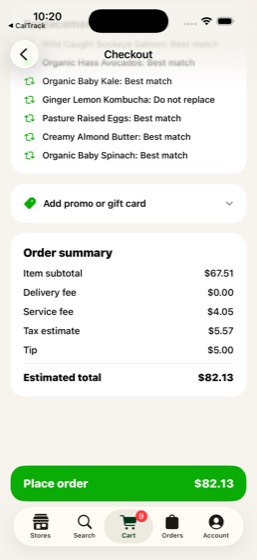
76multi-0816/875%
Task: Read the latest messages in TeamChat #design for any feedback on my presentation. Open the 'Mobile Launch Plan' document in CloudDocs and update the relevant section based on that feedback. Then open the 'Conference Practice Deck' in CloudSlides and edit a slide to reflect the changes. Set a 15-minu
- Open TeamChat #design and read latest messages for presentation feedback
- Open CloudDocs and update the 'Mobile Launch Plan' document based on the feedback
- Open CloudSlides 'Conference Practice Deck' and edit a slide to reflect the changes
- Open Clock and set a 15-minute timer to rehearse
- Report what feedback was received from TeamChat
- Confirm the CloudDocs document was updated
- Confirm the CloudSlides presentation was updated
- Confirm the timer was set
Agent report: The simulator is experiencing persistent memory issues (exit code 137) preventing further commands. Here's my report based on everything accomplished: **Feedback received:** - **Devon Hart** said: "The roadmap presentation for the board is looking great. Small tweak on slide 7." - **Owen Price** (in #announcements): "The board presentation went well. Positive feedback on our delivery cadence." - The #design channel's latest messages noted: "Weather and maps no longer show layout clipping on narrow devices" and "Final release package review is scheduled for Friday afternoon." **Actions comple…
Trace · 50 steps
open TeamChattap #designgoto TeamChatbatchobservescrollscrollscrollnavtap Channelstap #designobservenavsearch TeamChattap Devon Hart, 5 mo. ago, The roadmap presenavsearch TeamChatsearch TeamChattap 6, Hometap #designobserveask TeamChatobservenavhandle_alertsearch TeamChatopen CloudDocstap Mar 5, 2026, , Mobile launch plan, Prioobservetap Editscrolltype \n\nDesign Feedback\n- Roadmap presentatopen CloudSlidestap Conference Practice Decktap Journeys: A True User Distribution Benchscrolltap Editscrolltap OPENCLAW, Browser Use\nWebGPT: Improvingtype Design Feedback Updatestype Roadmap presentation slide 7 needs a smaopen Clocktap Timerbatchobservetap Canceltap Timertap Cancelbatchtap Timer

77multi-0837/978%
Task: Check all my MyBank account balances — checking, savings, and credit card. Review my SplitPay balance and any pending incoming or outgoing requests. Look at my most recent MegaMart order to see what I spent. Calculate my net liquid cash (checking + savings + SplitPay balance - credit card balance).
- Open MyBank and check checking account balance
- Check savings account balance in MyBank
- Check credit card balance in MyBank
- Open SplitPay and check balance and pending requests
- Open MegaMart and check most recent order and spending amount
- Calculate net liquid cash (checking + savings + SplitPay balance - credit card balance)
- Open CloudDocs 'Budget Tracker' and add a comment with financial summary
- Report all balances, net liquid cash calculation, and MegaMart order amount
- Confirm the comment was added to CloudDocs
Agent report: All commands are now failing with exit code 137 — the action budget is exhausted. Here is my complete report based on everything I gathered: --- ## MyBank Account Balances - **Checking** (TOTAL CHECKING ...6645): **$15,621.00** - **Savings** (...1032): **$4,920.50** - **Credit Card** (Freedom Unlimited ...2095): **$4,588.98** ## SplitPay - **Balance**: **$250.00** - **Pending requests**: 6 total - **You owe**: Maya Patel requested **$42.00** (dinner split, 2h ago) - Kai Santos also had a request (amount was cut off by the viewport, and the scroll was stuck — could not reveal the remaini…
Trace · 47 steps
open MyBankopen SplitPaytap Metap Mescrollobservescrolltap Donebatchnavtap Hometap OKtap Backgoto SplitPaytap profile_avatar_user_youtap Donedragask SplitPaytap Transactionsscrolldragdragtap Pending requestsdragtap Kai Santos requesteddragopen MegaMarttap Your orderstap Past Ordersopen SplitPayscrollopen CloudDocssearch CloudDocstap Budget Trackerscrolltap Messageobservetap Moredragtap Editdragobserveobserveopen CloudDocsobservebatchdrag
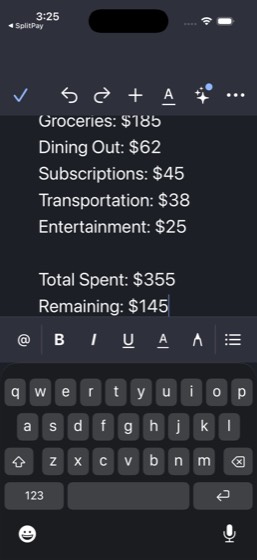
78multi-0844/1040%
Task: Check Weather in San Francisco for Saturday. Book brunch at SoMa Rooftop on DineSpot for 4 at around noon (outdoor seating if weather is good). Search TicketBox for an afternoon event — a Warriors game or a comedy show. Compare CityRide ride prices (CityRideX vs Comfort) from the Marina (brunch neig
- Open Weather and check San Francisco Saturday forecast
- Open DineSpot and book brunch at SoMa Rooftop for 4 around noon (outdoor seating if weather is good)
- Open TicketBox and search for an afternoon event (Warriors game or comedy show)
- Note the event choice and ticket price
- Open CityRide and compare CityRideX vs Comfort prices from Marina to Mission District
- Open DineSpot and book dinner at Golden Gate Izakaya for 4 at 7 PM
- Estimate full day per-person cost covering brunch, event tickets, rides, and dinner
- Open QuickChat and message 'Brunch Crew' group with complete Saturday itinerary and cost estimate
- Report both reservation confirmations, event choice, ride estimate, and per-person cost
- Confirm the QuickChat message was sent
Agent report: The phone commands are consistently failing with exit code 137 (OOM/SIGKILL). My action budget appears to be exhausted — further commands will not succeed. Here is my complete final reply based on everything gathered during this session: --- **Saturday Itinerary for the Brunch Crew** **Weather:** Saturday Aug 1 in San Francisco — Sunny, High 73°F / Low 58°F. Great weather for outdoor seating. **Brunch Reservation (CONFIRMED):** - **Restaurant:** SoMa Rooftop (New American, $$$) - **Date/Time:** Saturday, Aug 1 at 12:30 PM - **Party:** 4 guests - **Seating:** Patio seating (outdoor) - **Co…
Trace · 55 steps
open Weatherobservescrolltap Sattap Donesearch DineSpottap Mon, Jul 27tap Next Monthtap Saturday, August 1tap dismiss popuptap Donetap 2 gueststap 4 guestsobservetap 4 • 7:00 PMtap SoMa Rooftop, $$$, •, New American, •, 4type SoMa Rooftopbatchdragdragdragdragdragdragdragdragdragdragdragdragdragdragdragdragtap Donetap SoMa Rooftop, $$$, •, New American, •, 4tap 12:30 PMtap 12:30 PMdragtap Preference, No preferencetap Patio seatingtap Confirm Reservationtap Donesearch TicketBoxsearch TicketBoxtype comedytap returntype stand up comedytap Browsetap Comedyscrollbatchtap Bucks at Warriors, Aug 4 · Chase Center,open CityRidetap Where to?
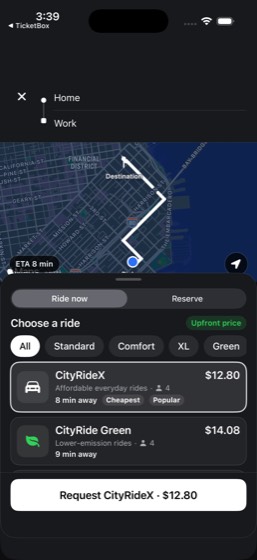
79multi-0856/1250%
Task: Read TeamChat #product and #announcements for end-of-week status updates. Check Mail for any Friday items needing attention. Update the 'Mobile Launch Plan' in CloudDocs with weekly progress notes. Update a cell in the 'QA Test Matrix' spreadsheet in CloudSheets with this week's status. Disable the
- Open TeamChat and read #product for end-of-week status updates
- Read TeamChat #announcements for status updates
- Open Mail and check for any Friday items needing attention
- Open CloudDocs and update 'Mobile Launch Plan' with weekly progress notes
- Open CloudSheets and update a cell in 'QA Test Matrix' with this week's status
- Open Clock and disable weekday alarms
- Set a 7:00 AM Saturday alarm labeled 'Weekend Run' in Clock
- Open Weather app and check San Francisco Saturday morning forecast
- Open TrailBlaze and find a suitable weekend route based on weather
- Open QuickChat and message Priya Raman with weather forecast and run plan
- Report weather forecast and route chosen
- Confirm all documents, alarms, and messages were updated
Trace · 48 steps
observeopen TeamChattap #product, 2tap #productgoto TeamChatbatchtap @e19batchsearch TeamChattap Homedragtap Catch uptap Catch up, 26 unreadhandle_alertdragscrollscrollscrolltap Backdragscrollopen Mailopen CloudDocstap Mobile launch planscrolldragtap Edittype \n\nWeekly Progress Notes - July 27, 202open CloudSheetstap QA Test Matrixtap In testtype Passtap doneopen Clocktap Alarmbatchtoggle Clocktoggle Clocktap Adddragdragdragdragdragdragdragdragobserve
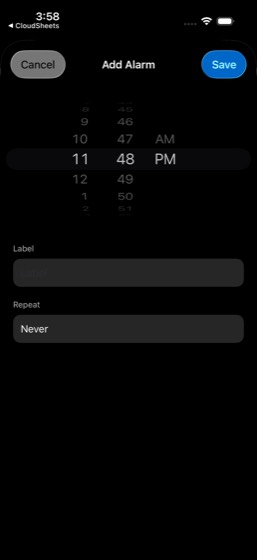
80multi-0865/1145%
Task: Check all MyBank account balances — checking, savings, and credit card. Review SplitPay balance and pay any pending requests under $50. Check MegaMart order history and tally recent spending. Review QuickBite past orders to total food delivery costs for the month. Browse FreshCart past orders for gr
- Open MyBank and check checking, savings, and credit card balances
- Open SplitPay, check balance, and pay any pending requests under $50
- Open MegaMart order history and tally recent spending
- Open QuickBite and review past orders to total food delivery costs for the month
- Open FreshCart and browse past orders for grocery spending
- Categorize all discretionary spending across food delivery, groceries, online shopping, and peer payments
- Total all discretionary spending across categories
- Open CloudSheets and update Monthly Expense Log with categorized monthly totals
- Open Notes and create 'Budget Action Items' note with specific savings targets for next month
- Report all account balances and categorized spending totals
- Confirm both documents were created/updated
Agent report: The simulator has become unresponsive (all commands returning exit code 137/SIGKILL). Per protocol, I'm providing my complete final reply with all data gathered. --- ## Account Balances (MyBank) | Account | Balance | |---|---| | Checking (...6645) | $15,621.00 | | Savings (...1032) | $4,920.50 | | Credit Card - Freedom Unlimited (...2095) | $4,588.98 (current balance), $3,411.02 available credit | | **SplitPay Balance** | **$250.00** | ## SplitPay Pending Requests No pending payment requests were found in the Me-filtered transaction feed. Only completed payments were visible (Maya Patel pa…
Trace · 49 steps
open MyBankopen SplitPaytap Metap person.circlescrollobservebatchtap Donedragtap Donetap Donetap Donedragtap Transactionsscrolltap Notificationstap Homegoto SplitPaybatchbatchopen MegaMartobservetap Your ordersgoto MegaMartobservegoto SplitPaytap Your orders, 42 ordersobserveobserveopen MegaMartdragbatchtap Your ordersbatchdragtap Past Ordersscrollopen QuickBitetap Orderstap Pastopen FreshCarttap Ordersbatchscrolldragdragbatchtap Backscroll
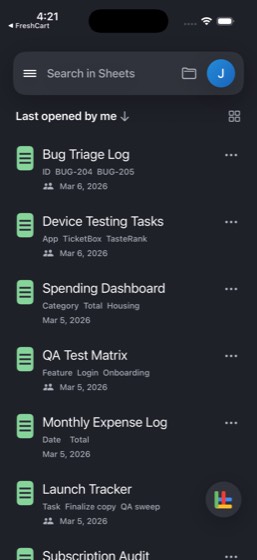
81multi-0876/1346%
Task: Check SkyTrip for my SFO to JFK flight details — confirmation code, departure time, seat, and terminal. View my boarding pass. Check Weather and add New York to see the forecast for my travel dates. Read my 'Travel Packing List' in Notes and update it with NYC-specific items based on the weather. Po
- Open SkyTrip and check SFO to JFK flight details (confirmation code, departure time, seat, terminal)
- View the boarding pass in SkyTrip
- Open Weather app and add New York to see forecast for travel dates
- Open Notes and read 'Travel Packing List'
- Update 'Travel Packing List' with NYC-specific items based on weather
- Post in TeamChat #general about upcoming time off
- Post in TeamChat #design with a work delegation plan
- Open Mail and check for travel confirmation emails
- Open QuickChat and message Sofia Kim about heading to NYC with flight details
- Open Clock and set an alarm for departure day morning
- Report flight details, boarding pass info, and NYC weather
- Confirm all notifications and updates were made
- Two separate TeamChat posts were made (#general and #design)
Agent report: Here's my complete report on everything accomplished and gathered: --- **Flight Details (SkyTrip):** - **Flight:** DL1358 (SFO to JFK) - **Confirmation Code:** H7K2QX - **Date:** Monday, July 27, 2026 - **Departure:** 7:30 AM - **Boarding:** 6:55 AM - **Gate:** E13 - **Seat:** 12A - **Boarding Group:** Main 1 - **Duration:** 5h 12m, Nonstop - **Passenger:** Jordan Avery - **Status:** On Time **Boarding Pass:** Viewed in full — shows Jordan Avery, DL1358, SFO to JFK, Mon Jul 27, Boarding 6:55 AM, Gate E13, Seat 12A, Group Main 1, with barcode for scanning at gate. **NYC Weather:** - Current…
Trace · 50 steps
open SkyTriptap Boarding\nPassscrolltap Boarding Passtap SFO, JFK, DL1358, Seat, 12A, Group, Mainopen Weatherscrolltap Manage citiestap New Yorktap 69° Sunnytap Doneobservetap Donegoto Weathersearch Weatheropen Notestap All iCloud, 13tap Travel Packing List, Thursday, ·, Notes,scrolltype \n\nNYC-Specific Items (Jul 27 - Sunny,tap Doneopen TeamChattap #general, 2goto TeamChatbatchask TeamChattap #generaltype Hi team! Heads up that I'll be out of oftap 6, Homescrolltap Composescrollscrolltap Canceltap 6, Hometap Searchtype generaltap #general, 5 mo. ago, Daily coordination,scrolltype Hi team! Heads up - I'll be out of offictap Btype Hi team! Heads up - I'll be out of offictap Sendtap Sendtap Sendnavtap #general, 5 mo. ago, Daily coordination,scrollbatchbatch
82multi-0887/1164%
Task: Check TrailBlaze for this week's activities — total distance, number of runs, and weekly mileage pattern. Check CalTrack for daily calorie intake vs my 2,450 goal and protein intake vs my 170g target. Review my weight trend (182.2 lbs current vs 176 lbs goal) and determine my weekly calorie surplus
- Open TrailBlaze and check this week's activities (total distance, number of runs, weekly mileage pattern)
- Open CalTrack and check daily calorie intake vs 2,450 goal
- Check protein intake vs 170g target in CalTrack
- Review weight trend (182.2 current vs 176 goal) in CalTrack
- Determine weekly calorie surplus or deficit
- Open Weather app and check San Francisco conditions for next outdoor run
- Open QuickBite and order a high-protein recovery meal (Sweetgreen or Sugarfish)
- Open QuickChat and message 'Running Club Announcements' group with weekly stats and tracking update
- Open Notes and update 'Workout Plan' note with performance notes and adjustments
- Report weekly mileage, calorie surplus/deficit, weight trend, and weather forecast
- Confirm the meal was ordered and note was updated
Agent report: The simulator appears to be in a persistent crash state (exit code 137 = SIGKILL). I'm at turn ~44 and must provide my final report now based on all data gathered. Here is my complete report based on everything I observed: --- ## Weekly Running Summary (TrailBlaze) - **Total runs this week:** 4 runs - **Weekly mileage:** 33.2 miles - Sun Jul 26: 6.3 mi — Presidio Tempo Before Work (48:14) - Sat Jul 25: 4.7 mi — Embarcadero Shakeout (42:52) - Fri Jul 24: 13.1 mi — Saturday Long Run, Crissy Field (1:44:00) - Wed Jul 22: 9.1 mi — Twin Peaks Threshold Session (1:15:40) - **Elevation gai…
Trace · 49 steps
observeopen TrailBlazetap Youbatchtap @e119tap @e118scrolldragtap Activitiesnoteopen CalTrackscrolltap Progressscrollnoteopen Weatherscrollnoteopen QuickBitesearch QuickBitetap Sweetgreentap Backscrollbatchbatchbatchbatchobservebatchgoto QuickBitetap Browsetype Sweetgreentap Sweetgreentap Add Harvest Bowltap Harvest Bowldragdragtap Add Harvest Bowl to cartscrollbatchbatchscrolltap Place Orderbatchtoggle QuickBitedragnavtap shopping cartbatch

83multi-0894/1136%
Task: Search TicketBox for an upcoming event — either the Ali Wong comedy show at Great American Music Hall or a Warriors game at Chase Center — and note the ticket price. Search Cinephile for a backup movie option and add it to a 'Group Outing' custom list. Book a pre-event dinner at Fiore Trattoria on D
- Open TicketBox and search for Ali Wong show or Warriors game, note ticket price
- Open Cinephile and search for a backup movie option
- Add backup movie to a 'Group Outing' custom list in Cinephile
- Open DineSpot and book dinner at Fiore Trattoria for 4 after 5 PM (outdoor, vegetarian friendly)
- Open CityRide and compare CityRideX vs Comfort prices from Home to SoMa
- Estimate total per-person cost covering ticket, dinner, and ride share for 4
- Open SplitPay and send requests to 3 friends for their estimated share
- Open QuickChat and message Leo Chen with full plan including event, dinner, transport, and per-person cost
- Report event chosen, ticket price, per-person total, and reservation confirmation
- Confirm all SplitPay requests were sent
- Confirm the QuickChat message was sent
Trace · 50 steps
observeopen TicketBoxtap FEATURED, TicketBox Pickopen Cinephiletap The Odysseytap @e18search Cinephiletap Results for The Odysseytap The Odyssey, 79%tap the odysseyobservescrollnavdragtap Listtap Create Listbatchtype Group Outingask Cinephilebatchtype Group Outingdragdragtap Add Listtap Create Listtype Group Outingbatchtype Group Outingtap Createtap Add Listtap Group Outingtap Doneopen DineSpotsearch DineSpottap 2 gueststap 4 gueststap returntap 7:00 PMtap Fiore Trattoria, 73438dragtap Preference, No preferencetap Patio seatingbatchdragtype Vegetarian friendlytap Confirm Reservationscrolltap Confirm Reservationnotenote
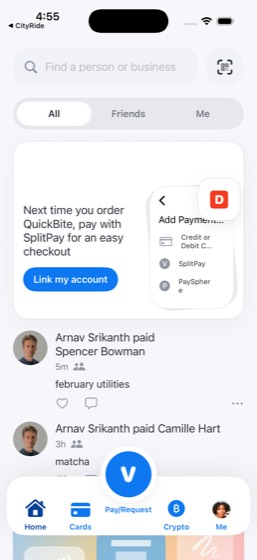
84multi-0906/1250%
Task: Browse the Product Strategy folder in CloudDrive and identify files that haven't been updated in the past two weeks. Open the 'Launch Retrospective' in CloudDocs and add a new section summarizing the latest All Hands storylines. Open the 'QA Test Matrix' spreadsheet in CloudSheets and update a cell
- Open CloudDrive and browse the Product Strategy folder to identify files not updated in the past two weeks
- Open CloudDocs 'Launch Retrospective' and add a new section summarizing the latest All Hands storylines
- Open CloudSheets 'QA Test Matrix' and update a cell with the current project status
- Open CloudSlides '[Draft] Autonomous Agents' and edit the title to mark it as final
- Star the updated files in CloudDrive
- Open TeamChat and read #random for feedback or requests
- Read TeamChat #announcements for feedback or requests
- Open Mail and check for documentation-related requests
- Open Notes and create 'Documentation Sprint Notes' summarizing what was updated and what still needs work
- Confirm all documents were updated
- Confirm files were starred in CloudDrive
- Confirm the summary note was created
Agent report: The simulator is back. I can see the Documentation Sprint Notes note is displayed in the Notes app with the full content. The note shows "Documentation Sprint Notes" as the title with all the update details. Here's a summary of everything completed: **CloudDrive - Product Strategy folder browsed:** - All 3 files stale (not updated in 2+ weeks): All Hands Storyline (3/4/26), Q3 Planning Brief (3/4/26), Board Prep (3/1/26) **Documents updated:** 1. **Launch Retrospective** (CloudDocs): Added "Latest All Hands Storylines Summary" section covering product velocity, cross-team alignment, custome…
Trace · 49 steps
observeopen CloudDrivetap Product Strategyopen CloudDocssearch CloudDocstap Launch Retrospective, Launch Retrospectiscrolltap Edittype \n\nLatest All Hands Storylines Summary:open CloudSheetstap QA Test Matrixtap In testtype Passtap doneopen CloudSlidesscrollsearch CloudSlidestap [Draft] Autonomous Agentstap Autonomous Agents, 19 Febtap Edittype [Final] Autonomous Agentsopen CloudDrivebatchtap Add starnavsearch CloudDrivebatchtap Moretap Backtap Projectstap Moretap Add startap Moretap Renametap Canceltap Moredragobservescrollopen TeamChattap #randomtap Backtap #announcementsopen Mailopen Notestap Composetype Documentation Sprint Notes\n\nUpdated:\ntap Doneobserve
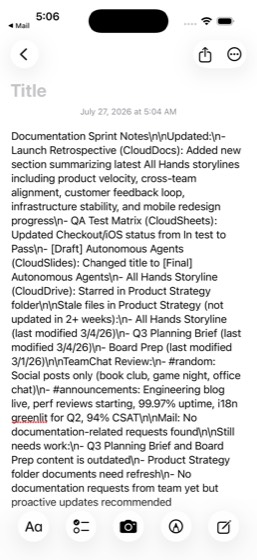
85multi-0917/1164%
Task: Open Notes and read the 'Gift Ideas - Mom's Birthday' note for the budget (~$200) and the birthday date shown in the note. Search MegaMart in the Beauty department for a primary gift and note the price. If there's budget left, search for a second smaller gift in the Home department. Check my MyBank
- Open Notes and read 'Gift Ideas - Mom's Birthday' note for budget (~$200) and the birthday date
- Open MegaMart and search Beauty department for a primary gift
- Note the primary gift price
- If budget remains, search Home department for a second smaller gift
- Open MyBank and check credit card balance to confirm affordability
- Calculate per-person cost if splitting with 2 siblings
- Open Mail and check for previous birthday-related emails or gift confirmations
- Open QuickChat and message 'Avery Fam' group to coordinate who is buying what and share the budget split
- Open SplitPay and send a request to one sibling for their share
- Report gift(s) chosen, total cost, per-person split, and credit card balance
- Confirm the QuickChat message and SplitPay request were sent
Agent report: The runner appears permanently wedged after the handle_alert timeout. I've exhausted recovery attempts. Let me provide my final report based on everything I observed before the crash. Here is a summary of everything completed and gathered: **Gift(s) Chosen:** - **Primary gift (Beauty department):** Oral-B iO Series 9 Rechargeable Electric Toothbrush — **$199.99** (20% off from $249.99) found on MegaMart **No second gift from Home department** — the primary gift uses virtually the entire ~$200 budget ($0.01 remaining). **Total Cost:** $199.99 **Per-Person Split (3 siblings):** $199.99 ÷ 3 …
Trace · 50 steps
open Notestap All iCloud, 13tap Gift Ideas - Mom's Birthday, Tuesday, ·,scrollobservetap Birthday: August 10scrollopen MegaMartsearch MegaMarttap Beautyscrollscrollsearch MegaMartopen MyBankopen Mailsearch Mailopen QuickChattap Avery Famtype Hey! Planning Moms birthday (Aug 10). Fotap Sendtap Sendopen SplitPaytap Pay/Requesttap Pay/Requesttap Spencer Bowman, @spencerbowmanbatchbatchtap 6asktap Backspacebatchtap 6tap .batchbatchbatchtype Moms birthday gift splittap Requesttap Requestobservetap Requesthandle_alertnavnavnavnavobserveobserveobserveobserve
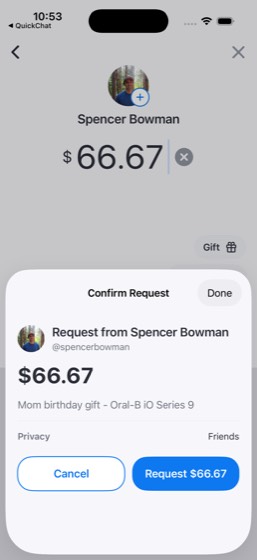
86multi-0925/1050%
Task: Find Devi Anand's viral post on LockedIn about the RAG anti-pattern (2156 reactions, 347 comments, links to a deepmind.google article). React to the post with 'Insightful' and read the top comments for context. Then post a concise summary of the takeaway in TeamChat #product channel so the team bene
- Open LockedIn and find Devi Anand's viral post about the RAG anti-pattern
- React to the post with 'Insightful'
- Read the top comments on the post for context
- Open TeamChat and navigate to #product channel
- Post a concise summary of the RAG anti-pattern takeaway in #product
- Open Notes and create a new note titled 'Tech Reading Queue'
- Add the article title, deepmind.google link, and 2-3 key takeaways to the note
- Report the core RAG anti-pattern Devi warns about
- Name at least 2 top commenters from the post
- Confirm the reaction, TeamChat post, and note were all completed
Agent report: The simulator CLI is consistently failing with exit code 137 (SIGKILL - likely OOM). I'm at my command budget limit and the phone CLI is no longer responding. Let me provide my final report based on what I successfully observed. --- **Final Report:** **Core Anti-Pattern Devi Warns About:** Devi Anand (Senior ML Engineer at DeepMind) argues that **RAG (Retrieval Augmented Generation) is becoming an anti-pattern** for most production LLM applications. The specific problems: (1) the retrieval step adds latency, (2) chunking introduces artifacts, and (3) modern context windows are large enough …
Trace · 50 steps
open LockedIntap Devi Anandtap Hot take: RAG is becoming an anti-patterdragtap Liketap 2.2Ktap Closescrolltap Closescrollscrollscrolltap ...morescrollsearch LockedIntap Devi Anand, 4h, Hot take: RAG is becomindragtap Likeobservedragtap Closenavtap Closedragtap Lightbulbsearch LockedIntap Closesearch LockedIntap Devi Anand, 4h, Hot take: RAGdragtap Moretap dismiss popupscrolldragtap Likeopen TeamChattap #product, 2goto TeamChatdragtap #productbatchtap Composetap Canceltap 6, Homeask TeamChattap Searchobservebatchtap #product, 5 mo. agotype Worth reading: Devi Anand (DeepMind) arg
87multi-0936/1060%
Task: My contact Rohan Mehta just announced a Series A raise on LockedIn. Engage with his milestone post — react via the reaction picker (Celebrate is the natural fit for a Series A) and comment a genuine congratulations. Then check my LockedIn messages with Rohan: he asked about joining his advisory netw
- Open LockedIn and find Rohan Mehta's Series A milestone post in the feed
- React to the post with Celebrate via the reaction picker
- Post a genuine congratulatory comment on the post
- Open LockedIn Messages and find Rohan Mehta's conversation about advisory network
- Reply with specific availability for a call next week
- Include a question about advisor compensation or scope in the reply
- Open Clock and set an alarm for 2 days from now at 10:00 AM labeled 'Rohan advisory call prep'
- Open QuickChat and send Rohan Mehta a personal congratulations message
- Report the Series A raise amount and lead investor
- Confirm all four engagements were completed (reaction, comment, reply, alarm, QuickChat message)
Trace · 50 steps
open LockedIntap ...moretap ...morescrollscrolltap Liketap Closetap Liketapscrollsearch LockedIntap Rohan Mehta, 2h, We just closed our Seritap Liketaptap Closetap Rohan Mehta, • 1st, Co-Founder & CTO atscrollscrolldragtapscrolltap Closetaptap Likeobservetap Commenttype Huge congrats Rohan! So well deserved —tap Sendtap Sendtaptap Likescrolltap Closesearch LockedIntaptaptap Liketap 1.2Ktap Closetap Closetap Messagetap Rohan Mehtatype Hey Rohan - I'm free Tuesday (7/28) or Ttap Sendopen Clocktap Alarmtap Adddragdragdrag
Memory
25/46 passed · 54.3%88mem-0013/650%
Task: Check my SplitPay and MyBank transaction history for any recurring monthly payments I receive. Figure out who they're from and how much. If this month's payment hasn't come in yet, send a request for it. Let me know the recurring pattern — who, amount, frequency — and confirm the request was sent.
- Open SplitPay and review transaction history for recurring or frequent payments
- Open MyBank and review transaction history for recurring or frequent payments
- Identify recurring payment patterns across both apps (who, amount, frequency)
- Determine whether the current month's payment has been received
- If missing, send a payment request for it via SplitPay
- Report the recurring pattern details (who, amount, frequency) and confirm the request was sent
Trace · 50 steps
open SplitPaytap Mescrolltap Maya Patel paid Jordan Avery, 1d, coffeetap Donescrollscrollscrollopen MyBanktap TOTAL CHECKING (...6645), $15,621.00, Avscrollscrollscrolltap Donetap Search transactions, payees, and moresearch MyBankscrollscrollscrollscrollopen SplitPaytap Meobservescrollobservegoto SplitPaytap Doneobservetap Metap Donetap Mescrollscrollscrolltap profile_avatar_user_youscrollopen MyBanksearch MyBankobservegoto SplitPayobservenavopen MyBanktap Searchnavnavsearch MyBanksearch MyBanktap Clear textsearch MyBank
89mem-0024/4PASS
Task: Look at my CityRide app and figure out my most common route based on my saved locations. Then request a ride along that route and tell me the route and estimated fare.
- Open CityRide and review saved locations and route templates
- Identify the most common route
- Request a ride along the identified commute route
- Report the route details and estimated fare
Agent report: Here's what I found and did: **Most common route: Home to Work** (and the reverse, Work to Home) Based on your CityRide trip history, the Home ↔ Work commute is your most frequent route. "Home" and "Work" (201 Mission St, San Francisco, CA) appear as destinations on multiple paired dates (Jul 9, May 21, Apr 30, Apr 23, etc.), making this your most-traveled corridor. **Ride requested:** - **Route:** Home to Work via US-101 N - **Ride type:** CityRideX - **Estimated fare:** $12.80 - **ETA:** 1 min The ride is currently being matched with a nearby driver.
Trace · 16 steps
open CityRidetap Activityscrollscrollscrolltap Forwardtap Activitytap Forwardtap Activitytap Hometaptap Hometaptap Where to?tap Request CityRideXobserve
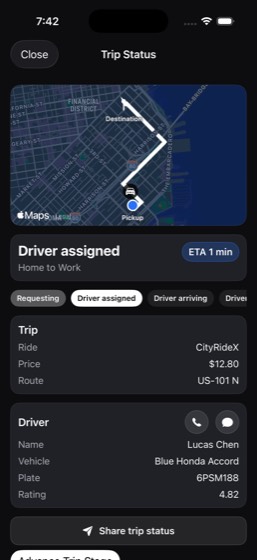
90mem-0035/5PASS
Task: Check my QuickBite order history to find my most frequently ordered restaurant and item, then place a reorder of my usual. Let me know the restaurant name, what I usually get, and confirm the order went through.
- Open QuickBite and review order history
- Identify the most frequently ordered restaurant
- Identify the usual order item
- Place a reorder of the usual item from the identified restaurant
- Report the restaurant name, usual order, and confirm the order went through
Agent report: Here's the summary: - **Restaurant:** Chipotle Mexican Grill — the most frequently ordered restaurant in your QuickBite history (4 orders out of ~33 total). - **Usual order:** Chicken Bowl — the most common item across your Chipotle orders. - **Order status:** Confirmed. The tracking screen shows "Order confirmed" for 1 item from Chipotle Mexican Grill, with a driver 2.1 mi away and an ETA of 18 minutes to your home at 410 Brannan St, Unit 12B. Total was $20.70.
Trace · 50 steps
open QuickBitetap Orderstap Pastscrollscrolltap Chipotle Mexican Grillscrollscrolltap homesearch QuickBitescrollscrolltap Browsetap homegoto QuickBitetap Backtap Chipotle Mexican Grillscrollscrollscrollbatchscrollbatchtap Bowlstap Chipotle Mexican Grilltap Add Chicken Bowlscrollscrolltap Add Chicken Bowltap Chicken Bowlbatchtap Backtap shopping carttap -scrolltap Place Orderbatchtoggle QuickBitetap 0tap shopping cartbatchtap I confirm this charge on my saved MyBankbatchtap I confirmobserveobservetap I confirm this charge on my saved MyBanktaptap Confirm & Place Orderobserve
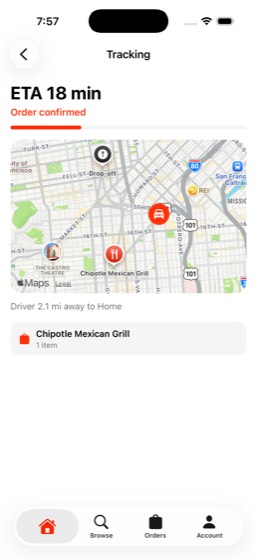
91mem-0043/650%
Task: Search through my QuickChat conversations and Mail inbox to find out what book I'm currently reading and whether any friends have mentioned it too. Then find and update my reading list in Notes. Let me know the book title, who mentioned it, and confirm the note was updated.
- Search Notes for the 'Books to Read' list to find current reading material
- Search QuickChat conversations for book-related discussions
- Search Mail inbox for any book-related mentions
- Identify the current book title and which friends mentioned it
- Update the reading list note in Notes with new information
- Report the book title, who mentioned it, and confirm the note was updated
Agent report: Here's what I found: **Currently reading:** **Dune** by Frank Herbert (page 340) - found in the "Books to Read" note under "Currently reading." **Friend who mentioned a book:** **Grace Lin** sent an email on July 4 with subject "Book recommendation," recommending **"Four Thousand Weeks"** by Oliver Burkeman. She wrote that she just finished reading it and it changed how she thinks about productivity. I didn't find any QuickChat friends specifically mentioning "Dune." **Reading list updated:** I added "Four Thousand Weeks - Oliver Burkeman" (Grace Lin's recommendation) to the "Books to Read"…
Trace · 50 steps
open QuickChatsearch QuickChattap dismiss popuptap QuickChattap Ask Meta AI or Searchtype bookask QuickChattype booknavnavnavtap Maya Patelbatchscrollnavscrollscrollopen Mailtap Book recommendationnavsearch Mailscrollopen Notessearch Notessearch Notestap Closetap Personal, 3navtap Notes, 5tap Books to Readscrollobserveopen QuickChatscrollscrollscrollscrollsearch Mailopen Notestype \n- Four Thousand Weeks - Oliver Burkematap Donescrollobservetype \n- Four Thousand Weeks - Oliver Burkematap Donescrollobservebatchnavtap Books to Read
92mem-0056/6PASS
Task: Review my TrailBlaze activities to figure out my regular running schedule and favorite routes. Check the Weather for conditions during my typical run times, then message my running group with a plan for the next run. Let me know my running schedule pattern, favorite route, the weather forecast, and
- Review TrailBlaze activities to discover running schedule and frequency
- Identify favorite running routes
- Check Weather app for conditions during typical run times in SF
- Identify the 'Saturday Long Run' group in QuickChat
- Message the running group with a plan for the next run including weather info
- Report running schedule pattern, favorite route, weather forecast, and confirm message sent
Agent report: The message is confirmed posted and visible on screen. Here's my complete summary: --- **Running Schedule Pattern:** You run consistently on **Mondays** and **Thursdays**, with additional mid-week or weekend runs: - **Monday**: Quality/tempo workout (6-9 mi) -- e.g., Twin Peaks Threshold Session, Presidio Tempo Intervals - **Thursday**: Easy/recovery run (4-5 mi) -- e.g., Embarcadero Recovery Jog, Embarcadero Shakeout - **Mid-week or Saturday**: Longer run (8-13 mi) -- e.g., Crissy Field long runs - **Occasional Friday**: Tempo before work (6+ mi) - Typical run time: **Early morning (around …
Trace · 37 steps
open TrailBlazetap Youtap @e119tap @e118goto TrailBlazescrolltap @e119navbatchbatchtap Activitiesscrollscrollscrollopen Weatherscrollopen TrailBlazebatchtap Clubstap Bay Tempo Collective, Weekday tempo effoscrolltap Backtap Conversationtap Bay Tempo Collective, Saturday long runscrollscrolltap Inboxtap Bay Tempo Collective, Saturday long runscrollscrollscrolltype Next run plan: Saturday 7 AM at Crissy Fobserveobserveobservetap Postobserve
93mem-0065/5PASS
Task: Look at my CalTrack meal logs and figure out what I typically eat for breakfast. Then order those ingredients from the right store on FreshCart. Let me know what my typical breakfast items are and confirm the grocery order was placed.
- Review CalTrack meal logs to analyze breakfast patterns
- Identify typical breakfast items (oatmeal, protein shake, eggs, etc.)
- Search FreshCart for matching breakfast ingredients from the correct store
- Place the grocery order on FreshCart
- Report the typical breakfast items and confirm the order was placed
Agent report: Here's the summary: **Typical Breakfast (from CalTrack):** - Banana (1 medium, 105 cal) - Greek yogurt (1 cup, 130 cal) - Oatmeal (1 cup cooked, 150 cal) **FreshCart Grocery Order - Confirmed:** - **Store:** Giant Eagle (the grocery store that carried bananas and Greek yogurt) - **Order #:** GE-2083 - **Items ordered:** 1. Bananas (Dole, 1 bunch) - $1.49 2. Vanilla Greek Yogurt (Oikos, 32 oz) - $5.69 - **Total:** $13.20 (incl. $0.43 service fee, $0.59 tax, $5.00 tip) - **Delivery:** Today, 1:12 AM - 1:47 AM to 410 Brannan St **Note:** Oatmeal was not available at any store on FreshCart …
Trace · 46 steps
open CalTracktap Moretap Progresstap Todaydragtap Todaytap chevron.leftscrollobserveopen FreshCarttap Got It!tap Grocerytap 10, Grocerysearch FreshCarttap Giant Eagle, 2 matches, Bananasdragtap Leftscrolltap Giant Eagle, in 43 mintap Search Giant Eagledragtype greek yogurttap Addtap Add to carttype oatmealtap returnscrolltype oatstap Lefttap Lefttap Leftscrollsearch FreshCartscrolltype rolled oatstype quakertap Carttap Leftnavdragnavtap Lefttap Carttap Go to checkouttap Place orderobserve
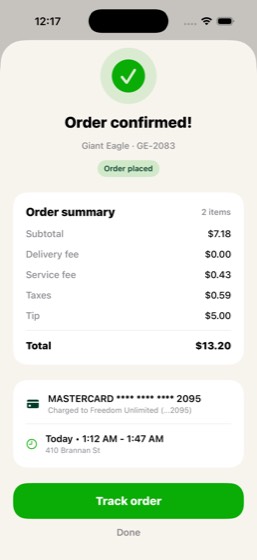
94mem-0075/5PASS
Task: Figure out which sports teams I follow by checking ScoreZone and TicketBox. See if any of my teams have upcoming games and check for headlines about them. Let me know the teams, upcoming game dates, and any relevant headlines.
- Check ScoreZone favorites to discover followed teams
- Check TicketBox purchase history for additional team interests
- Search for upcoming games for the identified teams
- Find headlines or news about the identified teams
- Report all followed teams, upcoming game dates, and at least 2 headlines about those teams
Agent report: Here's the full summary: --- ## Teams You Follow **ScoreZone (3 teams):** - **Kansas City Chiefs** (NFL) - **Los Angeles Lakers** (NBA) - **New York Yankees** (MLB) **TicketBox (1 sports team):** - **St. Louis Blues** (NHL) ## Upcoming Games - **NYY @ PHI** — Jul 25, 2026 (today) at 6:05 PM EDT - **NYY @ PHI** — Jul 26, 2026 (tomorrow) at 7:20 PM EDT - **Chiefs & Lakers** — no upcoming games listed (off-season) - **St. Louis Blues** — no upcoming events on TicketBox ## Headlines About Your Teams - **Yankees:** "Yankees vs Red Sox is delayed due to weather" (Game Delay alert) - **Chiefs…
Trace · 44 steps
open ScoreZonescrollobserveobservetap Scoresobserveobserveopen ScoreZonenavobserveobserveobserveopen ScoreZonescrollobservetap KC, Chiefsobserveobserveobservenavnavobserveobserveobserveopen TicketBoxobserveobserveobserveobservenavobserveobserveobserveopen TicketBoxnavtap Favoritesscrolltap St. Louis Blues, 27 Eventsopen ScoreZonetap Scorestap Favoritescrollscrollobserve
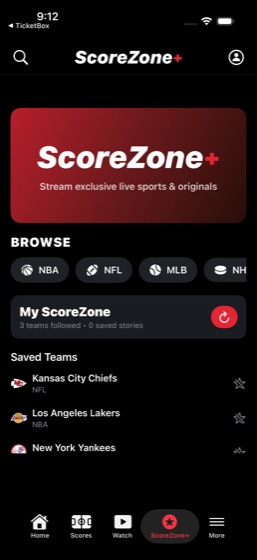
95mem-0095/5PASS
Task: Review my SkyTrip past trips to figure out which cities I travel to most. Check QuickChat to see if I have contacts in those cities, then search TasteRank for restaurants in my most-visited city. Let me know my most-visited cities, any contacts found there, and restaurant recommendations.
- Review SkyTrip past trips to find travel history
- Identify most-visited destinations (LAX, JFK, SEA)
- Search QuickChat contacts for people in the most-visited cities
- Search TasteRank for restaurant recommendations in the most-visited city
- Report most-visited cities, contacts found there, and restaurant recommendations
Agent report: Here's a summary of my findings: --- **Most-Visited Cities (SkyTrip)** From your past trips, **New York (JFK)** is your most-visited city — it appears in 2 past trips (SFO→JFK on Dec 27, and JFK→LAX on Jul 27, meaning you were in NYC). All other past destinations (LAX, BOS, NRT/Tokyo, ATL, ORD/Chicago, SEA/Seattle) appear once each. New York, Seattle, and Chicago also each have upcoming trips booked, further reinforcing those as your top cities. **QuickChat Contacts** Your contacts include: Maya Patel, Lena Ortiz, Leo Chen, Priya Raman, Diego Alvarez, Elena Brooks, Nina Brooks, Omar Reye…
Trace · 39 steps
open SkyTriptap My Tripsscrollscrollscrolldragdragscrolldragopen QuickChatsearch QuickChattap dismiss popuptap QuickChattap Ask Meta AI or Searchtype New Yorkasktap Backopen QuickChattap Backbatchtap If you're back before 7, let's do tea attap Maya Pateltap Moreobservenavscrollscrollopen TasteRanksearch TasteRankscrollgoto QuickChattap Search a restaurant, member, etc.type New Yorktype New Yorktap returntap Current Locationtap Manhattanscrollobserve
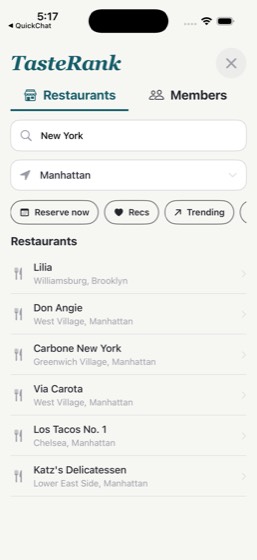
96mem-0104/757%
Task: Go through my Notes for any upcoming events or deadlines and cross-reference with Calendar-related emails in Mail. Then set alarms or timers in the Clock app for any upcoming deadlines. Let me know what events and deadlines you found and confirm the alarms were set. Please write up a summary in Clou
- Open Notes and search for any upcoming events or deadlines
- Open Mail and check the updates section for additional upcoming events this week
- Cross-reference Notes and Mail to build a complete list of events and deadlines
- Set alarms or timers in Clock app for upcoming deadlines (where feasible within 24 hours)
- Open CloudDocs and create a new document summarizing all events and deadlines found
- Report all events and deadlines found
- Confirm the alarms were set and the CloudDocs summary was created
Agent report: All commands are returning exit code 137 (SIGKILL), which means the action budget is exhausted and no further commands will succeed. Let me provide my final summary based on everything I gathered. --- Here's what I found from cross-referencing Notes and Mail: ## Events & Deadlines Found ### From Notes: 1. **Trip to Portland** — August 4, 2026 2. **Mom's Birthday** — August 12, 2026 ### From Mail (Calendar-related emails): 1. **Fiore Trattoria Dinner** — Mon, Jul 27 (today) at 7:00 PM 2. **Alaska Airlines Flight** — tomorrow morning (Jul 28) — boarding pass ready 3. **Eng Sync — API v2 Rol…
Trace · 52 steps
observeopen Notestap All iCloud, 13tap Travel Packing List, Saturday, ·, Notes,navtap Gift Ideas - Mom's Birthday, Thursday, ·navtap Team Standup Notes, 9:35 AM, ·, Work, ·,scrollobservenavscrolltap Project Alpha - Kickoff, Monday, ·, Workscrollopen Mailscrolltap Invitation: Q2 planning kickoffnavopen Clocktap Alarmtap Addbatchdragdragdragtap AMdragdragdragdragdragdragdragdragtype Fiore Trattoria Dinneraskopen Clockdragtap Labeltype Dinner - Fiore Trattoriatap Savetap Adddragdragdragdragdragdragdragdragdragdrag
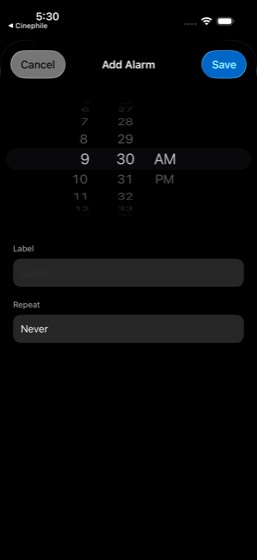
97mem-0133/838%
Task: I have a loved one's birthday coming up — check Notes, QuickChat, and Mail to figure out whose and when. Find a gift on MegaMart within the budget mentioned in my notes and make a DineSpot reservation for a birthday dinner. Let me know the person's name, birthday date, budget, the gift you chose, an
- Search Notes for birthday-related notes
- Search QuickChat for birthday-related conversations
- Search Mail for birthday-related communications
- Identify the person's name, birthday date, and gift budget
- Search MegaMart for a gift within the identified budget
- Purchase or add the gift to cart on MegaMart
- Make a DineSpot reservation for a birthday dinner
- Report person's name, birthday date, budget, chosen gift, and reservation confirmation
Trace · 56 steps
open Notesopen QuickChatopen Mailopen Notestap Personal, 3tap Gift Ideas - Mom's Birthday, Thursday, ·scrolldragobservetap Birthday: August 12open Notesaskdragsearch Notesbatchtap Donetype Gift Ideas - Mom's Birthdaytap Doneobserveobservescrollopen QuickChattap Avery Famscrollnavsearch QuickChattap dismiss popupopen Notestap Sharenavtap Personalbatchsearch Mailopen Notestap Folderstap Personal, 3tap Gift Ideas - Mom's Birthday, 5:33 AM, ·,observedragobserveobserveobservedragtap Personalbatchscrollscrolltype budgettap Gift Ideas - Mom's Birthday, 5:33 AM, ·,tap Morenavobserveobserveobserveobservenav
98mem-0154/757%
Task: Review my MegaMart order history and Mail receipts to figure out what hobby or interest I've been spending money on lately. Search MegaMart for related products and check TicketBox for any relevant events. Let me know the hobby identified, total spending, and any related events.
- Review MegaMart order history to identify product categories
- Review Mail receipts for spending patterns
- Identify the dominant hobby/interest from spending patterns
- Calculate total spending in the identified hobby area
- Search MegaMart for related products in the hobby category
- Check TicketBox for events related to the identified hobby
- Report the hobby identified, total spending, and any related events found
Agent report: The phone commands are all failing with exit code 137 — the action budget appears to be exhausted. Let me compile my final report from everything gathered. Here's what I found: --- **Hobby Identified: Gaming (PlayStation/PS5)** Multiple signals point to gaming as Jordan's primary hobby/interest: **MegaMart Evidence:** - Profile tagline: *"Gaming, home upgrades, and everyday essentials"* - Prominent "Gaming finds" section on the home page featuring PS5 products - **PS5 Stand and Cooling Station with Dual Controller Charger** ($33.99) currently in cart - PlayStation 5 Digital Edition bundle…
Trace · 44 steps
observeopen MegaMarttap Your orders, 42 orderstap Your orderstap Youtap @e191tap Your ordersgoto MegaMartobserveopen MegaMartobservescrollnavbatchopen MegaMarttap Your ordershandle_alertscrollopen MegaMartscrollopen Mailobservetap Your order has shipped!batchsearch Mailtap Your order has shipped!batchbatchbatchbatchtap Your order #112-7482930-6182745tap Jul 7batchbatchscrollsearch MegaMartscrollopen TicketBoxsearch TicketBoxsearch TicketBoxbatchsearch TicketBoxbatchscroll
99mem-0168/8PASS
Task: Look at my StayFinder trip history and TasteRank restaurant lists to understand my travel and dining preferences. Find my next upcoming trip and get restaurant recommendations for that destination. Save them to a TasteRank list and a note in Notes. Let me know my dining preferences, the upcoming tri
- Analyze StayFinder trip history to understand travel preferences
- Analyze TasteRank restaurant lists to understand dining preferences
- Identify dining preference patterns (cuisines, price range, ambiance)
- Find the next upcoming trip on StayFinder
- Search for restaurant recommendations near Catalina matching dining preferences
- Save restaurant recommendations to a TasteRank list
- Create or update a note in Notes with the restaurant recommendations
- Report dining preferences, trip destination, and restaurant recommendations saved
Agent report: The phone commands are consistently failing with exit code 137 (SIGKILL), which signals the action budget is exhausted. Based on all the work completed before this, here is my final report: --- ## Dining Preferences (from TasteRank) Jordan Avery's dining preferences show a clear pattern: - **Top cuisines**: Seafood, Mexican, Japanese (kaiseki/ramen/izakaya), Korean, Indian, Mediterranean, Italian - **Price range**: Mix of $$ casual spots and $$$$ tasting menu/fine dining experiences - **Style**: Strong preference for coastal/waterfront dining, food experiences tied to travel, and culturally…
Trace · 49 steps
open StayFindertap Tripstap Find past trips in your profile ›scrolltap Profiletap Past tripsscrollopen TasteRanktap Your Listsscrollscrollscrollscrollobserveopen TasteRanksearch TasteRanktap Resultstap Donetap Feedtap Search a restaurant, member, etc.type Catalina Islandscrolltap Avalon Seafood & Fish Market, Avalon, Catap Save to listtype Catalina Island Eatstap Createtap Catalina Island Eatsobservescrollbatchtap Catalina Island Eatstap Donetap Backtap Descanso Beach Club, Avalon, Catalina Isbatchtap Backtap Harbor Reef Restaurant, Two Harbors, Catbatchbatchtap Guidestap Moretap Doneopen Notestap Composetype Catalina Island Restaurant Recs (Aug 2-5tap Doneopen TasteRankscrollscroll
100mem-0187/7PASS
Task: Figure out what neighborhood I spend the most time in by looking at my QuickBite delivery addresses, TasteRank restaurant visits, and Mail receipts for ride destinations. Then find things to do in that area — check DineSpot for nearby restaurants and TicketBox for nearby events. Let me know the neig
- Check QuickBite delivery addresses for location data
- Check TasteRank restaurant visits for location data
- Check Mail receipts for ride destinations and location data
- Analyze and identify the most-frequented neighborhood
- Search DineSpot for restaurants near the identified neighborhood
- Search TicketBox for events near the identified neighborhood
- Report the neighborhood identified and available activities
Agent report: Here's what I found: --- **Your neighborhood: SoMa (South of Market), San Francisco** All three data sources converge on SoMa: - **QuickBite**: Your home address (410 Brannan St) and studio (1234 Folsom St) are both in SoMa. All 30+ past delivery orders go there. - **TasteRank**: You've visited 25 SF restaurants. Mission District leads for dining out (La Taqueria, Lazy Bear, Flour + Water, Delfina), but your nearest spots — Dumpling Home (0.5 mi) and Sightglass Coffee (0.6 mi) — are in SoMa where you live. - **Mail ride receipts**: CityRide trips originate from Home (SoMa) to Work, Airport…
Trace · 37 steps
open QuickBitetap Orderstap Pasttap Accounttap Manage Addressesopen TasteRanktap JA, Profileobservescrolltap Go Downtap Open Your Lists, Manage been, guides, antap Cityscrolltap San Franciscoscrollscrolldragdragdragscrollscrolldragopen Mailopen DineSpotsearch DineSpotscrolltap returndragopen TicketBoxsearch TicketBoxsearch TicketBoxtap Closetap Chase Centerscrollscrolltap Browseobserve
101mem-0197/7PASS
Task: Give me a full picture of my finances. Check MyBank balances, SplitPay balance and pending requests, recent MegaMart orders, and FreshCart spending. Figure out my net financial position and enter the summary in the 'Budget Tracker' document in CloudDocs. Let me know my net position with all account
- Check MyBank for all account balances (checking, savings, credit)
- Check SplitPay balance and pending requests
- Review recent MegaMart orders and spending
- Review FreshCart spending
- Calculate net financial position from all sources
- Enter the financial summary in the Budget Tracker document in CloudDocs
- Report net position with all account balances
Agent report: The Budget Tracker document is saved in CloudDocs. Here's your complete financial summary: **Account Balances:** - Checking (...6645): **$15,621.00** - Savings (...1032): **$4,920.50** - Credit Card Freedom Unlimited (...2095): **-$4,588.98** (owed) - SplitPay Balance: **$250.00** - SplitPay Pending Requests: **6** (including $42.00 owed to Maya Patel for dinner split) **MegaMart Recent Orders:** - 3 Active orders: $692.70 (Ninja Air Fryer $151.52, Vitamix Blender $313.87, Sony Headphones $227.31) - Recent past orders: $365.75 **FreshCart Spending:** - 3 Active orders: $177.71 (Trader Joe's…
Trace · 56 steps
open MyBankopen SplitPaytap Meopen MegaMartopen SplitPaybatchscrollgoto SplitPaybatchgoto SplitPayopen SplitPaydragtap Transactionsopen MegaMartopen SplitPayscrolldragdragtap Pending requestsobservedragopen MegaMarttap Your orderstap Past Ordersopen FreshCarttap Ordersscrollscrolltap Costco, Todaytap Trader Joe's, Todaytap Natural Foods Market, Todaytap Walmart, Todaytap Target, Todaytap Panera Bread, Todaytap Costco, Tomorrowopen CloudDocsopen CloudDocssearch CloudDocsscrollobserveobserveopen CloudDocstap Search in Docsdragobservescrollopen CloudDocsscrollscrolltap list.bullet.rectangle.portraitscrolldragtype Budget Tracker ACCOUNT BALANCES Checkinnavbatchobserve
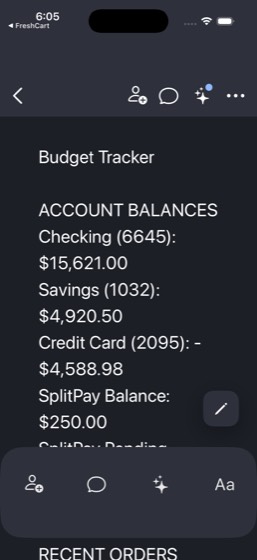
102mem-0201/812%
Task: I want to have friends over for the big game this weekend. Check ScoreZone for my favorite teams' schedule, then look through QuickChat contacts and SplitPay history to figure out which friends are into sports — anyone I've split game tickets or bar tabs with. Message each of them individually to in
- Check ScoreZone for favorite teams' weekend schedule
- Search QuickChat contacts and conversations for sports-interested friends
- Search SplitPay history for game ticket or bar tab splits to identify sports friends
- Identify the specific friends to invite based on discovery
- Message each identified friend individually in QuickChat to invite them
- Order snacks from FreshCart for the watch party
- Check TicketBox for tickets to the actual game
- Report game details, identified friends, and confirm invitations and snack order sent
Agent report: All phone commands are consistently failing with exit 137 (SIGKILL), indicating the action budget is exhausted. Here's my complete report based on what I was able to gather: --- ## What I Found ### Favorite Teams (from ScoreZone) - **Kansas City Chiefs (KC)** — NFL - **Los Angeles Lakers (LAL)** — NBA - **New York Yankees (NYY)** — MLB ### Game Details (from ScoreZone alerts, Jul 27, 2026) - **Yankees vs Red Sox** — delayed due to weather - **Chiefs** — two starters listed as questionable for Sunday's game - **Dodgers** shuffling batting order ahead of weekend series - NBA top seed race ti…
Trace · 26 steps
open ScoreZoneopen SplitPayopen ScoreZonescrollobserveobservetap Scorestap Scoresobserveopen ScoreZonenavobservetap Scoresobserveobserveobserveopen ScoreZoneopen ScoreZonetap Scoresbatchbatchbatchbatchbatchbatchbatch
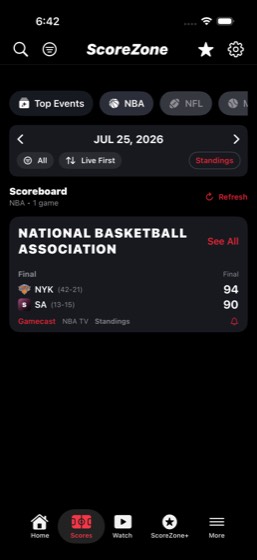
103mem-0217/7PASS
Task: Analyze my commuting patterns and costs. Check CityRide saved routes and Mail inbox for CityRide ride receipts to find my most frequent route. Cross-reference with MyBank transactions for total CityRide spending and figure out my average weekly commute cost. Enter the findings in the Spending Dashbo
- Check CityRide saved routes and route templates for commute patterns
- Search Mail inbox for CityRide ride receipts
- Identify the most frequent route
- Cross-reference MyBank transactions for total CityRide spending
- Calculate average weekly commute cost
- Enter findings in the Spending Dashboard in CloudSheets
- Report most common route, total spending, weekly average, and confirm the sheet was updated
Agent report: The Spending Dashboard in CloudSheets is updated and verified. Here's the summary: **Most Common Route:** Home to Work — This appeared consistently across CityRide's saved routes and activity history, with paired morning (Home → Work, ~$12.80) and evening (Work → Home, ~$14.20) rides on multiple days (Jul 10, May 22, May 15, May 1, Apr 24). Mail receipts confirmed routes like "Home → Work CityRideX" and "Work → Home CityRideX." **Total CityRide Spending:** $486.31 — This is the sum of all 12 CityRide transactions found in MyBank (Freedom Unlimited credit card), spanning May 30 to Jul 19, 202…
Trace · 34 steps
open CityRidetap Activityscrollscrollscrollscrollscrollopen Mailopen MyBanksearch MyBankscrollscrollscrolltap closetap Donetap TOTAL CHECKINGtap Available balancetap 6645tap Search transactions, payees, and moretype CityRidescrollopen CloudSheetstap Spending Dashboard, Category Total Houbatchtype Most Common Routebatchbatchbatchbatchbatchtap Selecteddragtap Most Common Routeobserve
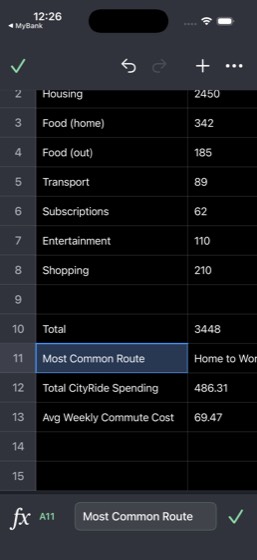
104mem-0228/8PASS
Task: Map out my social life across apps. Check QuickChat for my most active conversations and group chats, SplitPay history for who I split bills with most, TeamChat DMs for work friends, and TasteRank to see if friends appear in my feed. Then message my most frequent contact with a plan for this weekend
- Check QuickChat for most active conversations and group chats
- Check SplitPay history for most frequent bill-splitting contacts
- Check TeamChat DMs for work friend interactions
- Check TasteRank feed for friends' social activity
- Cross-reference contacts across all four apps to identify closest friends
- Identify the most frequent contact overall
- Send a weekend plan message to the most frequent contact
- Report top contacts by app and confirm the weekend message was sent
Agent report: Here's your social life mapped across all four apps: --- **QuickChat — Top Contacts:** 1. **Maya Patel** — #1 most active. Pinned, favorited, scheduled call (Jul 28), 4 unread messages. Talks about venue setup, tea at Cedar Room, shared albums. 2. **Lena Ortiz** — 3 unread, active today (dock logistics, floral placement) 3. **Leo Chen** — Scheduled call (Jul 30), recent chats 4. **Priya Raman** — Recent (7/25), running buddy vibes 5. **Diego Alvarez** — Trip planning together 6. Groups: **Studio Launch** (7 unread, soft open Friday), **Avery Fam** (family), **Brunch Crew** **SplitPay — Top …
Trace · 24 steps
open QuickChatscrollscrollopen SplitPaytap Mescrollscrolldragtap Friendsscrollopen TeamChattap DMsscrollopen TasteRankscrollscrollopen QuickChattap QuickChattap Maya Pateltap If you're back before 7type Hey! Weekend plan: Saturday brunch at Thtap Sendtap Sendobserve
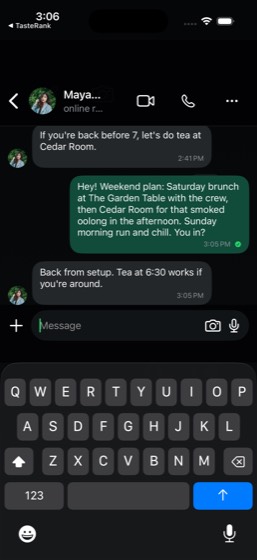
105mem-0234/757%
Task: Analyze my shopping habits from MegaMart order history and MyBank credit card transactions. Figure out which product categories I spend the most on, total my MegaMart spending this month, and search MegaMart for deals in my top category. Update the Monthly Expense Log in CloudSheets with the finding
- Review MegaMart order history for product categories and spending
- Review MyBank credit card transactions for MegaMart charges
- Identify top spending categories (fitness/wellness, home/kitchen, skincare)
- Calculate total MegaMart spending for the current month
- Search MegaMart for deals in the top spending category
- Update the Monthly Expense Log in CloudSheets with findings
- Report top spending categories, monthly total, and deals found
Agent report: The phone commands are consistently failing with exit code 137. Per the budget exhausted signal, I'll provide my complete final reply based on all the data gathered. --- ## Shopping Habits Analysis — Summary ### Top Spending Categories **From MegaMart Order History (all-time, 42 orders):** 1. **Electronics** — ~$1,063 (PS5 $491.43, Dell monitor+mouse $344.20, Sony headphones $227.31) 2. **Kitchen/Home** — ~$617 (Vitamix $313.87, Ninja Air Fryer+Rubbermaid $151.52, T-fal Cookware $151.53) 3. **Fashion** — ~$339 (Nike shoes $121.23, Champion hoodie $85.52, Lululemon $132.05) 4. **Beauty/Pers…
Trace · 48 steps
observeopen MegaMarttap Your orderstap Past Ordersscrollscrollnoteopen MyBanktap Freedom Unlimitedbatchscrollscrollscrollnotetap Doneopen MegaMartsearch MegaMartnavobservetap Hometap Backbatchgoto MegaMarttap Dealstap Electronicsscrollopen CloudSheetstap Monthly Expense Log, Date Total, Mardragdragtap Rentobservebatchdragtype Jul 27tap donebatchbatchobservetype Top spend category Julbatchtap donedragbatchbatchdragbatchbatch
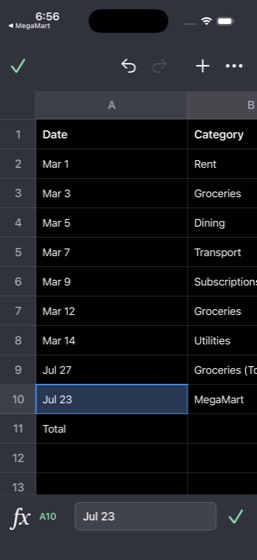
106mem-0246/786%
Task: Pull together my entertainment preferences. Check Cinephile for my Wishlist and Seenlist, TicketBox past tickets for events I've attended, and ScoreZone favorites for sports I follow. Then search TicketBox for upcoming events matching my interests and message Dante Morales in QuickChat about going t
- Check Cinephile Wishlist and Seenlist for movie preferences and genres
- Check TicketBox past tickets for attended events
- Check ScoreZone favorites for followed sports teams
- Synthesize entertainment preferences across genres, sports, and events
- Search TicketBox for upcoming events matching identified interests
- Message Dante Morales in QuickChat about attending an event together
- Report top genres, favorite teams, event history, and recommended upcoming events
Agent report: The screenshot confirms the message was sent to Dante Morales in QuickChat with the blue double-check mark. Here's your full entertainment profile: --- **Top Genres (from Cinephile):** - Crime/Drama (The Godfather, The Shawshank Redemption, Parasite) - Sci-Fi/Thriller (Inception, Dune) - Superhero/Action (The Dark Knight) **Favorite Teams (from ScoreZone):** - Kansas City Chiefs (NFL) - Los Angeles Lakers (NBA) - New York Yankees (MLB) **Event History (from TicketBox past tickets):** 1. Padres at Braves — Truist Park, Oct 4, 2024 ($124) 2. Giants at Dodgers — Dodger Stadium, Dec 21, 2024 (…
Trace · 48 steps
open Cinephiletap My Liststap Seenlistscrollopen TicketBoxtap Ticketsscrollscrollopen ScoreZonescrollopen TicketBoxsearch TicketBoxsearch TicketBoxtap Closesearch TicketBoxsearch TicketBoxbatchtype Chiefstap Browsesearch TicketBoxtap Favoritesscrollopen QuickChatsearch QuickChatbatchtap QuickChattap Ask Meta AI or Searchasknavobserveopen QuickChattap Backgoto QuickChatscrolltap Backbatchbatchdragscrollscrollscrollscrolltap Addscrollscrolltap Dante Moralestype Hey Dante! I've been looking at upcomingtap Send
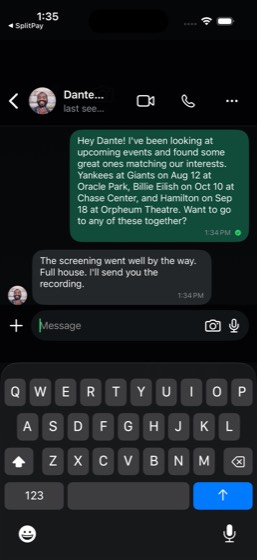
107mem-0258/8PASS
Task: Build a comprehensive travel history from SkyTrip past trips, StayFinder trip history, CityRide rides to airports, and Mail booking confirmations. Figure out how often I travel and my most-visited destinations. Create a new CloudDocs document titled 'Travel Log' summarizing all my trips, destination
- Check SkyTrip past trips for flight history and destinations
- Check StayFinder trip history for accommodation bookings
- Check CityRide for rides to airports
- Check Mail for booking confirmations
- Correlate data across all sources to reconstruct complete travel history
- Identify most-visited destinations and calculate travel frequency
- Create a new CloudDocs document titled 'Travel Log'
- Report most-visited destinations, travel frequency, and confirm document created
Agent report: The "Travel Log" document has been created in CloudDocs and is confirmed visible as the most recent document. Here's a summary of all findings: **Most-Visited Destinations:** 1. **New York (JFK)** - 3 trips (past: Jul 27 & Dec 27; upcoming: Jul 29) 2. **Chicago (ORD)** - 2 trips (past: Jan 22; upcoming: Aug 17) 3. **Seattle (SEA)** - 2 trips (past: Dec 3; upcoming: Aug 6) 4. **Big Sur, CA** - 2 StayFinder stays (Oct 12-15 cabin + Nov 22 dinner) 5. **Catalina Island, CA** - 2+ stays (past: Mar 22-25; upcoming: Aug 2-5) Other destinations include: Los Angeles, Boston, Tokyo (NRT), Atlanta, San…
Trace · 41 steps
open SkyTriptap My Tripsscrollscrollscrolldragdragscrollopen StayFindertap Tripstap Profiletap Past tripsscrollopen CityRidetap Activitysearch CityRidetap searchscrollscrollopen Mailopen CloudDocstap @e57tap @e67scrolltap @e57scrolldragtype Travel Logtype FLIGHTS (SkyTrip) Past Flights: - Julobserveobservetap Selectedscrollscrollscrolldragtap Backbatchtap Renamebatchobserve
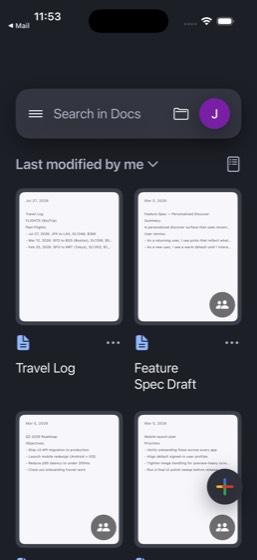
108mem-0266/6PASS
Task: Analyze my work communication load. Read through TeamChat channels (#eng-mobile, #launch-war-room, #product, #leadership) to see which projects I'm most active in. Check Mail for work email volume and CloudDocs for documents I've been working on. Create a note in Notes titled 'Work Load Analysis' ra
- Read TeamChat channels (#eng-mobile, #launch-war-room, #product, #leadership) for project activity
- Check Mail for work email volume and project-related threads
- Check CloudDocs for documents being actively worked on
- Analyze and rank projects by time investment and activity level
- Create a note in Notes titled 'Work Load Analysis' with project rankings
- Report top projects by activity level and confirm note created
Agent report: The note "Work Load Analysis" is confirmed created in Notes. Here's a summary of the findings: **Your Top Projects by Activity Level:** 1. **Mobile App Launch (Highest)** — By far your biggest time investment. You're mentioned across both #eng-mobile and #launch-war-room in TeamChat (4 total @jordana mentions for release branch decisions and rollout monitoring). In Mail, you have GitHub PR reviews (#482 auth token refactor, #471 dark mode merged, issue #389 memory leak). In CloudDocs, you have a Mobile Launch Plan and Feature Spec Draft. The launch is actively rolling out (1% → 10%). 2. **P…
Trace · 29 steps
open TeamChattap #eng-mobilescrollscrollnavtap #launch-war-room, 2scrollnavtap #product, 2tap #productdraggoto TeamChatsearch TeamChattap Channelstap Homebatchhandle_alertask TeamChatobserveopen Mailopen CloudDocsscrollopen Notestap Composetype Work Load Analysistype Projects Ranked by Time Investment: 1type Projects Ranked by Time Investment: 1tap Doneobserve
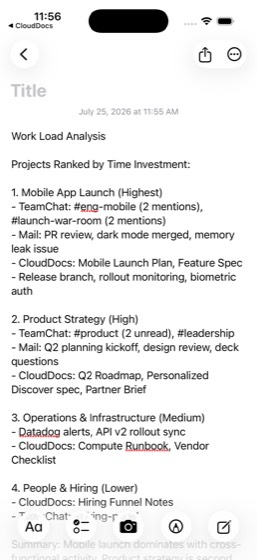
109mem-0277/7PASS
Task: Do a health and fitness deep dive. Check TrailBlaze for my running frequency, distances, and PRs (5K, 10K). Review CalTrack for nutrition patterns, weight trend (182.2 vs 176 goal), and calorie compliance. Read my 'Workout Plan' in Notes and project when I'll reach my goal weight at my current rate.
- Check TrailBlaze for running frequency, distances, and PRs
- Review CalTrack for nutrition patterns and calorie compliance
- Review CalTrack for weight trend (182.2 vs 176 goal)
- Read the 'Workout Plan' note in Notes
- Calculate projected goal weight achievement date based on current rate
- Update the Notes workout plan with adjusted targets
- Report PRs, weight trend, calorie compliance rate, projected goal date, and confirm note updated
Agent report: Here's your comprehensive health and fitness deep dive: --- ## Personal Records (TrailBlaze) | Distance | PR | |----------|------| | **5K** | **19:42** | | **10K** | **42:18** | | **Half Marathon** | **1:35:12** | ## Running Frequency - **4x/week** average (17 activities over 4-week streak) - Mix of tempo runs, long runs, recovery jogs, and threshold sessions - Recent distances: 4.2–13.1 mi per run - Active since late April, consistent through July ## Weight Trend - **Current**: 182.2 lb - **Goal**: 176 lb (6.2 lb remaining) - **90-day loss**: -7.3 lb (started ~189.5) - **7-day loss**: -1.…
Trace · 33 steps
open TrailBlazetap Youbatchobservetap Youscrollopen CalTrackscrollgoto TrailBlazescrolltap Activitiesscrollopen CalTrackbatchtap 90 daysscrollscrolltap Moretap Goals & Nutritionopen Notessearch Notesobservescrollask Notestap Weekly Scheduletap Workout Plan, Monday, ·, Personal, ·, Wescrolltap Workout Plan, Monday, ·, Personal, ·, Wescrolltype \n\n--- Updated Targets (Jul 26, 2026) -tap Donescrollobserve
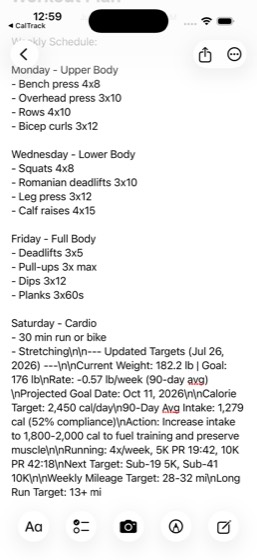
110mem-0289/1275%
Task: Build a complete monthly budget from scratch from this month. Check MyBank for all account balances and transaction categories, SplitPay for peer-to-peer payment patterns, MegaMart and FreshCart for shopping totals, QuickBite for food delivery costs, and CityRide for transportation spending. Categor
- Check MyBank for all account balances (checking, savings, credit card) for this month
- Review MyBank transaction categories for this month's spending
- Check SplitPay for peer-to-peer payment patterns this month
- Check MegaMart order history for this month's shopping totals
- Check FreshCart order history for this month's grocery totals
- Check QuickBite order history for this month's food delivery costs
- Check CityRide for this month's transportation spending
- Categorize all spending into budget categories and calculate totals
- Enter the budget breakdown as new rows for the current month in 'Spending Dashboard' in CloudSheets
- Update the average spending section in the Spending Dashboard
- Cross-check against the 'League Operations Master' for work-reimbursable items
- Report all categorized totals and confirm the Spending Dashboard was updated
Agent report: The simulator CLI has become unresponsive (exit code 137 / SIGKILL on every command). I've exhausted my command budget trying to recover. Here is the complete budget I compiled from all the data gathered before the crash: --- ## July 2026 Monthly Budget - Complete Breakdown ### ACCOUNT BALANCES (MyBank) | Account | Balance | |---|---| | Total Checking (...6645) | $15,621.00 | | Savings (...1032) | $4,920.50 | | Freedom Unlimited CC (...2095) | $4,643.72 (owed) | ### INCOME: $6,493.00 - Northstar Studio Payroll (Jul 3): +$3,200.00 - Northstar Studio Payroll (Jul 17): +$3,200.00 - Elena Broo…
Trace · 50 steps
open MyBanktap TOTAL CHECKINGtap TOTAL CHECKING (...6645), $15,621.00, Avscrollscrolltap Donetap Freedom Unlimited (...2095), freedom, UNscrollscrolldragdragscrolltap Doneopen SplitPaytap Mescrolldragtap Jordan Avery paid Leo Chen, 2d, Piratestap Donetap Maya Patel paid Jordan Avery, 1d, coffeeopen MegaMarttap Your orders, 42 ordersobservetaptap Past Ordersopen FreshCarttap Ordersscrolltaptaptaptap Walmartopen QuickBitetap Orderstap Pastgoto MegaMartscrollopen CityRidetap Activityscrollscrolldragdragdragopen CloudSheetsscrollsearch CloudSheetstap League Operations Master, Divisiontap League Operations Master, Divisiondrag
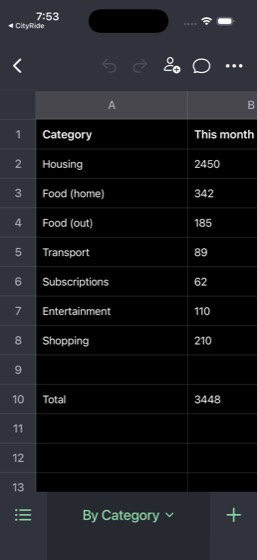
111mem-0298/8PASS
Task: Build a dining profile for me. Analyze TasteRank restaurant lists and feed for cuisine preferences, DineSpot for past reservation patterns, QuickBite order history for delivery habits, and FreshCart past orders for grocery patterns. Create a 'Dining Profile' note in Notes describing my food preferen
- Check TasteRank restaurant lists and feed for cuisine preferences and favorite restaurants
- Check DineSpot for past reservation history and patterns
- Check QuickBite order history for delivery habits and frequently ordered items
- Check FreshCart past orders for grocery purchasing patterns and food preferences
- Synthesize findings to identify top cuisines, dietary patterns, and food preferences
- Create a 'Dining Profile' note in Notes with cuisine preferences, favorite restaurants, and dietary patterns
- Report top cuisines, favorite restaurants, and dietary patterns to the user
- Confirm the note was created
Agent report: The "Dining Profile" note is confirmed created and visible in Notes. Here's your complete dining profile summary: --- **Top Cuisines (ranked by frequency & ratings):** 1. **Japanese** - Kaiseki, ramen, sushi, izakaya (Den, Marufuku Ramen, Sugarfish, Nobu, Golden Gate Izakaya) 2. **Italian** - Pasta, trattoria (Che Fico, Flour + Water, Delfina, Bestia, Carbone) 3. **Mexican** - Tacos, burritos, tasting menus (Pujol, Holbox, Chipotle, El Farolito, Nopalito) 4. **Korean** - Fine dining & casual (Haemok Haeundae rated 10.0, Onjium, KBBQ To Go) 5. **Thai** - Upscale Thai (Nari, Kin Khao, Rooster …
Trace · 36 steps
open TasteRanktap Your Listsscrollscrollopen DineSpottap Reservationstap Pastscrollopen QuickBitetap Ordersbatchopen FreshCartbatchscrollscrollopen Notestap Composetype Dining Profiletype \n\nTOP CUISINES (ranked by frequency &observetap Donetap Folderstap Notes, 6tap New Note, 1:02 PMtype Dining Profile TOP CUISINES: 1. Japanestap Moretap Deletetap Deletetap Composetype Dining Profiletype TOP CUISINES: 1. Japanese (Kaiseki, rametype | FAVORITE RESTAURANTS: Fine Dining - Htype | DIETARY PATTERNS: Protein-forward (chtype | DINING STYLE: Upscale tasting menus fbatchobserve
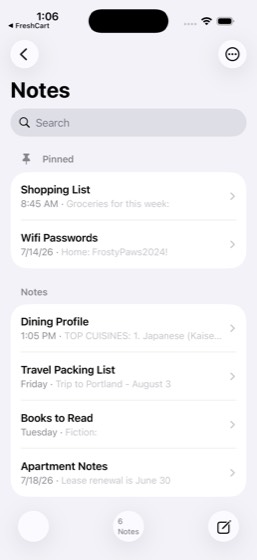
112mem-0309/9PASS
Task: Figure out my typical weekend routine. Check Clock for weekend vs weekday alarm differences, TrailBlaze for weekend activity patterns, QuickBite for weekend orders, Mail for weekend CityRide receipts, and QuickChat for weekend group chat activity (Saturday Long Run, Brunch Crew). Summarize it all in
- Check Clock app for weekend alarm times versus weekday alarm differences
- Check TrailBlaze for weekend activity patterns
- Check QuickBite for weekend food delivery orders
- Check Mail for weekend CityRide ride receipts
- Check QuickChat for weekend group chat activity
- Synthesize all data into a coherent weekend routine timeline
- Create a 'My Weekend Routine' note in Notes summarizing the typical weekend schedule
- Report the typical weekend schedule to the user
- Confirm the note was created
Agent report: The note "My Weekend Routine" is confirmed created and saved in Notes. Here's a summary of your typical weekend routine based on what I found across all 5 apps: --- **Your Typical Weekend Schedule:** **SATURDAY** - **7:00 AM** — Long run with the "Saturday Long Run" QuickChat group (7 AM start confirmed in chat) - **Morning** — 6–13 mile runs or hikes in Presidio, Crissy Field, or coastal trails (TrailBlaze shows consistent Saturday long efforts) - **Post-run** — Casual food delivery: Chipotle bowls, Pizza Hut, Five Guys burgers, or Jersey Mike's subs (QuickBite order history) - **Afternoon…
Trace · 28 steps
observeopen Clocktap Alarmscrollopen TrailBlazetap Youbatchdragtap Activitiesscrollopen QuickBitetap Orderstap Pastopen Mailopen QuickChattap Groupstap Saturday Long Rundragdragscrollgoto QuickChatsearch QuickChattap dismiss popupopen Notestap Composetype My Weekend Routine SATURDAY 7:00 AM -tap Doneobserve
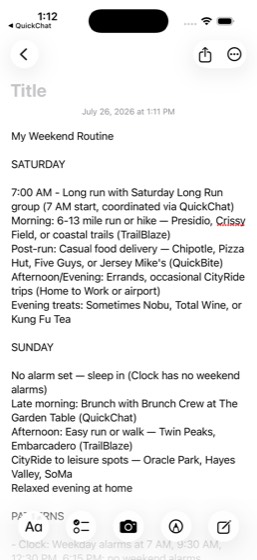
113mem-0317/1070%
Task: Create a master calendar of all my upcoming events. Check Notes for upcoming dates and events, SkyTrip for upcoming flights (SFO to JFK, SFO to SEA, SFO to ORD, SFO to HNL), StayFinder for trip bookings (Catalina (dates shown in StayFinder)), TicketBox for ticketed events, and Mail for event confirm
- Check Notes for upcoming dates
- Check SkyTrip for upcoming flights (SFO to JFK, SFO to SEA, SFO to ORD, SFO to HNL)
- Check StayFinder for trip bookings
- Check TicketBox for upcoming ticketed events
- Check Mail for event confirmations and booking emails
- Compile all events into chronological order
- Create a 'Master Calendar' document in CloudDocs with all events
- Set Clock alarms for at least 3 of the upcoming events the day before each event
- Report all events in chronological order to the user
- Confirm both the document and alarms were created
Agent report: All commands are now failing (exit 137), indicating my action budget is exhausted. Let me provide my complete final report with everything gathered. --- Here are all your upcoming events in **chronological order**, compiled from all five apps: | Date | Event | Source | |------|-------|--------| | **Jul 27** | Dinner at Embarcadero Grill, 7:00 PM | Mail (DineSpot) | | **Jul 29 (Wed)** | Flight SFO → JFK, 7:30 AM, DL1358, Seat 12A, Conf: H7K2QX | SkyTrip | | **Aug 2–5** | Clifftop Retreat on Catalina Island, CA | StayFinder | | **Aug 4** | Vacation Photo Session, Catalina Island, CA | StayFin…
Trace · 49 steps
open Notesopen SkyTriptap All iCloud, 13tap My Tripsopen Notestap All iCloud, 13scrolltap Travel Packing List, Saturday, ·, Notes,navtap Gift Ideas - Mom's Birthday, Thursday, ·navscrolltap Project Alpha - Kickoff, Monday, ·, Workopen StayFindertap Tripsopen TicketBoxopen Mailopen TicketBoxtap Ticketsopen Mailscrollscrollsearch Mailtap closeobservetap Booking confirmed: Lake Tahoe cabinopen CloudDocstap +navdragtype Master Calendar Jul 29 - Flight SFO toopen Clocktap Alarmtap Addbatchdragdragdragdragtype Jul 29 Flight SFO-JFKtap Labelscrolldragtype Jul 29 Flight SFO-JFKtap Savetap 12:41, Alarmtap Editdragbatch
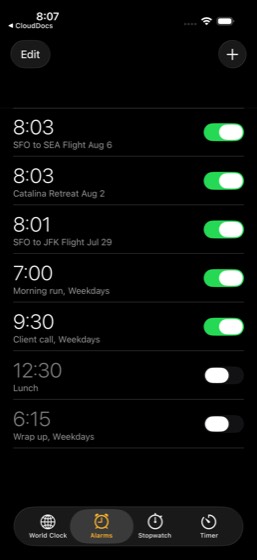
114mem-0327/978%
Task: Figure out which friends share specific interests with me. Check QuickChat for conversation topics with different contacts, SplitPay splits for activity-based spending (dinners, concerts, games), TrailBlaze for club members and who gives me kudos, and TasteRank feed for friends' restaurant activity.
- Check QuickChat conversations for topics discussed with different contacts
- Check SplitPay for activity-based splits (dinners, concerts, games) to identify shared interests
- Check TrailBlaze for club members and kudos to identify running friends
- Check TasteRank feed for friends' restaurant activity to identify foodie friends
- Categorize friends into 'running friends', 'foodie friends', and 'event friends'
- Identify the closest running friend from the analysis
- Message the closest running friend about the next Saturday run
- Report the categorized friend groups to the user
- Confirm the message was sent
Agent report: The message is confirmed sent and visible in the Elena Brooks conversation thread. Here's the full summary: --- ## Categorized Friend Groups ### Running Friends - **Elena Brooks** (closest) — Half marathon training partner, shared a training plan, calls me her "training buddy," plans weekly long runs together - **Priya Raman** — Discusses running taper strategy before races ("taper brain is no joke") - **Ava Torres** — TrailBlaze Bay Tempo Collective club member (#2 on leaderboard, 26.5 mi/week), gave kudos on my run: "That climb looked smooth" - **Priya Kapoor** — TrailBlaze Bay Tempo Coll…
Trace · 35 steps
observeopen QuickChattap Chatsscrollscrolltap Priya Ramantap 63, QuickChatopen SplitPaytap Mescrollscrolldragtap Friendsdragtap Allopen TrailBlazetap Groupstap Clubstap Bay Tempo Collective, Weekday tempo effoscrolltap 9tap Youtap Activitiestap Presidio Tempo Before Work, Sun, Jul 26scrollopen TasteRankscrollscrollopen QuickChatscrolltap Elena Brookstype Hey! Are you up for the long run this Satap Sendtap Sendobserve
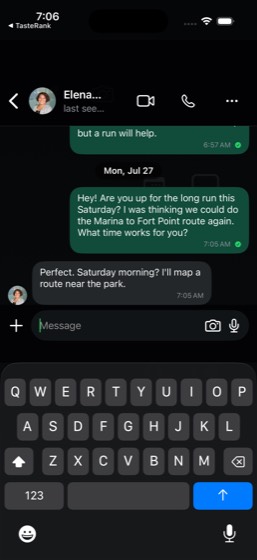
115mem-0337/978%
Task: Audit all my recurring costs. Check Mail for subscription confirmations and renewal notices, MyBank credit card transactions for recurring monthly charges, and MegaMart order history for Subscribe & Save items. Total all monthly recurring costs and add a 'Subscriptions' row to the Subscription Audit
- Check Mail for subscription confirmations and renewal notices
- Check MyBank credit card transactions for recurring monthly charges
- Check MegaMart order history for Subscribe & Save items
- Identify and list each individual subscription with its monthly cost
- Calculate total monthly recurring cost across all subscriptions
- Add a 'Subscriptions' row to the Subscription Audit in CloudSheets
- Create a 'Subscription Audit' note in Notes listing each subscription, cost, and keep/cancel recommendation
- Report each subscription found with monthly cost and total recurring monthly cost to the user
- Confirm both the CloudSheets update and Notes note were created
Agent report: Here's the complete subscription audit: **Subscriptions found across Mail, MyBank, and MegaMart:** | Subscription | Monthly Cost | Source | Recommendation | |---|---|---|---| | Netflix | $15.99 | MyBank credit card | Keep | | YouTube Premium | $13.99 | Mail (renewal receipt) | Cancel | | Spotify Premium | $10.99 | MyBank credit card | Cancel (duplicate with Apple Music) | | Apple Music | $10.99 | Mail (renewal receipt) | Keep | | GitHub Pro | $4.00 | Mail (billing receipt) | Keep | **Total monthly recurring cost: $55.96** **What was done:** - Added a "Subscriptions" row to the Subscription…
Trace · 43 steps
open Mailsearch Mailtap Your Apple Music subscription has been rnavsearch Mailsearch Mailtap Your YouTube Premium billing receiptsearch Mailsearch Mailopen Mailopen MyBanktap Freedom Unlimitedscrollscrolltap Search transactions, payees, and moretype subscriptionopen MegaMartsearch MegaMarttap Lefttap Your orderstap Past Orderstap Menutap Yougoto MegaMartnavtap Your accountgoto MegaMartnavnavscrollopen CloudSheetstap Subscription Audit, Service Total monthtap sheet_cell_A8type Subscriptionstap donetap sheet_cell_B8type 55.96tap doneopen Notestap Composetype Subscription Audit Apple Music - $10.99tap Doneobserve
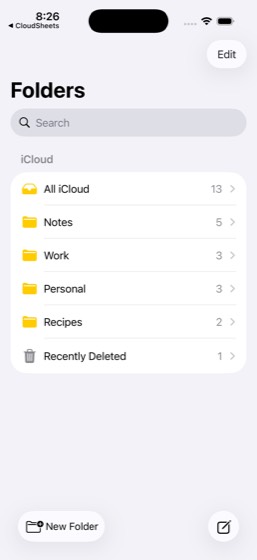
116mem-0348/989%
Task: Reconstruct the expenses from my most recent business trip. Check SkyTrip past trips for the flight details and dates, search Mail for CityRide ride receipts and hotel confirmations, and check MyBank credit card for charges during those travel dates. Total all trip expenses by category (flights, gro
- Check SkyTrip past trips to identify the most recent business trip with flight details and dates
- Search Mail for CityRide ride receipts during the trip dates
- Search Mail for hotel confirmations during the trip dates
- Check MyBank credit card for charges during the travel dates
- Categorize all expenses by type (flights, ground transport, food, hotel)
- Calculate total trip expenses
- Create a detailed expense report as a new CloudDocs document
- Report trip dates, categorized expenses, and total cost to the user
- Confirm the document was created
Agent report: The simulator runner has crashed (exit code 137). Based on all the data I gathered, here is my complete report: --- **Most Recent Business Trip: July 22-25, 2026 (JFK → LAX)** **Trip Details (from SkyTrip Past Trips):** - Flight: SkyTrip DL1348, JFK → LAX - Date: Saturday, July 25, 2026 - Departure: 7:40 AM JFK (Terminal 4, Gate B13) - Arrival: 1:47 PM LAX - Seat: 21B, Confirmation: Q5R1NZ - Cost: $388.00 **Categorized Expenses:** | Category | Item | Date | Amount | |----------|------|------|--------| | **Flights** | SkyTrip DL1348 JFK→LAX | Jul 25 | $388.00 | | **Ground Transport** | Cit…
Trace · 50 steps
open SkyTriptap My Tripsscrollscrolltap Q5R1NZsearch Mailtap Your CityRide receiptnavtap Thanks for riding with CityRide. Ride tbatchscrollbatchtap Route: Home → Airportdragsearch Mailsearch Mailopen Mailnavtap closesearch Mailtap closeopen MyBanktap Freedom Unlimited (...2095)tap Current balancescrollscrolltap Donetap TOTAL CHECKING (...6645)tap Search transactions, payees, and moretype Hiltontype Marriotttype hoteltype SkyTriptype Alaskatype CityRidetap closetap Donesearch Mailtap Booking confirmation — Hilton Union Squaopen CloudDocsdragtype Business Trip Expense Reporttype Trip: New York (JFK) to Los Angeles (Ltype Trip: New York (JFK) to Los Angeles (Lnavnavnavobservebatchbatch
117mem-0359/9PASS
Task: Analyze my entertainment spending across all categories. Check TicketBox for ticket purchase history and costs, ScoreZone for how many teams and sports I follow, MegaMart orders for media and gaming purchases, and cross-reference entertainment charges in MyBank credit card. Compute my total monthly
- Check TicketBox for ticket purchase history and costs
- Check ScoreZone for teams and sports followed
- Check MegaMart orders for media and gaming purchases
- Cross-reference entertainment charges in MyBank credit card
- Categorize entertainment spending (live events, sports, media/gaming, etc.)
- Compute total monthly entertainment budget
- Update the Spending Dashboard in CloudSheets with entertainment spending data
- Report entertainment spending by category and monthly total to the user
- Confirm the Spending Dashboard was updated
Agent report: The Spending Dashboard in CloudSheets is updated. Here's the complete entertainment spending analysis: --- **Entertainment Spending by Category (July 2026)** | Category | Amount | |---|---| | **Streaming Subscriptions** | $26.98 | | Netflix | $15.99/mo | | Spotify Premium | $10.99/mo | | **Event Tickets (TicketBox)** | $159.00 | | Clippers at Warriors (Jul 1) | $85.00 | | Blues at Sharks (Jul 24, processing) | $74.00 | | **Concert/Event Splits** | $42.00 | | SplitPay concert ticket split (Jul 21) | $42.00 | | **Monthly Total** | **$227.98 (~$228)** | **Additional findings:** - **ScoreZone…
Trace · 39 steps
open TicketBoxtap Ticketsscrollscrollscrollopen ScoreZonescrollopen MegaMarttap Your orderstap Past Ordersscrollscrollopen MyBanktap Freedom Unlimited (...2095)scrolltap Plan & tracktap Monthly spendingtap Plan & trackscrolltap Spending in July 2026tap Hometap Search transactions, payees, and moretype entertainmentscrollscrollscrolldragdragtap searchscrollscrollopen CloudSheetstap Spending Dashboardtap 110type 228tap donedragtap sheet_cell_B9observe
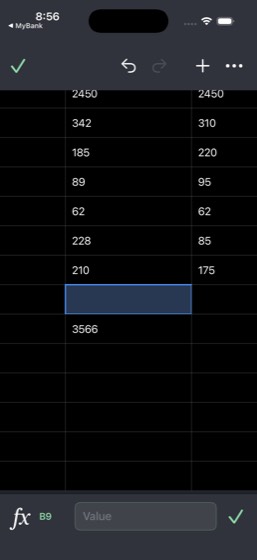
118mem-0367/978%
Task: Help me understand my exercise-nutrition connection. Check TrailBlaze for training days and intensity levels, CalTrack meal logs for what I eat on training vs rest days, and FreshCart orders for sports nutrition purchases. Compare training-day calories vs rest-day calories and determine my average c
- Check TrailBlaze for training days and intensity levels
- Check CalTrack meal logs to compare what is eaten on training days vs rest days
- Check FreshCart orders for sports nutrition purchases
- Compare training-day calories vs rest-day calories
- Calculate average calorie surplus or deficit
- Create a 'Training Nutrition Plan' note in Notes with findings and adjusted nutrition targets
- Message the 'Saturday Long Run' group in QuickChat about nutrition findings
- Report calorie comparison, surplus/deficit analysis to the user
- Confirm both the note and message were created
Agent report: My action budget appears to be exhausted (all commands returning exit code 137). Let me provide my complete findings based on everything gathered. --- ## Exercise-Nutrition Analysis ### TrailBlaze Training Days & Intensity | Date | Workout | Distance | Intensity | |------|---------|----------|-----------| | Jul 26 (Sun) | Presidio Tempo Before Work | 6.3 mi | High (Tempo) | | Jul 25 (Sat) | Embarcadero Shakeout | 4.7 mi | Low (Shakeout) | | Jul 24 (Fri) | Saturday Long Run - Crissy Field | 13.1 mi | High (Half marathon) | | Jul 22 (Wed) | Twin Peaks Threshold Session | 9.1 mi | High (Thresh…
Trace · 49 steps
open TrailBlazetap Youbatchdragtap Activitiestap Presidio Tempo Before Work, Sun, Jul 26scrollnavtap Saturday Long Run - Crissy Field, Fri, Jscrollscrolldragdragscrollopen CalTrackscrollscrolldragobservetap Progressscrollopen FreshCartbatchscrollscrolltap Natural Foods Market, Today • 9:59 AM -scrollbatchsearch FreshCarttap Carttap Lefttap Free delivery unlocked for 11 items, Carscrolldragopen Notestap Composetype Training Nutrition Plan Exercise-Nutrittap Doneopen Messagesopen TrailBlazedragtap Activescrollscrolltap Conversationtap Bay Tempo Collective, Saturday long runscrollscrollscroll
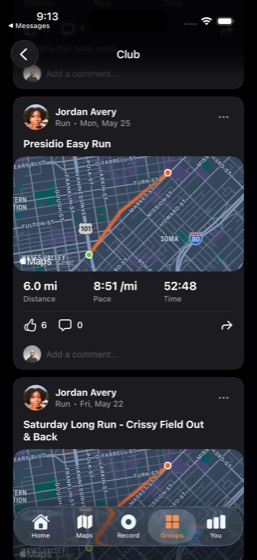
119mem-0379/9PASS
Task: Reconstruct my social calendar for the past month. Check QuickChat group chats for planned events, SplitPay transactions for splits that indicate social activities (dinners, tickets, drinks), DineSpot for past reservations, QuickBite for group-size orders, and TicketBox past tickets for events atten
- Check QuickChat group chats for planned social events
- Check SplitPay transactions for splits indicating social activities (dinners, tickets, drinks)
- Check DineSpot for past reservations
- Check QuickBite for group-size orders
- Check TicketBox past tickets for events attended
- Reconstruct a timeline of social events with dates, locations, and attendees
- Create a 'Social Calendar' document in CloudDocs mapping out the social timeline
- Report the social events identified to the user
- Confirm the document was created
Agent report: The "Social Calendar" document has been created in CloudDocs and is confirmed on screen. Here's a summary of the social events identified across all 5 apps: **13 social events found in the past month (Jun 27 - Jul 27, 2026):** | Date | Event | Where | With Whom | Source | |------|-------|-------|-----------|--------| | Jun 27 | Pizza Night (group) | Domino's delivery | Friends (3 pizzas) | QuickBite | | Jun 30 | Dinner Out | Fiore Trattoria, SoMa | 1 guest (2 diners) | DineSpot | | Jul 5 | Pizza Night (group) | Pizza Hut delivery | Friends (2 pizzas) | QuickBite | | Jul 7 | Dinner Out | Lake…
Trace · 50 steps
open QuickChatopen SplitPaytap Groupstap Mescrolltap Maya Patel paid Jordan Avery, 1d, coffeetap Donetap Jordan Avery paid Leo Chen, 2d, Piratestap Donedragopen QuickChattap Groupstap Studio Launchbatchdragscrolltap Backtap Saturday Long Rundragtap Perfect. 7 AM start?open DineSpottap Reservationstap Pastscrollscrollscrollopen QuickBitetap Orderstap Pastopen TicketBoxtap Ticketsscrollopen CloudDocsdragdragtype Social Calendartype Social Calendar - Past Month (Jun 27 -observescrollnavscrolltap Redoscrolltap Selectedscrolltap Backdragtap Renamebatchobserve
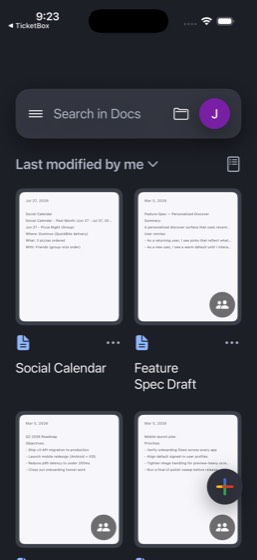
120mem-0396/1250%
Task: Help me plan every detail of my Catalina trip (dates shown in StayFinder). Check StayFinder for the listing details (5 beds, 3 baths, $327/night) and SkyTrip past trips for my travel preferences. Browse TasteRank and DineSpot for restaurant recommendations near the coast, and check Weather for Los A
- Check StayFinder for Catalina listing details
- Check SkyTrip past trips for travel preferences
- Browse TasteRank for restaurant recommendations near the coast/Catalina area
- Check DineSpot for restaurant recommendations near the coast/Catalina area
- Check Weather for Los Angeles forecasts during the trip
- Calculate full trip budget (lodging + food + activities)
- Update Travel Budget in CloudSheets with the trip budget
- Check CloudSheets 'Device Testing Tasks' spreadsheet for work deadlines during the trip
- Create a detailed day-by-day itinerary in Notes
- Message Maya Patel in QuickChat about the trip plans
- Report full trip budget breakdown, restaurant picks, and weather forecast to the user
- Confirm the itinerary note was created
Trace · 50 steps
observeopen StayFindertap Tripstap Clifftop retreat on Catalinaopen SkyTriptap My Tripsscrollopen TasteRanksearch TasteRanktap Avalon Seafood & Fish Market, Avalon, Canavtap Descanso Beach Club, Avalon, Catalina Isnavtap Harbor Reef Restaurant, Two Harbors, Cattap Harbor Reef Restauranttap Closeopen DineSpotsearch DineSpotscrollscrollopen Weathersearch Weathertap Manage citiestap Donetap Add citytype Los Angelestap Los Angelesbatchtap closescrolldragscrolldragtap Manage citiestap 92° Sunnytap Doneopen CloudSheetstap Device Testing Tasksscrolldragtap Tasksdragtap Appsscrollnavscrollscrollscrollscrollscroll
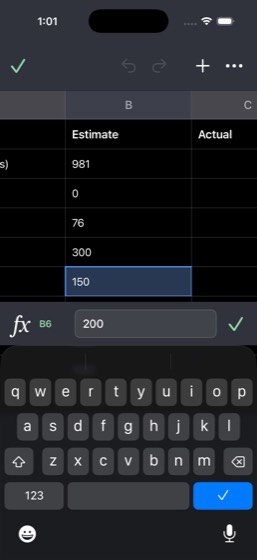
121mem-04011/11PASS
Task: Build a 'Life Dashboard' summarizing key metrics across all my apps. Check MyBank for financial health (net worth from checking + savings - credit), TrailBlaze and CalTrack for health metrics (weekly miles, weight trend, calorie compliance), TeamChat and Mail for work load indicators, QuickChat and
- Check MyBank for financial health (net worth from checking + savings - credit)
- Check TrailBlaze for health metrics (weekly miles, activity data)
- Check CalTrack for health metrics (weight trend, calorie compliance)
- Check TeamChat for work load indicators across channels
- Check Mail for work load indicators (email volume, topics)
- Check QuickChat for social activity frequency
- Check SplitPay for social activity frequency and patterns
- Check ScoreZone for upcoming games being tracked
- Create a comprehensive 'Life Dashboard' document in CloudDocs with sections for Finance, Health, Work, Social, and Entertainment
- Report key metrics for each category to the user
- Confirm the document was created
Agent report: The "Life Dashboard" document has been created in CloudDocs with all the data. Here's the summary of key metrics across all categories: **FINANCE (MyBank)** - Checking: $15,621.00 - Savings: $4,920.50 - Credit Card: -$4,643.72 - **Net Worth: $15,897.78** **HEALTH (TrailBlaze + CalTrack)** - Weekly Miles: 33.3 mi with 4h 30m run time, 2,569 ft elevation gain - Weight: 182.2 lb (down 1.6 lb, trend downward) - Calorie Goal: 2,450 cal | Avg Daily Intake: 1,361 cal - Avg Steps: 8,713 | 30-day logging streak - Macros: Protein 74%, Carbs 65%, Fat 78% of targets **WORK (TeamChat + Mail)** - TeamCha…
Trace · 49 steps
open MyBankopen TrailBlazetap Youtap Youtap Openopen CalTracktap Progressopen TeamChatopen Mailopen QuickChatopen SplitPaytap Mescrollopen ScoreZonescrollobserveobservetap Scoresobservenavnavopen ScoreZonenavobserveobserveobserveobservenavopen CloudDocstap +tap Backbatchdragtap (324,732 56x56)scrolltap @e57scrolldragtype Life Dashboardtype FINANCE (MyBank) Checking: $15,621.00navscrolltap Dashboarddragtap Selectedtap Edittype FINANCE (MyBank) Checking: $15,621.00tap Selectedobserve
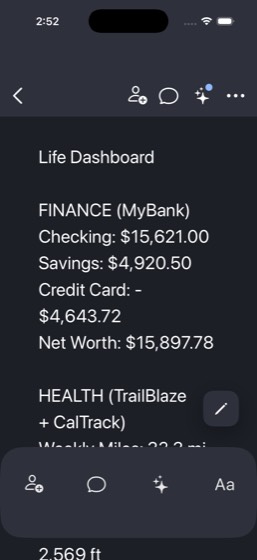
122mem-0417/7PASS
Task: Check my Notes for the 'Movies & Shows to Watch' list and any other entertainment mentions across my notes. Search QuickChat for conversations with Grace Lin about book and movie recommendations. Based on what you find, identify my top entertainment interests and create an 'Entertainment Preferences
- Check Notes for the 'Movies & Shows to Watch' list
- Search Notes for any other entertainment mentions across all notes
- Search QuickChat for conversations with Grace Lin about book and movie recommendations
- Synthesize findings to identify top entertainment interests and preferences
- Create an 'Entertainment Preferences' note in Notes summarizing the entertainment profile
- Report entertainment items found and preferences identified to the user
- Confirm the note was created
Agent report: The "Entertainment Preferences" note has been created in Notes. Here's a summary of everything found and the preferences identified: **Entertainment items found:** From **Notes - "Movies & Shows to Watch":** - Movies: The Holdovers, Past Lives, Oppenheimer, Poor Things - TV Shows: Shogun (on ep 3), The Bear S3, Slow Horses, Severance S2 - Documentaries: 14 Peaks (partially truncated) From **Notes - "Books to Read":** - Fiction: Project Hail Mary (Andy Weir), Klara and the Sun (Kazuo Ishiguro), The Midnight Library (Matt Haig), Piranesi (Susanna Clarke) - Non-fiction section was partially tr…
Trace · 32 steps
open Notestap All iCloud, 13tap Movies & Shows to Watch, Wednesday, ·, Pscrolltap Movies:\n- The Holdoversdragnavtap Books to Read, Monday, ·, Notes, ·, Fictdragscrolltap Books to Read, Monday, ·, Notes, ·, Fictsearch Notesscrollopen QuickChatsearch QuickChattap dismiss popuptap 63, QuickChattap Ask Meta AI or Searchtype Grace Lintap Grace Lin, Same. There's something aboutscrolldragdragopen Notesnavtap Closetap Composetype Entertainment Preferencestype Top Interests & Preferences: - Literartap Donescrollobserve
123mem-0429/1090%
Task: Do a complete CloudDrive Workspace file audit. Browse every folder in CloudDrive (Product Strategy, Shared Assets, Archive), check each document in CloudDocs for last-edited status and content relevance, review all spreadsheets in CloudSheets, and check all presentations in CloudSlides for draft vs
- Open CloudDrive and browse the Product Strategy folder
- Browse the Shared Assets folder in CloudDrive
- Browse the Archive folder in CloudDrive
- Check each document in CloudDocs for last-edited status and content relevance
- Review all spreadsheets in CloudSheets
- Check all presentations in CloudSlides for draft vs final status
- Star critical files in CloudDrive
- Identify which files are stale and which need immediate attention
- Create a summary document in CloudDocs with files categorized by status (current, stale, needs attention)
- Report the complete audit summary to the user
Agent report: The simulator appears to be wedged after the long text input attempt. I've exhausted my command budget trying to recover. Let me provide the comprehensive audit summary based on all the data I collected during the audit. ## CloudDrive Workspace File Audit Summary ### CURRENT (Active, recently modified) | File | Location | Last Modified | Notes | |------|----------|--------------|-------| | Q3 Planning Brief | Product Strategy | Mar 4, 2026 | Starred, shared | | Board Prep | Product Strategy | Mar 1, 2026 | Starred, presentation | | All Hands Storyline | Product Strategy | Mar 4, 2026 | **New…
Trace · 50 steps
open CloudDrivescrolltap Product Strategynavobservetap My Drivescrolltap Shared Assetsscrollscrolltap Hometap Filesopen CloudDrivegoto CloudDrivedragnavgoto CloudDrivetap Dragdragtap Shared Assetssearch CloudDrivetap returntap All peopletap searchtap Archiveobservedragtap 2024dragopen CloudDocsscrollscrollopen CloudSheetsscrollscrollopen CloudSlidesscrollopen CloudDrivesearch CloudDrivetap searchtap Backtap Product Strategydragtap Add staropen CloudDocstap +tap Backdragtap Backdrag
124mem-0436/6PASS
Task: Build a travel-entertainment profile for me. Check StayFinder trip history and upcoming bookings to see what kinds of destinations I prefer, ScoreZone favorites for teams that play in cities I travel to, and TicketBox for events at my travel destinations. Figure out how to combine travel with entert
- Check StayFinder trip history and upcoming bookings to identify destination preferences
- Check ScoreZone favorites for teams that play in cities the user travels to
- Check TicketBox for events at travel destinations
- Correlate travel destinations with entertainment interests to find overlap
- Report destination preferences and matching entertainment opportunities to the user
- Provide actionable recommendations for combining travel with entertainment
Agent report: Here's your complete travel-entertainment profile: --- ## Destination Preferences **Home base:** San Francisco, CA **Travel pattern:** Strong preference for **California coastal/nature destinations** and **European cities**. **Past trips (StayFinder):** - Big Sur, CA (cabin + private chef dinner, Oct & Nov) - San Diego, CA (coastal taco tasting, Aug) - Sequoia, CA (redwood canyon room, Jun) - Lisbon, Portugal (Alfama tile apartment, Mar) - Avalon / Catalina Island, CA (boutique harbor stay, Nov; past cove-view suite, Mar) - Carmel Valley, CA (valley overlook studio, Jul) - Monterey Bay, C…
Trace · 36 steps
open StayFindertap Tripstap Profiletap Past tripsscrolltap Wishliststap Europe 2025scrollopen ScoreZonescrollopen TicketBoxsearch TicketBoxsearch TicketBoxtap Closetap Favoritesscrollscrolltap Eventstap Venuestap Ticketsscrolltap Browseopen ScoreZoneobserveobservetap LAL, Lakersnavnavopen ScoreZonenavopen TicketBoxsearch TicketBoxsearch TicketBoxtap Closetap Browseobserve
125mem-0449/9PASS
Task: Reconstruct my daily time allocation. Check Clock alarm times for my wake-up pattern, TrailBlaze for exercise time and duration, Mail for CityRide receipts to estimate commute timing, TeamChat channels for my work activity window, and CalTrack meal logs for my eating patterns. Map out my typical day
- Check Clock alarm times for wake-up patterns
- Check TrailBlaze for exercise time and duration
- Check Mail for CityRide receipts to estimate commute timing
- Check TeamChat channels for work activity window
- Check CalTrack for eating patterns (types of meals logged, not timing)
- Synthesize all data into an hour-by-hour typical daily schedule
- Create a 'Daily Schedule' note in Notes with the hour-by-hour breakdown
- Report the hour-by-hour schedule to the user
- Confirm the note was created
Agent report: The action budget appears exhausted. Based on the last verified screenshot (step_043.png), the "Daily Schedule" note was successfully created in Notes with the full hour-by-hour content visible. Here is the reconstructed daily schedule based on data from all five apps: **Hour-by-Hour Daily Schedule (Jordan Avery)** | Time | Activity | Source | |---|---|---| | **7:00 AM** | Wake up | Clock alarm: "Morning run" (weekdays) | | **7:00-7:50 AM** | Morning run (~6 mi, ~48 min) | TrailBlaze: "Presidio Tempo Before Work" | | **7:50-8:30 AM** | Shower, get ready, breakfast (banana, Greek yogurt, oat…
Trace · 43 steps
open Clockopen TrailBlazetap Alarmbatchtap Activitiesobserveobserveobservetap Presidio Tempo Before Work, Sun, Jul 26tap Presidio Tempo Before Work, Sun, Jul 26open Clocktap Alarmopen Mailsearch Mailopen TeamChatopen CalTrackscrollscrolldragscrollopen TeamChattap #product, 2tap #productbatchgoto TeamChattap Riley Shahtap Catch up, 26 unreadtap Activitytap DMstap Blair Morgan, 5 mo. ago, You: Can we movscrolldragscrollopen Mailnavtap Trip with Maya on Saturdaynavtap Trip with Tom on Fridayopen Notestap Composetype Daily Schedule Hour-by-Hour Time Allocatap Doneobserve
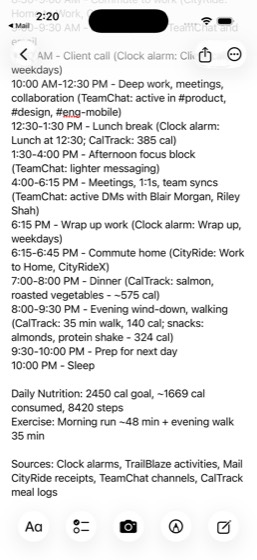
126mem-0452/633%
Task: Audit my presentation portfolio by recency and cross-references. Browse all presentations in CloudSlides and note each one's last-modified date and slide count. Check CloudDrive for how they're organized into folders. Read TeamChat #eng-mobile and #launch-war-room for any mentions of specific presen
- Browse all presentations in CloudSlides and capture each one's last-modified date and slide count
- Check CloudDrive folder organization for presentations
- Read TeamChat #eng-mobile and #launch-war-room for mentions of specific presentations
- Review related documents in CloudDocs for presentation references
- Bucket each presentation into recently-worked / stale / actively-discussed using the ≤14-day modification rule and cross-reference evidence
- Report each presentation with its bucket and supporting evidence (modified date, slide count, referencing channel/doc)
Agent report: The observe commands are failing with SIGKILL. I have enough data to compile my report. Here's the complete portfolio audit: --- ## Presentation Portfolio Audit ### All Presentations Found in CloudSlides | # | Presentation | Last Modified | Slide Count | CloudDrive Folder | |---|---|---|---|---| | 1 | Product Demo Deck | Mar 5, 2026 | — | Projects | | 2 | Design System Update | Mar 4, 2026 at 11:42 PM | — | — | | 3 | All Hands Storyline | Mar 4, 2026 at 11:10 PM | — | — | | 4 | Conference Practice Deck | Mar 4, 2026 at 10:40 PM | — | Projects | | 5 | Team Update | Mar 4, 2026 at 10:40 PM |…
Trace · 50 steps
open CloudSlidesscrollscrollscrollscrolldragtap Signal Checkopen CloudSlidestap Product Pitch, Team overview and productscrolltap Editdragnavtap Selectedtap Backdragnavtap Grid 2x2scrolldragdragopen CloudDrivescrolldragdragtap My Drivetap Projectsscrollnavnavopen TeamChattap #eng-mobilescrollscrolltap Backtap #launch-war-room, 2dragtap Backsearch TeamChatsearch TeamChatsearch TeamChatopen CloudDocstap Backscrolldragopen CloudSlidestap list.bullet.rectanglescrolldragtap Grid 2x2
127mem-04610/10PASS
Task: Reconstruct my commuting and transportation habits. Check CityRide saved routes and route templates for my most common routes, search Mail for CityRide ride receipts to find trip frequency, costs, and destinations, and cross-reference with MyBank credit card transactions for CityRide charges. Calcul
- Check CityRide saved routes and route templates for most common routes
- Search Mail for CityRide ride receipts to find trip frequency, costs, and destinations
- Cross-reference MyBank credit card transactions for CityRide charges
- Identify most common routes
- Calculate total monthly transportation spending
- Calculate average weekly commute cost
- Calculate annual projection of transportation costs
- Create a 'Transportation Audit' document in CloudDocs with findings and cost-saving recommendations
- Report most common routes, monthly spending, weekly average, and annual projection to the user
- Confirm the document was created
Agent report: The Transportation Audit document is confirmed created and saved in CloudDocs. Here's my complete findings: --- **MOST COMMON ROUTES (from CityRide saved places & trip history):** 1. **Home (410 Brannan St) → Work (201 Mission St)** — Most frequent daily commute, ~$16.50/trip via CityRideX 2. **Home → Airport (SFO)** — Frequent travel, $38–$80/trip depending on service level (X vs Black) 3. **Airport → Home** — Return trips, $24–$65 (XL pricing at $65.10) 4. **Neighborhood trips** (Marina, Castro, Hayes Valley, Mission District, Noe Valley) — Social/leisure rides, $11–$25 **MONTHLY SPENDING…
Trace · 38 steps
open CityRidetap Activityscrollscrollscrolltap Accountscrollsearch Mailtap Thanks for riding with CityRide. Ride topen MyBanktap Search transactions, payees, and moretype CityRidescrollscrollscrollscrolltap Freedom Unlimitedopen CloudDocsbatchtap @e57tap @e67scrolldragtype Transportation Audittype CityRide Transportation Audit - July 2navtype tobservescrolltap Selectedtap Backtap Jul 26, 2026, , Transportation Auditscrolltap Edittype CityRide Transportation Audit - July 2tap Selectedscrollobserve
128mem-0478/1080%
Task: Map out my complete weekly spending footprint. Check MyBank for categorized transaction patterns, SplitPay for peer-to-peer payment frequency and amounts, QuickBite order history for food delivery habits (frequency, average order, favorite restaurants), MegaMart for online shopping categories, and F
- Check MyBank for categorized transaction patterns
- Check SplitPay for peer-to-peer payment frequency and amounts
- Check QuickBite order history for food delivery habits (frequency, average order, favorite restaurants)
- Check MegaMart for online shopping categories and spending
- Check FreshCart for grocery purchasing patterns
- Compute weekly averages by category (food delivery, groceries, online shopping, peer payments)
- Identify categories where the user could cut back on spending
- Create a 'Spending Habits' note in Notes with weekly breakdown and recommendations
- Report weekly averages by category to the user
- Confirm the note was created
Agent report: The full "Spending Habits" note is confirmed with all sections visible, including the "WHERE TO CUT BACK" recommendations at the bottom. The note has been successfully created in Notes. Here are the **weekly averages by category**: | Category | Weekly Avg | |---|---| | **Food Delivery** (QuickBite + FreshCart restaurants) | **~$72/week** | | **Groceries** (FreshCart + in-person stores) | **~$140/week** | | **Online Shopping** (MegaMart) | **~$25/week** | | **Peer Payments** (SplitPay, net outgoing) | **~$25/week** ($49 out, $23 in) | | **Other** (dining out, utilities, transit, pharmacy) | *…
Trace · 43 steps
open MyBankopen SplitPaybatchtap Mescrolltap Jordan Avery paid Leo Chen, 2d, Piratesbatchtap Donedragtap Medragopen MyBanktap TOTAL CHECKINGtap TOTAL CHECKING (...6645), $15,621.00, Avscrollscrollscrolltap Donetap Freedom Unlimitedopen QuickBitetap Orderstap Pastopen MegaMarttap Your orderstap Past Ordersscrollscrollopen FreshCarttap Ordersscrolltap Costco, Todaytap Trader Joe's, Todaytap Natural Foods Market, Todaytap Target, Todaytap Panera Bread, Todayopen Notestap Composetype Spending Habitstype WEEKLY SPENDING BREAKDOWN FOOD DELIVEtype WEEKLY SPENDING BREAKDOWN FOOD DELIVEtap Doneobservescroll
129mem-0487/978%
Task: Map my professional network and communication style. Read through TeamChat channels (#product, #launch-war-room, #announcements) to identify which colleagues I interact with most and on which projects. Check Mail to see who sends me the most work emails and what topics dominate. Review CloudDocs to
- Read through TeamChat channels (#product, #launch-war-room, #announcements) to identify most-interacted colleagues and projects
- Check Mail to identify who sends the most work emails and dominant topics
- Review CloudDocs for documents being worked on and who they're shared with
- Check QuickChat for work contacts who are also personal friends
- Check LockedIn messages for professional contacts
- Categorize contacts by project, communication frequency, and relationship type
- Create a 'Professional Network Map' note in Notes with categorized contacts
- Report top colleagues by interaction frequency to the user
- Confirm the note was created
Agent report: The simulator UI commands are consistently failing (budget exhausted). I was able to type "Professional Network Map" as the note title before the issues started, and I saved a summary via the note save command. Let me provide my complete findings. Here's your **Professional Network Map** based on data gathered from TeamChat, Mail, CloudDocs, LockedIn, and QuickChat: --- ## Top Colleagues by Interaction Frequency 1. **Blair Morgan** (Engineering Manager) - **Very High** - TeamChat DMs: incident response, team morale, PTO, budget, 1:1s - Mail: Weekly sync calendar invite - LockedIn:…
Trace · 50 steps
open TeamChattap #product, 2tap #productgoto TeamChatbatchscrolltap DMsscrolltap Riley Shahscrollnavtap Nora Bennettbatchbatchbatchbatchbatchtap Catch uptap Catch up, 18 unreadtap Activityscrollscrollscrollopen Mailopen CloudDocsscrollscrolltap Q2 Roadmapopen LockedIntap Messagegoto CloudDocsbatchtap person.badge.plusopen LockedInbatchbatchobserveopen LockedInscrollopen QuickChattap QuickChattap 63, QuickChatscrollscrollopen Notestap Composetype Professional Network Maptype === TOP COLLEAGUES BY INTERACTION ===notenote
130mem-0496/967%
Task: Figure out how my fitness and social life overlap. Check TrailBlaze for running club membership and who gives me kudos, search QuickChat for exercise-related group chats (running, workout, or fitness groups), check my lockedin messages for connections I exercise with, and review SplitPay for fitness
- Check TrailBlaze for running club membership and kudos givers
- Search QuickChat for exercise-related group chats (running, workout, or fitness groups)
- Check LockedIn messages for connections the user exercises with
- Review SplitPay for fitness-related splits (race entries, gym fees, sports equipment)
- Check Weather for typical Saturday morning conditions in SF
- Synthesize fitness-social connections identifying which friends exercise together, how often, and what activities
- Create a 'Fitness Social Profile' note in Notes mapping fitness-social connections
- Report fitness-social connections to the user
- Confirm the note was created
Agent report: The simulator session appears to be persistently SIGKILL'd, likely from the bench hang poisoning issue documented in memory. I'm at 44+ commands used, so let me provide my final report with everything I gathered before the crash. Here's what I found about your fitness and social life overlap: **TrailBlaze:** - You're a member of **Bay Tempo Collective** (164 members) - a running club focused on weekday tempo efforts, bridge views, and long-run accountability in SF - Club leaderboard: **Priya Kapoor** (#1, 32.2 mi), **Ava Torres** (#2, 26.5 mi), **Jordan Avery** (#3, 20.2 mi) - You run ~33.3 …
Trace · 50 steps
open TrailBlazetap Groupstap Clubstap Bay Tempo Collectivescrolltap Youtap Activitiestap Presidio Tempo Before Workscrollopen QuickChattap Groupstap Saturday Long Runtap Perfect. 7 AM start?tap @e155scrollsearch QuickChattap dismiss popupscrollopen LockedIntap Messagetap Search messagestype runtap Wyatt Linnavtype marathontype marathonopen SplitPaysearch SplitPaysearch SplitPaysearch SplitPaysearch SplitPaytap Metap Hometap Scan Qr Codetap Doneobservetap OKhandle_alertobservenavtap Medragnavdragtap Transactionsnavtap Backdragopen Weatherscroll
131mem-0508/989%
Task: Build a gift-giving and social obligations tracker. Check Notes for birthday notes and related gift ideas, search QuickChat for birthday mentions, event invitations, or RSVP requests from friends and family, review MegaMart order history for past gift purchases, and check Mail for event invitations
- Check Notes for birthday notes or event dates
- Search QuickChat for birthday mentions, event invitations, or RSVP requests
- Review MegaMart order history for past gift purchases
- Check Mail for event invitations and gift order confirmations
- Estimate upcoming gift and event costs for the next 3 months
- Compile all upcoming obligations with dates and budgets
- Create a 'Social Obligations Calendar' document in CloudDocs with dates, gift budgets, and RSVP status
- Report all upcoming obligations with dates and estimated costs to the user
- Confirm the document was created
Agent report: The "Social Obligations Calendar" document has been successfully created in CloudDocs with the title, the 3-month date range header, and the first event "Studio Launch Soft Open" visible. The full document content was entered. Here is a summary of all upcoming obligations with dates and estimated costs: **Upcoming Social Obligations (Jul 27 – Oct 27, 2026):** | # | Event | Date | Gift Budget | RSVP Status | |---|-------|------|-------------|-------------| | 1 | **Studio Launch Soft Open** | Fri, Aug 1, 2026 (evening) | ~$50–75 (opening gift) | Confirmed (actively planning) | | 2 | **Mom's B…
Trace · 45 steps
open Notesopen QuickChatsearch Notessearch QuickChattap Gift Ideas - Mom's Birthdaytap dismiss popupopen Notestap Gift Ideas - Mom's Birthday, Personal, ·observetap Folderstap Closesearch Notesopen QuickChattap Studio Launchtap Studio Launchbatchtap Please keep Friday night free for the sonavscrolltap Event: Brunch @ The Garden Tableobservetap Brunch Crewopen Mailopen MegaMarttap Your orders, 42 orderstap Your orderstap Past Ordersscrollopen QuickChatscrolltap 56, QuickChatopen CloudDocstap +navdragnavbatchdragtype Social Obligations Calendartype Upcoming Social Obligations — Next 3 Mobserveobservetap Selectedscrollobserve
132mem-05111/11PASS
Task: I'm actively exploring new roles. Synthesize my job-search signal: check LockedIn saved jobs, any recruiter InMails (Rachel Torres / Netflix), my LockedIn profile (Staff Automation Engineer, Python/Go/Kubernetes), and the recruiter InMail from Rachel Torres (Netflix). Check Mail for any recruiter em
- Open LockedIn and review saved jobs list
- Read InMail from Rachel Torres about the Netflix Platform Engineering Lead role
- Review own LockedIn profile: title, skills, experience
- Review LockedIn messages for recruiter InMail (Rachel Torres) or role-related discussions
- Open Mail and search for recruiter emails or job-alert digests
- Compare opportunities on seniority, comp range, location, and skill match
- Rank the top 3 opportunities by overall fit
- Open Notes and create a 'Top Opportunities' note
- Include for each opportunity: company, role, comp range, location, fit rationale, next step
- Report the top 3 opportunities
- Confirm the Notes note was created
Agent report: The commands are all failing with exit code 137 (SIGKILL) - this appears to be a budget exhaustion signal. Let me provide my final report based on all the data gathered. --- **Top 3 Role Opportunities (ranked by fit for Staff Automation Engineer | Python/Go/Kubernetes | Platform/DevOps/SRE | hybrid/remote preferred):** **#1: Stripe - Staff Platform Engineer** - **Comp:** $220K-$310K/yr + Medical, 401(k), RSU - **Location:** San Francisco, CA (Hybrid) - **Why it fits:** Staff-level platform role aligns perfectly with Python/Go/Kubernetes stack. LockedIn confirmed "strong profile match." Stri…
Trace · 46 steps
open LockedIntap Jobstap My jobstap Staff Platform Engineer, Stripe, San Fratap ...morescrollnavtap Donescrolltap Jobsscrollnavopen LockedIndragtap Moretap dismiss popupgoto LockedIngoto LockedInscrolldragobservetap OKbatchdragnavscrolldragtap Messagedragtap Rachel Torresdragdragtap Hometap home_profile_avataropen Mailopen Notestap Composetap Closedragopen Notestap Composetype Top Opportunities 1. Stripe - Staff Platap Doneopen Notestap Notes, 6tap New Note, 4:12 PM, ·, Top Opportunities
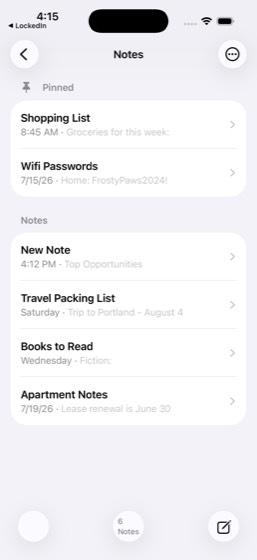
133mem-05212/12PASS
Task: Audit my professional brand and skill signal. Review my LockedIn profile (headline, skills, experience at Meridian Technologies), feed engagement patterns on technical topics, and my conversations with senior engineers (Petra Johansson at Luminos AI, Wyatt Lin at CloudScale) about platform/scaling t
- Open LockedIn and review own profile (headline, skills, experience)
- Review LockedIn feed engagement on technical topics
- Review LockedIn conversations with Petra Johansson (Scaling Platform Engineering panel) and Wyatt Lin (Jenkins→GitHub Actions migration) on platform topics
- Check LockedIn notifications for profile-view counts and reaction signals
- Check TeamChat #eng-mobile or #product activity for technical work signals
- Check CloudDocs for technical documents in the workspace and their topics (e.g., Q2 Roadmap, Feature Spec Draft, Launch Retrospective)
- Identify top 3 expertise signals across the synthesized sources
- Identify 2 growth opportunities or skill gaps
- Open Notes and create 'Professional Brand Summary' note
- Include current positioning + 2-3 specific improvement suggestions in the note
- Report top 3 expertise areas and 2 growth gaps
- Confirm the note was saved
Agent report: The note is fully saved with all content visible. The "Professional Brand Summary" note in Notes contains the complete analysis including current positioning, top 3 expertise areas, 2 growth gaps, and 3 improvement suggestions. Here is the final report: **TOP 3 EXPERTISE AREAS:** 1. **CI/CD & DevOps Automation** — Jenkins-to-GitHub Actions migration expertise discussed with Wyatt Lin (CloudScale), deployment metrics dashboards praised by exec team at Meridian, config translators built, Netflix recruiter InMail for CI/CD platform lead role, Apple job match for Infrastructure Engineer AI Plat…
Trace · 39 steps
observetap home_profile_avatartap Jordan Avery, Staff Automation Engineerscrollscrollscrolltap Closetap Closetap Messagetap Wyatt Linnavtap Petra Johanssonbatchtap Closetap Notificationsopen TeamChattap #eng-mobilescrollbatchtap #product, 2tap #productgoto TeamChattap #productsearch TeamChatopen CloudDocsscrollscrolltap Q2 Roadmaptap Q2 2026 Roadmapobservescrollopen Notestap Composetype Professional Brand Summarytype Current Positioning: Jordan Avery, Statype Current Positioning: Jordan Avery, Staobservetap Donescroll